AI agent for radiographers
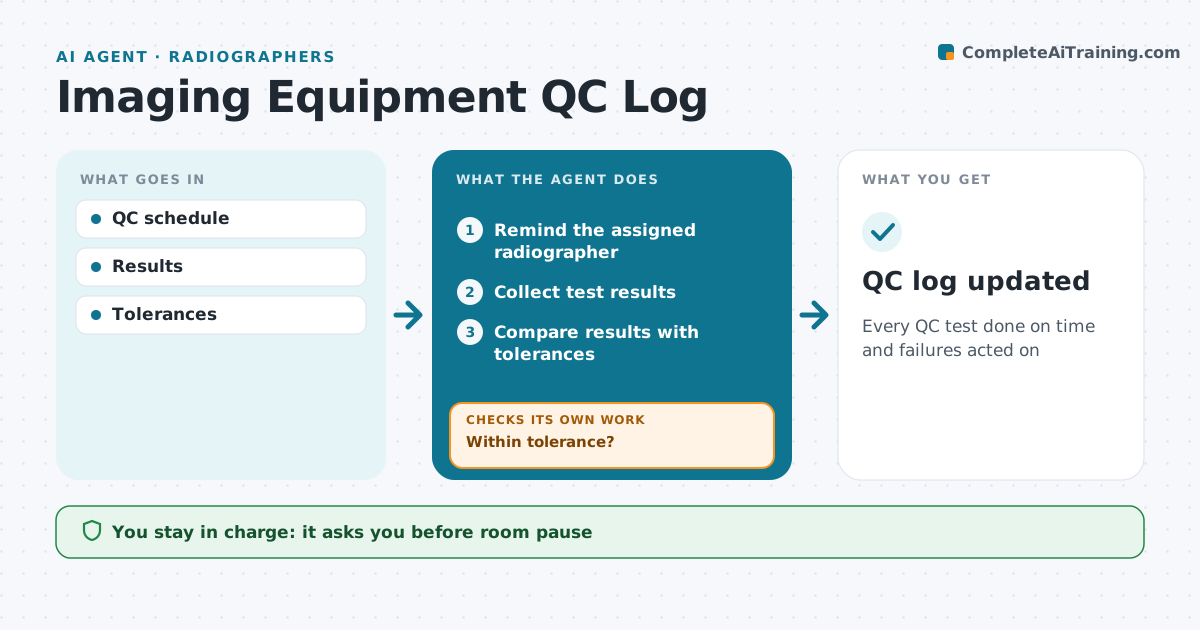
Imaging Equipment QC Log Agent
Every QC test done on time and failures acted on
What it does
Imaging equipment needs regular quality control tests, such as daily detector checks, weekly CT phantom scans and monthly tests, and a skipped test can hide a fault. This agent keeps the QC schedule for each room, reminds the assigned radiographer, reads the results and compares them with tolerances. It checks that every scheduled test was done. An out-of-tolerance result triggers a recalibration request and a repeat test. If the repeat still fails, it opens a service ticket and recommends pausing the room. The imaging lead approves any room pause. Edge case: a result just inside tolerance three times in a row is flagged as a trend, so the team can act before it fails.
How it works
Follow the arrows from top to bottom. The orange dashed arrow is the loop: when a check fails, the agent goes back and tries again.
Read the steps as a list
- QC test due for a room
- Remind the assigned radiographer
- Collect test results
- Compare results with tolerances
- Within tolerance?If not: ask for recalibration and a repeat test, then collect again. Back to step 3.
- Draft a note on any trend or repeated failure
- Lead decides whether to pause the roomThe agent waits here for your OK.
- QC log updated
How it decides
Results compared with tolerances; trends flagged.
- Failure after repeat opens a ticket
- Trends flagged
- Missed tests escalated
Make it yours
Every agent is a starting point. You choose these settings for your own situation.
- Schedule
- Tolerances
- Reminder time
- Recipients
What keeps you in control
It always asks you first
- Room pause
Hard limits
- No equipment changes
It stops when
- Done: logged
- Stop: room down
Set it up
We guide you through the set-up, step by step
Members get the full set-up guide for this agent. No technical skills needed: you copy, paste and upload.
- One set of instructions to paste into your AI, with the clicks for ChatGPT, Claude, Microsoft 365 Copilot, Gemini and Grok
- The agent then walks you through connecting your own data, one source at a time
- A downloadable copy with the flow chart, the rules and the full guide