AI agent for radiographers
Imaging Order Completeness Agent
Every order is complete and correct before the exam
What it does
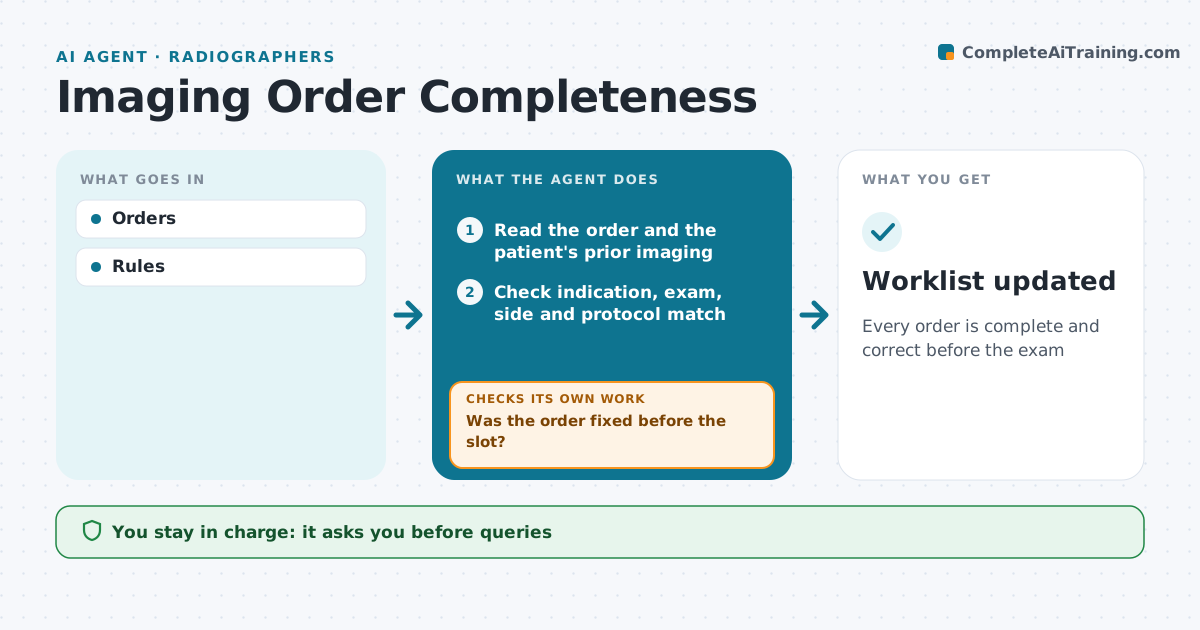
An imaging order must name the right exam and side and give a clear clinical reason, or the wrong scan gets done or the slot is wasted. This agent reads each incoming order. It checks for a missing indication, an unclear side, an exam that does not fit the stated reason, such as a plain film ordered for suspected stroke, or a duplicate of a recent order. It drafts a short question to the ordering clinician for the radiographer to approve and send. It tracks the reply and updates the worklist when the order is fixed. If the order is still unclear close to its slot, it sends a second query with a phone alert and holds the slot. Edge case: urgent orders with gaps go straight to a radiographer to phone the clinician.
How it works
Follow the arrows from top to bottom. The orange dashed arrow is the loop: when a check fails, the agent goes back and tries again.
Read the steps as a list
- Imaging order received
- Read the order and the patient's prior imaging
- Check indication, exam, side and protocol match
- Draft a query for any gap or mismatch
- Radiographer approves the queryThe agent waits here for your OK.
- Send the query to the ordering clinician
- Was the order fixed before the slot?If not: send a second query with a phone alert and hold the slot. Back to step 6.
- Worklist updated
How it decides
Missing or conflicting items trigger a query.
- Side required
- Duplicates flagged
- Urgent gaps by phone
Make it yours
Every agent is a starting point. You choose these settings for your own situation.
- Rules
- Timing
- Contacts
- Query template
What keeps you in control
It always asks you first
- Queries
- Rebooking
Hard limits
- No changes to orders by agent
It stops when
- Done: order fixed
- Stop: order cancelled
Set it up
We guide you through the set-up, step by step
Members get the full set-up guide for this agent. No technical skills needed: you copy, paste and upload.
- One set of instructions to paste into your AI, with the clicks for ChatGPT, Claude, Microsoft 365 Copilot, Gemini and Grok
- The agent then walks you through connecting your own data, one source at a time
- A downloadable copy with the flow chart, the rules and the full guide