
AI agent for neuroscientists
Imaging Preprocessing Quality Agent
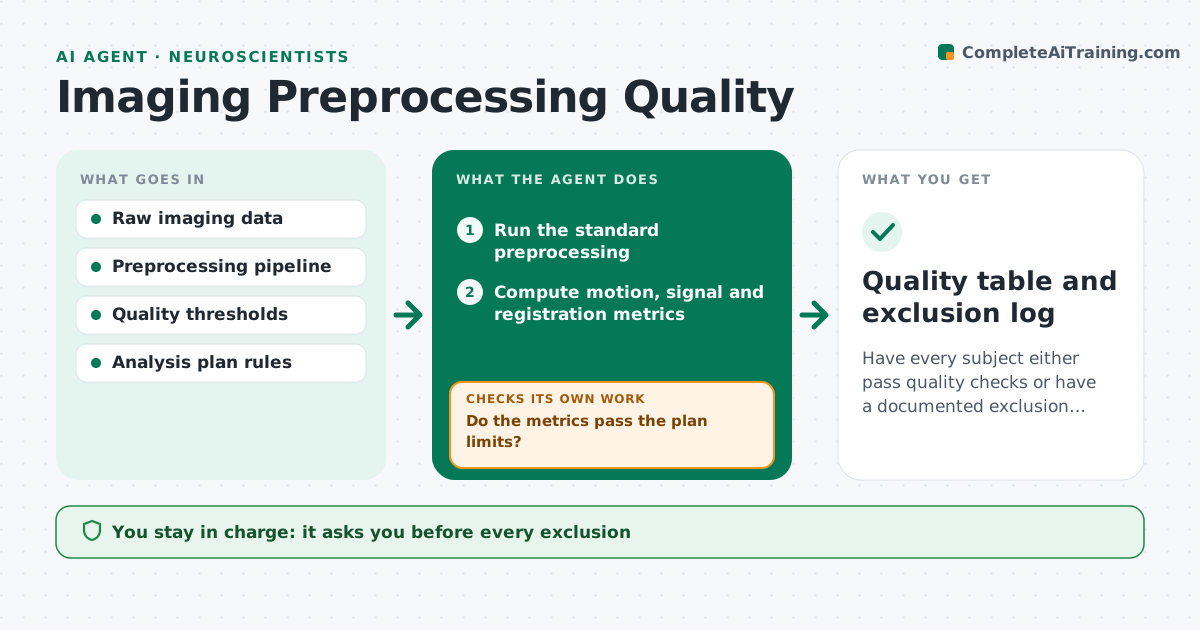
Have every subject either pass quality checks or have a documented exclusion before group analysis.
What it does
Head motion and artifacts in brain imaging can quietly bias results, and are often discovered when a group result looks odd. This agent runs the lab's preprocessing on each new subject and checks the output right away. It reads motion parameters, framewise displacement, signal to noise, registration quality and any spikes. It flags subjects with too much motion or poor registration, and reruns preprocessing with alternative settings such as different smoothing, motion correction or a different registration method. It then rechecks the quality measures, and lists subjects that still fail. It records exclusions with reasons and the numbers behind them. It never excludes anyone alone. The scientist approves them. Edge case: a short run with high motion early is trimmed only if the analysis plan allows it.
How it works
Follow the arrows from top to bottom. The orange dashed arrow is the loop: when a check fails, the agent goes back and tries again.
Read the steps as a list
- New subject data arrive
- Run the standard preprocessing
- Compute motion, signal and registration metrics
- Do the metrics pass the plan limits?If not: rerun with alternative smoothing, motion correction or registration. Back to step 2.
- Recompute metrics on the rerun
- Does the rerun pass?If not: mark the subject as a proposed exclusion with the numbers. Back to step 4.
- Add the subject to the quality table
- Summarize exclusions and reasons for the study
- Scientist approves exclusionsThe agent waits here for your OK.
- Quality table and exclusion log
How it decides
A subject passes when motion and registration metrics are within the plan limits. Failing subjects get alternative settings once before exclusion is proposed.
- Flag a subject with mean framewise displacement above 0.5 mm
- Flag registration with overlap below the set score
- Rerun each failing subject once with alternative settings
- Trim volumes only if the analysis plan permits
Make it yours
Every agent is a starting point. You choose these settings for your own situation.
- Motion limit (default 0.5 mm)
- Registration quality limit
- Alternative settings list
- Quality metrics reported
- Trimming rule
What keeps you in control
It always asks you first
- Every exclusion
- Any change to the pipeline for the whole study
Hard limits
- Never delete raw data
- Never exclude before approval
It stops when
- Done: all subjects pass or are excluded and approved
- Stop: raw data incomplete
Set it up
We guide you through the set-up, step by step
Members get the full set-up guide for this agent. No technical skills needed: you copy, paste and upload.
- One set of instructions to paste into your AI, with the clicks for ChatGPT, Claude, Microsoft 365 Copilot, Gemini and Grok
- The agent then walks you through connecting your own data, one source at a time
- A downloadable copy with the flow chart, the rules and the full guide



