AI agent for medical records clerks
Imaging Quality Backlog Agent
Make sure scanned records are readable and filed to the right chart.
What it does
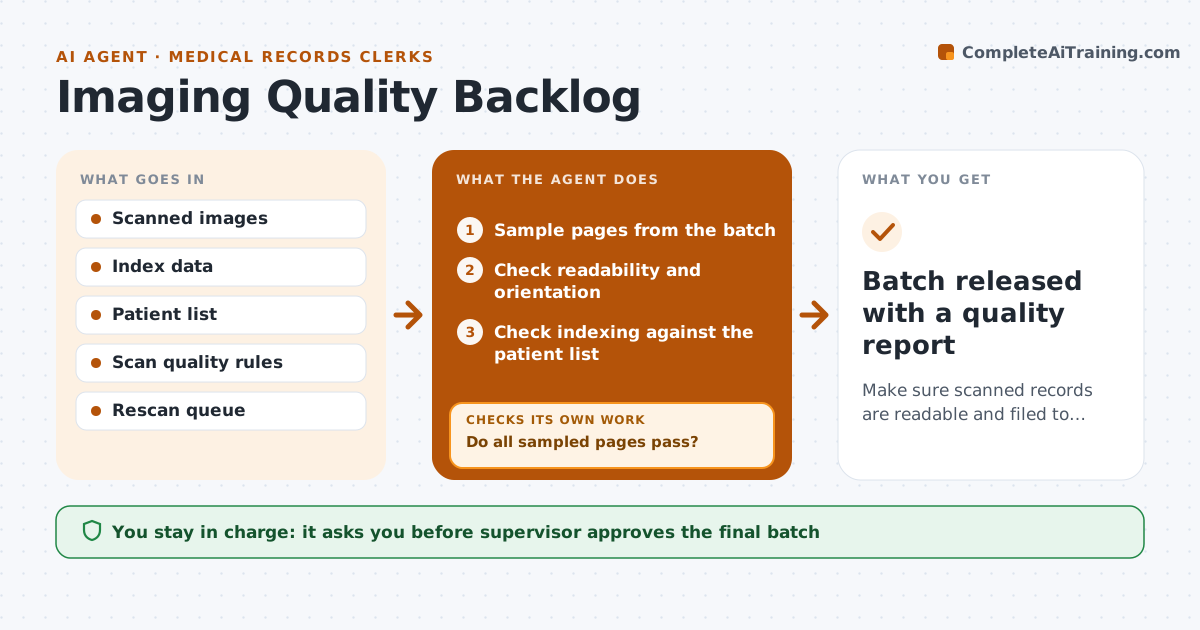
Scanned records can be blurry, rotated, or filed under the wrong patient, and no one finds out until the chart is needed. This agent samples scanned batches and checks readability, orientation and indexing against the source and the patient list. It requeues bad scans and tracks them to the fix. After rescanning, it checks the pages again, and pages that still fail are flagged for manual review. The supervisor approves the final batch check. Edge case: a page that matches a different patient's name is flagged as a possible misfile and held until someone confirms the right chart.
How it works
Follow the arrows from top to bottom. The orange dashed arrow is the loop: when a check fails, the agent goes back and tries again.
Read the steps as a list
- Scan batch is complete
- Sample pages from the batch
- Check readability and orientation
- Check indexing against the patient list
- Do all sampled pages pass?If not: Requeue failed pages for rescan and increase the sample. Back to step 2.
- Track the rescan queue
- Check the rescanned pages
- Do the rescanned pages pass?If not: Flag the pages for manual review by the supervisor. Back to step 6.
- Supervisor approves the batch checkThe agent waits here for your OK.
- Batch released with a quality report
How it decides
It passes a page when it is readable, upright and indexed to the right patient, and sends the rest back to rescan.
- Sample at least 5 percent of each batch
- Fail pages below the readability score
- Hold any page that could be a misfile
- Increase the sample when more than 3 percent fail
Make it yours
Every agent is a starting point. You choose these settings for your own situation.
- Sample size (default 5 percent)
- Readability pass mark
- Failure rate that stops a batch
- Rescan wait time
What keeps you in control
It always asks you first
- Supervisor approves the final batch
Hard limits
- Never delete a scan
- Never release a batch with a held page
It stops when
- Done: the batch passes
- Stop: failure rate is too high and the supervisor stops the batch
Set it up
We guide you through the set-up, step by step
Members get the full set-up guide for this agent. No technical skills needed: you copy, paste and upload.
- One set of instructions to paste into your AI, with the clicks for ChatGPT, Claude, Microsoft 365 Copilot, Gemini and Grok
- The agent then walks you through connecting your own data, one source at a time
- A downloadable copy with the flow chart, the rules and the full guide