AI agent for solutions architects
Implementation Plan Dependency Agent
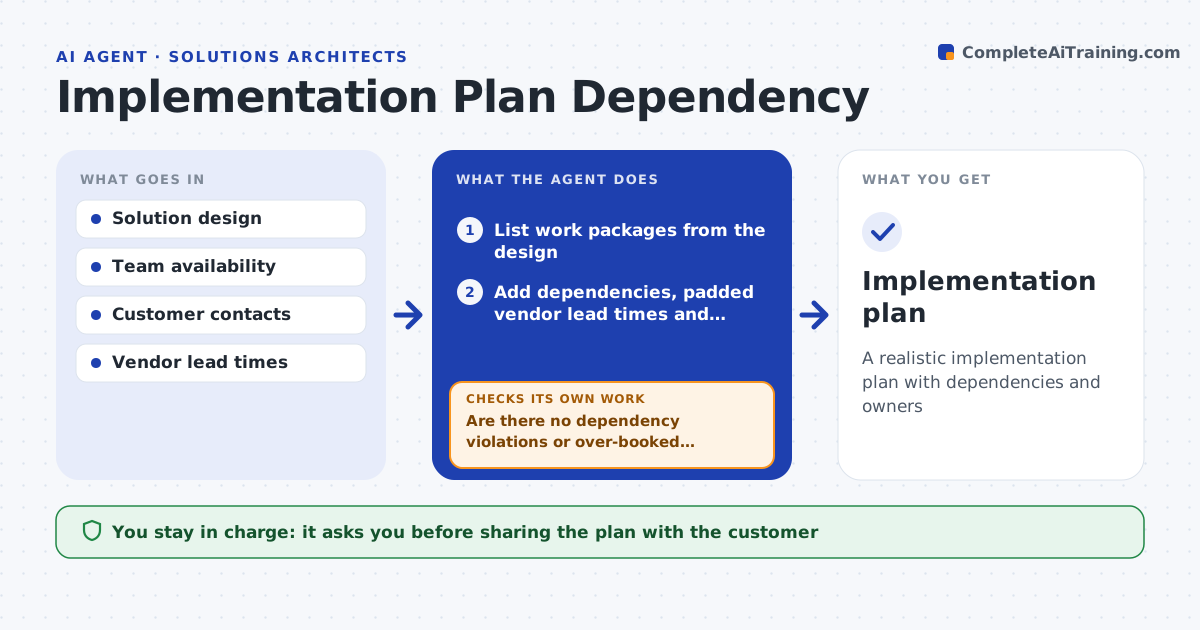
A realistic implementation plan with dependencies and owners
What it does
After a deal is won, the architect must turn the design into an implementation plan, and hidden dependencies like firewall changes or vendor lead times often wreck the first timeline. This agent lists the work packages from the design and adds dependencies such as network access, customer data, security approvals and vendor lead times. It asks for named owners for every customer-side task. It builds the timeline in the planning tool and highlights the critical path. It then checks for tasks that start before their dependencies end and for anyone booked over 100 percent. If it finds either, it moves tasks or changes assignments and rebuilds. A second check confirms every customer task has a named person. The architect approves the plan before it is shared with the customer. Edge case: a generic owner like 'customer IT' is replaced with a request for a name.
How it works
Follow the arrows from top to bottom. The orange dashed arrow is the loop: when a check fails, the agent goes back and tries again.
Read the steps as a list
- Deal moves to delivery
- List work packages from the design
- Add dependencies, padded vendor lead times and owners
- Build timeline and critical path in the planning tool
- Are there no dependency violations or over-booked people?If not: move tasks or change assignments and rebuild. Back to step 3.
- Does every customer-side task have a named owner?If not: draft a request to the customer contact for named owners. Back to step 3.
- Prepare plan summary with critical path and risks
- Architect approves before sharing with the customerThe agent waits here for your OK.
- Implementation plan
How it decides
It rejects any plan with dependency violations or any person over 100 percent allocation.
- Customer tasks need named owners
- Vendor lead times are padded
- Critical path is highlighted
Make it yours
Every agent is a starting point. You choose these settings for your own situation.
- Planning tool
- Lead time padding
- Work package templates
- Allocation limit
What keeps you in control
It always asks you first
- Sharing the plan with the customer
Hard limits
- Never commits dates to customers
- Never assigns people without manager approval
It stops when
- Done: plan approved
- Stop: missing owners, request them
Set it up
We guide you through the set-up, step by step
Members get the full set-up guide for this agent. No technical skills needed: you copy, paste and upload.
- One set of instructions to paste into your AI, with the clicks for ChatGPT, Claude, Microsoft 365 Copilot, Gemini and Grok
- The agent then walks you through connecting your own data, one source at a time
- A downloadable copy with the flow chart, the rules and the full guide