AI agent for warehouse managers
Inbound Receiving Discrepancy Agent
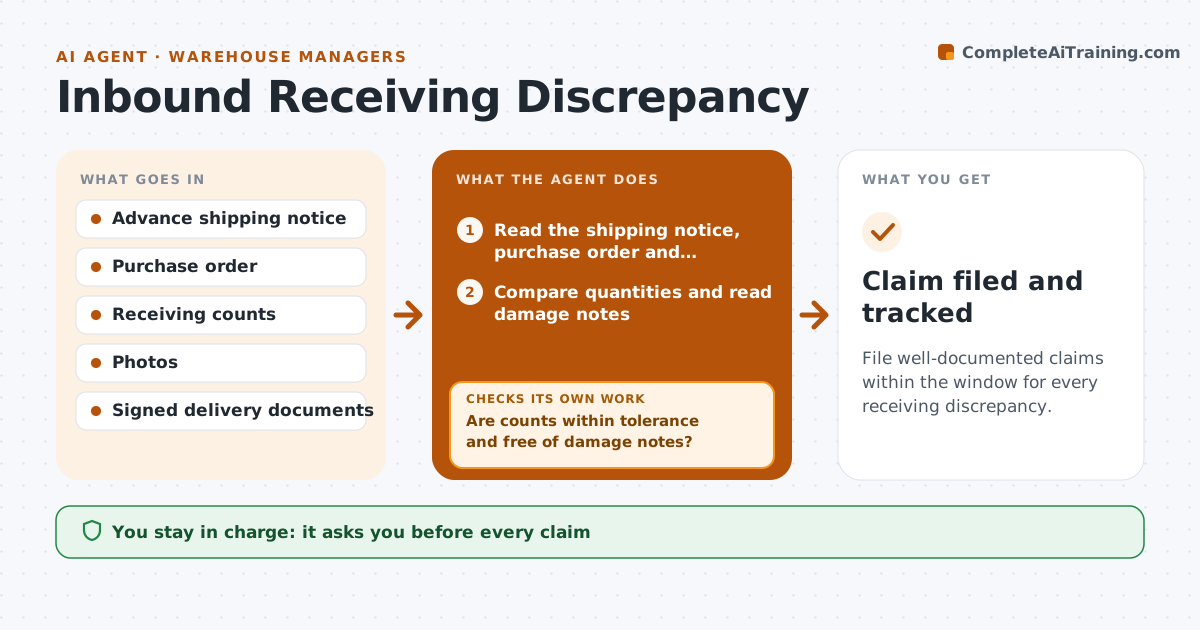
File well-documented claims within the window for every receiving discrepancy.
What it does
A shipment is received, put away and weeks later someone finds 30 cases short. The carrier will not pay because the claim window closed. As each receipt closes, this agent compares counts against the advance shipping notice and the purchase order. It flags overages, shortages and damage notes and gathers photos and signed documents. If evidence is incomplete it asks the receiver to add it. After the evidence is complete, it drafts the claim. The manager approves each claim before it goes to the carrier or supplier. Edge case: a shortage on a mixed pallet is checked against the pallet label before it is counted as missing.
How it works
Follow the arrows from top to bottom. The orange dashed arrow is the loop: when a check fails, the agent goes back and tries again.
Read the steps as a list
- A receipt is closed
- Read the shipping notice, purchase order and receiving counts
- Compare quantities and read damage notes
- Are counts within tolerance and free of damage notes?If not: Open a discrepancy case. Back to step 2.
- Gather photos and signed documents
- Is the evidence complete for the claim?If not: Ask the receiver for the missing photos or signatures. Back to step 4.
- Calculate the claim value and deadline
- Draft the claim to the carrier or supplier
- Manager approves the claimThe agent waits here for your OK.
- Claim filed and tracked
How it decides
Compares received to ordered quantities and opens a claim when the difference passes the tolerance and the evidence is complete.
- Tolerance default is 1% of units
- Damage always needs photos and a signed note
- Claim deadline is counted from the delivery date
- Claims over a set value go to the manager first
Make it yours
Every agent is a starting point. You choose these settings for your own situation.
- Count tolerance (default 1%)
- Claim window by carrier
- Photo and signature rules
- Claim value limit for manager review
- Notice sources
What keeps you in control
It always asks you first
- Every claim
- Any acceptance of an overage
- Any dispute with a carrier
Hard limits
- Never contact a carrier without approval
- Never close a discrepancy without evidence
It stops when
- Done: claim filed or discrepancy accepted
- Stop: claim window closed, record the loss
- Stop: supplier agrees a credit
Set it up
We guide you through the set-up, step by step
Members get the full set-up guide for this agent. No technical skills needed: you copy, paste and upload.
- One set of instructions to paste into your AI, with the clicks for ChatGPT, Claude, Microsoft 365 Copilot, Gemini and Grok
- The agent then walks you through connecting your own data, one source at a time
- A downloadable copy with the flow chart, the rules and the full guide