AI agent for supply chain analysts
Inbound Shipment ETA Exception Agent
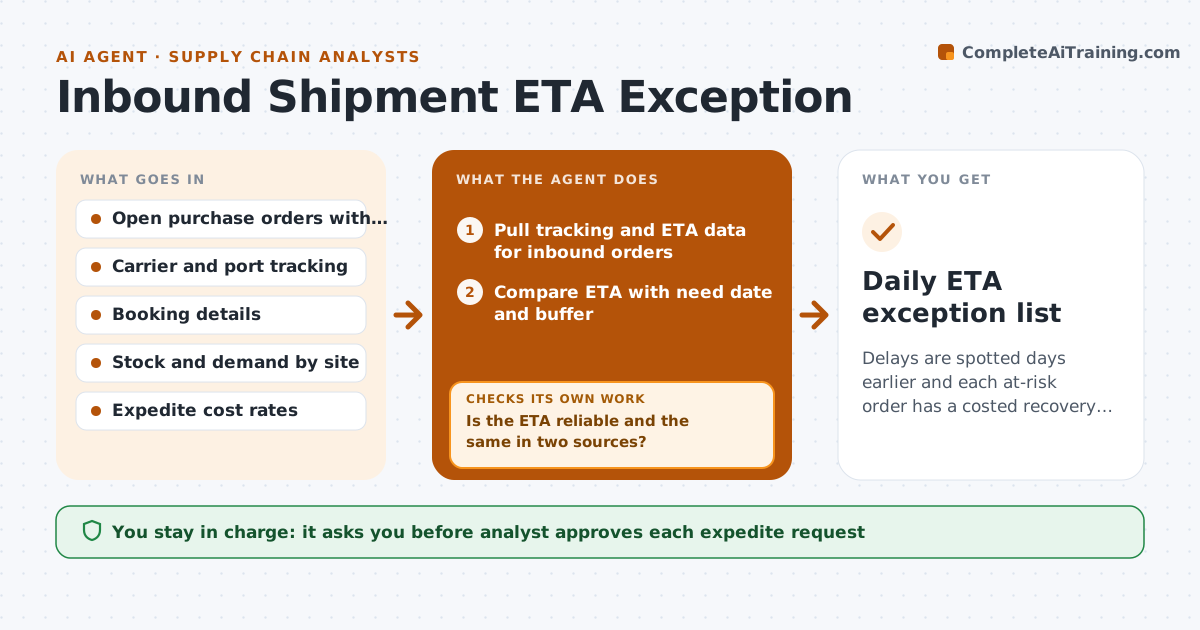
Delays are spotted days earlier and each at-risk order has a costed recovery option.
What it does
A container is delayed at port for a week, and you only find out when the line stops. This agent reads carrier tracking, port data and booking confirmations every day. For each inbound order, it compares the current ETA with the need date and the buffer you set. It flags orders where the delay eats the buffer. Each flagged order is rechecked daily as ETAs move. For each, it prepares options with costs, such as air freight for part of the order, reallocating stock from another site, or accepting the delay. It checks that the options really cover the need date. You approve any expedite request. Edge case: an ETA that jumps back and forth is flagged as unreliable and checked against the carrier's own page.
How it works
Follow the arrows from top to bottom. The orange dashed arrow is the loop: when a check fails, the agent goes back and tries again.
Read the steps as a list
- Daily morning run
- Pull tracking and ETA data for inbound orders
- Compare ETA with need date and buffer
- Is the ETA reliable and the same in two sources?If not: Check the carrier page and port data directly and refresh. Back to step 2.
- Flag orders where the buffer is gone and rank by stock cover
- Build recovery options with costs
- Does each option actually arrive before stockout?If not: Drop the option and search for another route or site. Back to step 5.
- Draft the exception note
- Analyst approves any expedite requestThe agent waits here for your OK.
- Daily ETA exception list
How it decides
It flags an order when ETA plus transit to site is within the buffer of the need date, and ranks them by days of stock left.
- Flag when the remaining buffer is under 3 days
- Rank by days of stock left
- Consider air freight only when cost is under the cost of lost sales
- Treat an ETA that moves 3 times in a week as unreliable
Make it yours
Every agent is a starting point. You choose these settings for your own situation.
- Buffer in days (default 3)
- Which carriers and ports are tracked
- Expedite cost limit
- Run time
What keeps you in control
It always asks you first
- Analyst approves each expedite request
- Analyst approves reallocation between sites
Hard limits
- Never book freight or move stock itself
- Never change need dates
It stops when
- Done: all flagged orders have an approved action or are accepted
- Stop: tracking data is unavailable for a carrier
Set it up
We guide you through the set-up, step by step
Members get the full set-up guide for this agent. No technical skills needed: you copy, paste and upload.
- One set of instructions to paste into your AI, with the clicks for ChatGPT, Claude, Microsoft 365 Copilot, Gemini and Grok
- The agent then walks you through connecting your own data, one source at a time
- A downloadable copy with the flow chart, the rules and the full guide