AI agent for police officers
Incident Report Completeness Agent
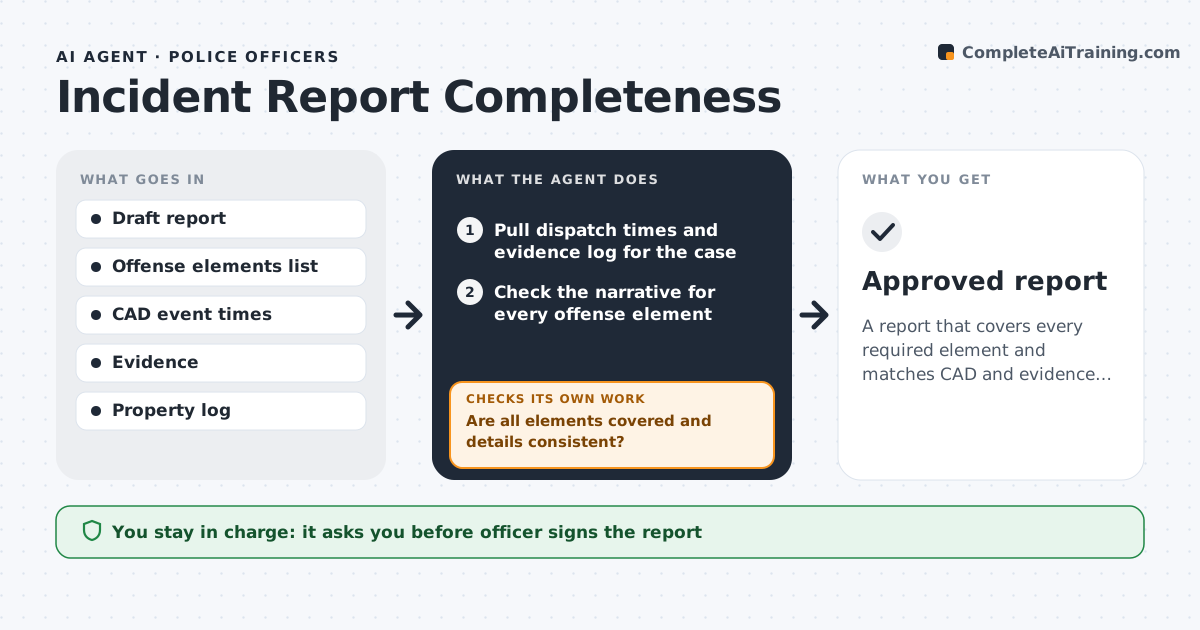
A report that covers every required element and matches CAD and evidence records
What it does
After a call, officers write reports that must include every element of the offense, plus times, people, property and evidence. A missing element can sink a case. This agent reads the officer's draft along with dispatch times and evidence log entries. It checks the narrative for every element of the charged offense, using the statute's element list, and compares times, names and items with the records. Gaps and conflicts are listed for the officer to fix in their own words, and the agent re-checks after each edit. It also checks body camera log times against the narrative. It never writes facts the officer did not provide and never changes either record. The officer signs and the supervisor approves. Edge case: a body camera time that conflicts with the narrative goes back to the officer to review.
How it works
Follow the arrows from top to bottom. The orange dashed arrow is the loop: when a check fails, the agent goes back and tries again.
Read the steps as a list
- Draft report saved
- Pull dispatch times and evidence log for the case
- Check the narrative for every offense element
- Compare times, names and items with records
- Are all elements covered and details consistent?If not: list gaps and conflicts for the officer to fix, then re-check. Back to step 3.
- Compare body camera log times with the narrative
- Do body camera times agree with the narrative?If not: ask the officer to review the times without changing either record. Back to step 4.
- Officer signs and supervisor approvesThe agent waits here for your OK.
- Approved report
How it decides
Each required element must be described in the narrative, and times and items must match records or be explained.
- Element lists come from the statute for the charged offense
- Conflicts are explained by the officer, not changed by the agent
- Facts are never added
Make it yours
Every agent is a starting point. You choose these settings for your own situation.
- Offense element lists by state law
- Records to compare (CAD, evidence, body cam log)
- Who reviews after the officer
- Required fields by report type
What keeps you in control
It always asks you first
- Officer signs the report
- Supervisor approves
Hard limits
- Never writes or changes facts
- Keeps reports in the department system
It stops when
- Done: report approved
- Stop: offense not yet determined
Set it up
We guide you through the set-up, step by step
Members get the full set-up guide for this agent. No technical skills needed: you copy, paste and upload.
- One set of instructions to paste into your AI, with the clicks for ChatGPT, Claude, Microsoft 365 Copilot, Gemini and Grok
- The agent then walks you through connecting your own data, one source at a time
- A downloadable copy with the flow chart, the rules and the full guide