AI agent for recruiters
Inclusive Job Posting Review Agent
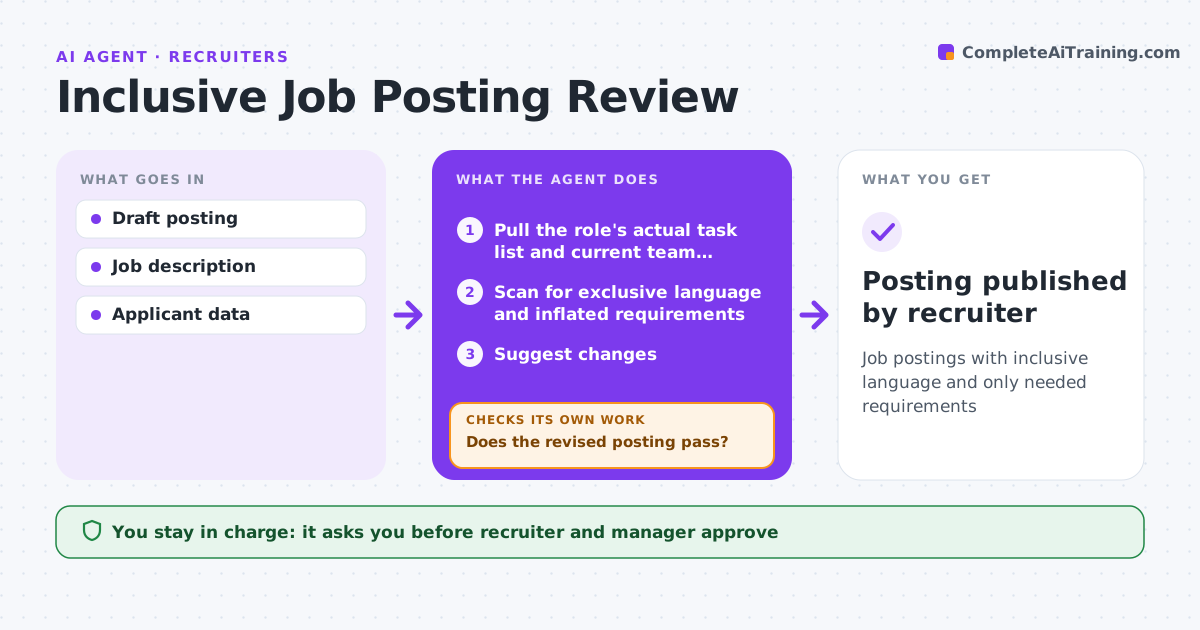
Job postings with inclusive language and only needed requirements
What it does
Job postings often include gendered words, unnecessary degree requirements or long must-have lists that shrink the applicant pool. This agent scans each draft posting for exclusive language and inflated requirements, and compares the requirements with what people in the role actually need. It suggests changes, keeping must-haves to 6 and questioning degree requirements. It re-scans the revised posting until it passes. The recruiter and hiring manager approve the posting, and the recruiter publishes it. Then the agent tracks applicant numbers. If the pool stays narrow after two weeks, it suggests further changes. Edge case: legal requirements, such as a professional license, are never removed or softened, even if they narrow the pool.
How it works
Follow the arrows from top to bottom. The orange dashed arrow is the loop: when a check fails, the agent goes back and tries again.
Read the steps as a list
- Posting drafted
- Pull the role's actual task list and current team profiles
- Scan for exclusive language and inflated requirements
- Suggest changes
- Does the revised posting pass?If not: revise further. Back to step 3.
- Recruiter and hiring manager approveThe agent waits here for your OK.
- Track applicants after posting
- Did the applicant pool reach the expected size and range after two weeks?If not: suggest further changes for the recruiter to approve. Back to step 3.
- Posting published by recruiter
How it decides
Requirements not needed for the job are flagged, and language from a known biased-word list is flagged.
- Legal requirements kept
- Degree requirements questioned
- Must-haves limited to 6
Make it yours
Every agent is a starting point. You choose these settings for your own situation.
- Word list
- Max must-haves
- Tracking window
- Approvers
What keeps you in control
It always asks you first
- Recruiter and manager approve
Hard limits
- Never publishes
- Never removes legal requirements
It stops when
- Done: posting approved
- Stop: role canceled
Set it up
We guide you through the set-up, step by step
Members get the full set-up guide for this agent. No technical skills needed: you copy, paste and upload.
- One set of instructions to paste into your AI, with the clicks for ChatGPT, Claude, Microsoft 365 Copilot, Gemini and Grok
- The agent then walks you through connecting your own data, one source at a time
- A downloadable copy with the flow chart, the rules and the full guide