AI agent for quality control inspectors
Incoming Inspection Sampling Agent
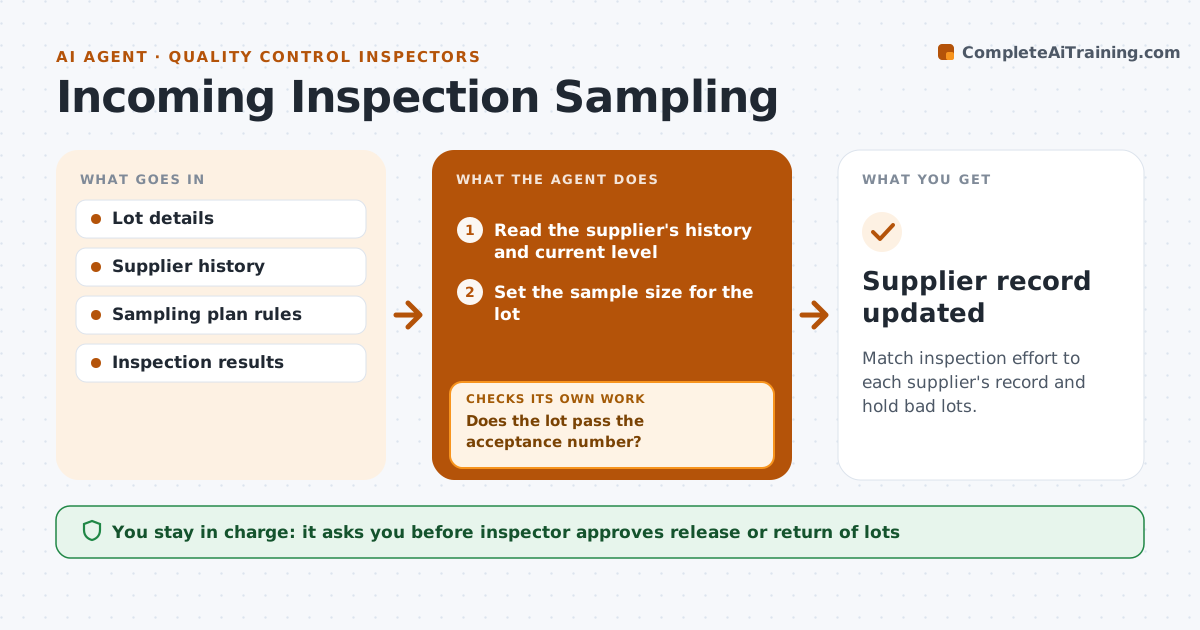
Match inspection effort to each supplier's record and hold bad lots.
What it does
Using the same sampling level for every supplier wastes effort on good ones and misses problems with poor ones. This agent sets the sample size for each incoming lot based on the supplier's record. It records the inspection results, then tightens or loosens the level by the rules, for example after five good lots in a row. After each lot it updates the supplier's level and re-checks the next shipment against the new level. It flags lots that fail and holds them. The inspector approves release or return. Edge case: a first shipment of a new part always gets tightened inspection until a clean history exists.
How it works
Follow the arrows from top to bottom. The orange dashed arrow is the loop: when a check fails, the agent goes back and tries again.
Read the steps as a list
- Lot arrives
- Read the supplier's history and current level
- Set the sample size for the lot
- Record the inspection results
- Does the lot pass the acceptance number?If not: Hold the lot and notify the inspector. Back to step 2.
- Update the supplier's level by the switching rules
- Inspector approves release or returnThe agent waits here for your OK.
- Release or return the lot
- Check the next shipment against the new level
- Is the next lot sampled at the updated level?If not: Correct the sample size and flag the error. Back to step 3.
- Supplier record updated
How it decides
It uses the supplier's current level, and changes it by rule after each lot.
- Tighten after one failed lot
- Loosen after five good lots in a row
- Use tightened inspection for new parts
- Hold lots that fail the acceptance number
Make it yours
Every agent is a starting point. You choose these settings for your own situation.
- Switching rules
- Sample size tables
- Lots needed to loosen (default 5)
- Hold rule
What keeps you in control
It always asks you first
- Inspector approves release or return of lots
Hard limits
- Never release a failed lot
- Never change a sampling rule itself
It stops when
- Done: the lot is released or returned and the level updated
- Stop: a safety defect is found and the inspector takes over
Set it up
We guide you through the set-up, step by step
Members get the full set-up guide for this agent. No technical skills needed: you copy, paste and upload.
- One set of instructions to paste into your AI, with the clicks for ChatGPT, Claude, Microsoft 365 Copilot, Gemini and Grok
- The agent then walks you through connecting your own data, one source at a time
- A downloadable copy with the flow chart, the rules and the full guide