AI agent for innovation strategists
Innovation Idea Intake and Triage Agent
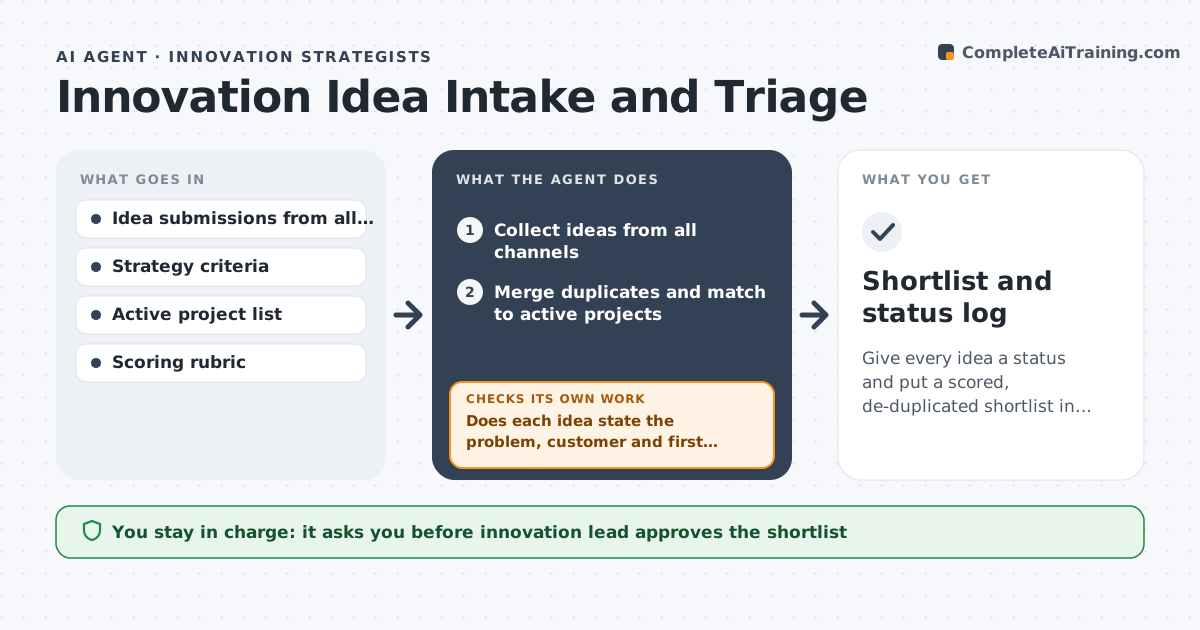
Give every idea a status and put a scored, de-duplicated shortlist in front of the review panel
What it does
Ideas come in through email, a form, chat and workshops, and the innovation manager spends weeks sorting. This agent collects ideas from every channel and merges duplicates. It checks each idea against the strategy criteria and the list of existing projects, and asks submitters for missing detail, such as the customer problem or the first test. It scores and groups the ideas for the review panel and tells each submitter the status in plain words. If an idea is thin after one question, it is parked with a reason. It checks that no submitter has waited over two weeks without an update. The innovation lead approves the shortlist and every rejection note. Edge case: an idea that matches a running project is sent to that project's team instead.
How it works
Follow the arrows from top to bottom. The orange dashed arrow is the loop: when a check fails, the agent goes back and tries again.
Read the steps as a list
- New ideas arrive
- Collect ideas from all channels
- Merge duplicates and match to active projects
- Does each idea state the problem, customer and first test?If not: Ask the submitter for the missing detail and wait for the reply. Back to step 2.
- Score and group ideas against the criteria
- Draft status notes for each submitter
- Innovation lead approves the shortlist and rejection notesThe agent waits here for your OK.
- Send approved status updates
- Has every submitter heard back within 14 days?If not: Draft a holding update for the lead to approve. Back to step 8.
- Shortlist and status log
How it decides
It scores ideas on strategic fit, customer problem, feasibility and effort, and merges those with over 80 percent overlap.
- Merge ideas with over 80 percent overlap
- Ask for missing detail once, then park the idea
- Route ideas that match active projects to those teams
- Score on fit, problem, feasibility and effort
Make it yours
Every agent is a starting point. You choose these settings for your own situation.
- Scoring criteria and weights (default fit, problem, feasibility, effort)
- Duplicate overlap threshold (default 80 percent)
- Reply window (default 14 days)
- Shortlist size (default 8)
What keeps you in control
It always asks you first
- Innovation lead approves the shortlist
- Innovation lead approves rejection notes
Hard limits
- Never reject an idea without the lead
- Never share an idea outside the program without consent
- Credit the original submitter
It stops when
- Done: Shortlist approved and all submitters updated
- Stop: No criteria are available, so ask the lead for them
Set it up
We guide you through the set-up, step by step
Members get the full set-up guide for this agent. No technical skills needed: you copy, paste and upload.
- One set of instructions to paste into your AI, with the clicks for ChatGPT, Claude, Microsoft 365 Copilot, Gemini and Grok
- The agent then walks you through connecting your own data, one source at a time
- A downloadable copy with the flow chart, the rules and the full guide