AI agent for home inspectors
Inspection Booking and Agreement Agent
Every inspection ready with agreement, payment and access
What it does
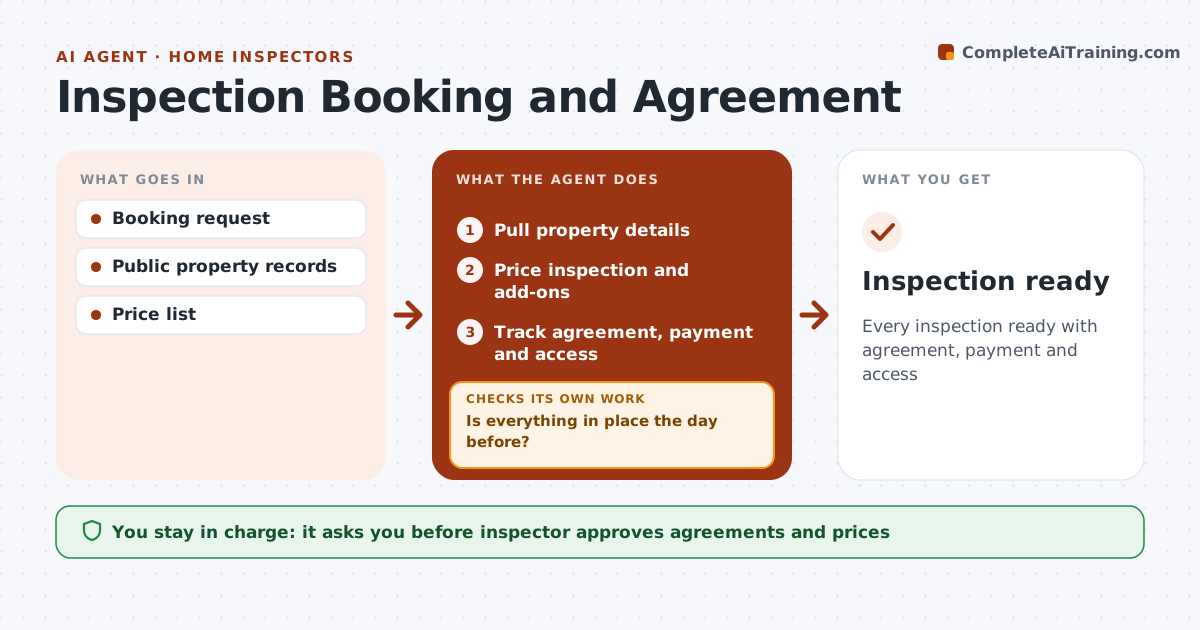
Before each inspection, the inspector needs a signed agreement, payment, property details and access arranged with the agent or seller. Chasing these by phone takes hours each week. This agent takes the booking, pulls property details from public records and prices the inspection by size and age. Known add-ons such as pools or septic systems are offered. The inspector approves and sends the agreement and payment link. The agent tracks the agreement, payment and access, and checks the day before that everything is in place. Missing items trigger reminders to the client or agent, drafted for the inspector to approve. It checks again the morning of the inspection. Edge case: if the agreement is still unsigned that morning, it tells the inspector so the visit can be moved.
How it works
Follow the arrows from top to bottom. The orange dashed arrow is the loop: when a check fails, the agent goes back and tries again.
Read the steps as a list
- Booking request
- Pull property details
- Price inspection and add-ons
- Inspector approves and sends agreementThe agent waits here for your OK.
- Track agreement, payment and access
- Is everything in place the day before?If not: send reminders. Back to step 5.
- Is everything still in place the morning of the inspection?If not: alert the inspector to move the visit. Back to step 5.
- Inspection ready
How it decides
Price by size, age and add-ons. Missing items trigger reminders.
- Price by size and age
- Add-ons offered
- Day-before check
Make it yours
Every agent is a starting point. You choose these settings for your own situation.
- Price list
- Add-ons
- Reminder timing
- Agreement template
What keeps you in control
It always asks you first
- Inspector approves agreements and prices
Hard limits
- Never takes payment details
- Never sends without approval
It stops when
- Done: inspection ready
- Stop: booking canceled
Set it up
We guide you through the set-up, step by step
Members get the full set-up guide for this agent. No technical skills needed: you copy, paste and upload.
- One set of instructions to paste into your AI, with the clicks for ChatGPT, Claude, Microsoft 365 Copilot, Gemini and Grok
- The agent then walks you through connecting your own data, one source at a time
- A downloadable copy with the flow chart, the rules and the full guide