AI agent for home inspectors
Inspection Report Defect Write-Up QA Agent
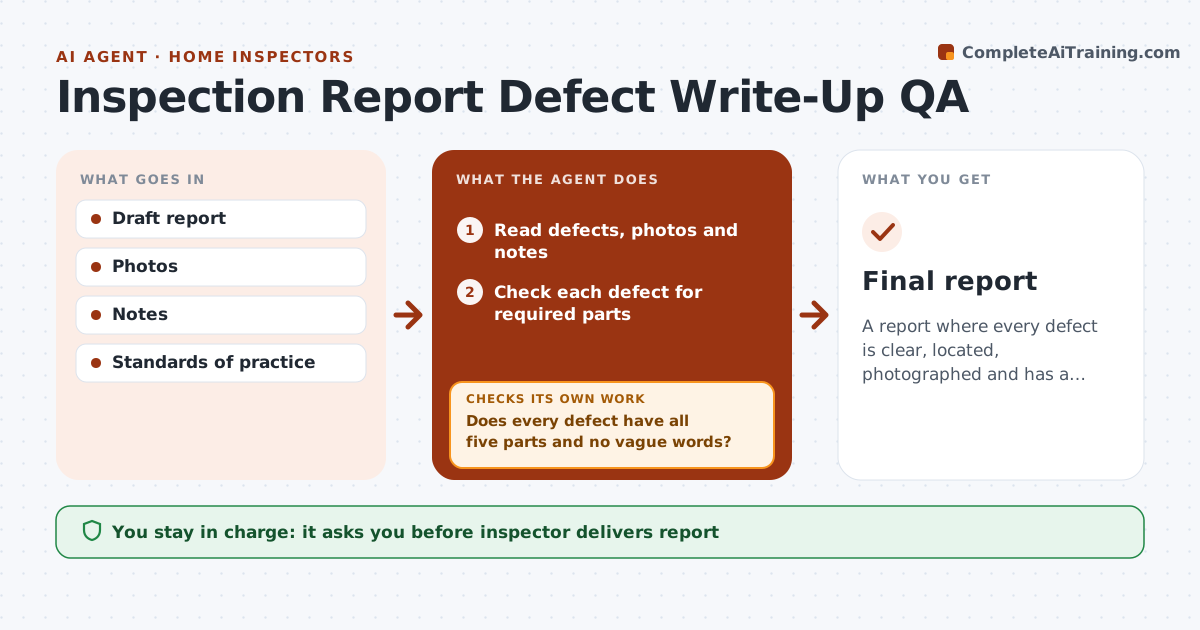
A report where every defect is clear, located, photographed and has a recommendation
What it does
Each defect in a home inspection report should say what was observed, where, why it matters and who should fix it, with a photo. Missing parts lead to client confusion and complaints. This agent reads the draft report with the inspector's notes and photos and checks every defect for those five parts. Vague words like 'appears fine' in defect sections are flagged. It checks coverage against the state standards of practice so no required system is left out. Items not inspected must say why. If anything is missing, it lists issues for the inspector and re-checks. The inspector fixes, approves and delivers. Edge case: a system skipped because it was blocked must say what blocked it.
How it works
Follow the arrows from top to bottom. The orange dashed arrow is the loop: when a check fails, the agent goes back and tries again.
Read the steps as a list
- Draft report saved
- Read defects, photos and notes
- Check each defect for required parts
- Does every defect have all five parts and no vague words?If not: list issues for the inspector and recheck. Back to step 3.
- Check coverage against standards of practice
- Are all systems covered or explained?If not: list missing systems for the inspector and recheck. Back to step 5.
- Inspector approves and deliversThe agent waits here for your OK.
- Final report
How it decides
Each defect needs observation, location, implication, recommendation and photo. Required systems must be covered.
- Five parts per defect
- Not inspected items need a reason
- Vague words flagged
Make it yours
Every agent is a starting point. You choose these settings for your own situation.
- State standards
- Required parts
- Vague word list
- Report software
What keeps you in control
It always asks you first
- Inspector delivers report
Hard limits
- Never delivers reports
- Never adds findings
It stops when
- Done: report delivered
- Stop: inspection incomplete
Set it up
We guide you through the set-up, step by step
Members get the full set-up guide for this agent. No technical skills needed: you copy, paste and upload.
- One set of instructions to paste into your AI, with the clicks for ChatGPT, Claude, Microsoft 365 Copilot, Gemini and Grok
- The agent then walks you through connecting your own data, one source at a time
- A downloadable copy with the flow chart, the rules and the full guide