AI agent for psychologists
Insurance Authorization Tracker Agent
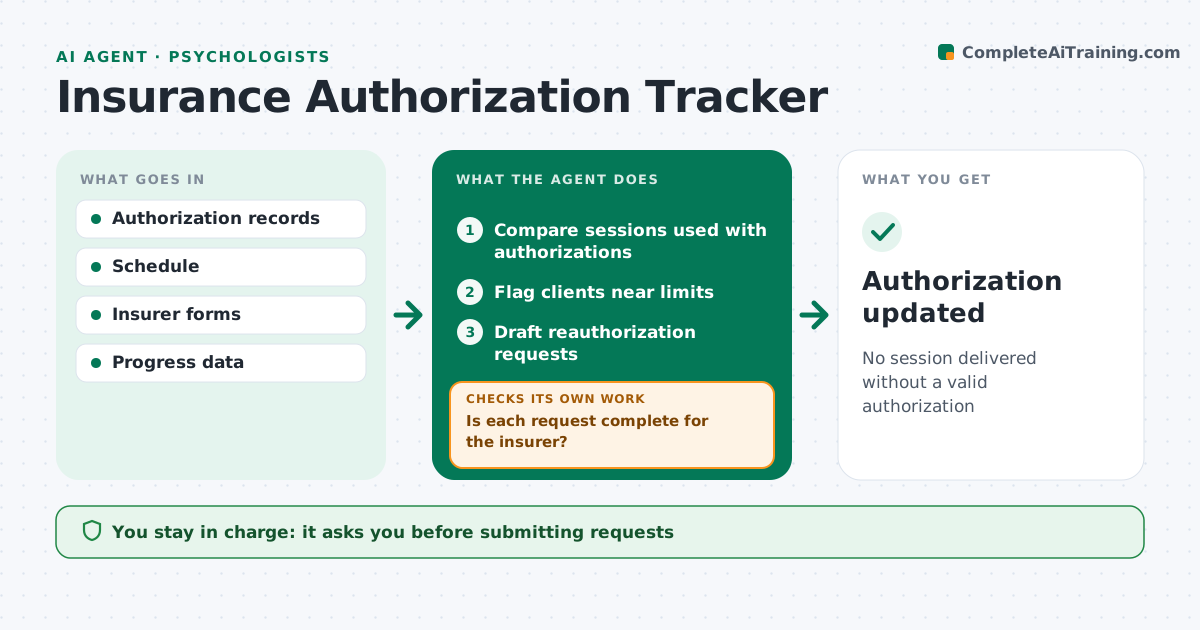
No session delivered without a valid authorization
What it does
Insurers often authorize a set number of sessions within a date range, and running past either limit means unpaid sessions. This agent tracks each client's authorization: sessions used, sessions left and end date. When a client nears the limit, it gathers what the insurer needs for reauthorization, such as diagnosis, progress measures and the treatment plan, and drafts the request. It then checks the draft against the insurer's form. If anything is missing, it gathers it before showing you the request. You review and submit it. The agent tracks the insurer's response and updates the record with the new session count and dates. If no response arrives in the expected time, it reminds you to follow up. Edge case: a session scheduled after the authorization end date is flagged before it happens.
How it works
Follow the arrows from top to bottom. The orange dashed arrow is the loop: when a check fails, the agent goes back and tries again.
Read the steps as a list
- Daily check
- Compare sessions used with authorizations
- Flag clients near limits
- Draft reauthorization requests
- Is each request complete for the insurer?If not: gather missing information. Back to step 4.
- Psychologist reviews and submitsThe agent waits here for your OK.
- Authorization updated
How it decides
It flags clients within the set number of sessions or days of their limit.
- Flag sessions after end dates
- Start requests before limits
- Check insurer forms
Make it yours
Every agent is a starting point. You choose these settings for your own situation.
- Sessions left that trigger a request (default 3)
- Insurer forms
- Reminder timing
- Status report format
What keeps you in control
It always asks you first
- Submitting requests
Hard limits
- Never submits clinical information without approval
- Shares only the minimum needed
It stops when
- Done: authorization approved
- Stop: request denied; tell the psychologist
Set it up
We guide you through the set-up, step by step
Members get the full set-up guide for this agent. No technical skills needed: you copy, paste and upload.
- One set of instructions to paste into your AI, with the clicks for ChatGPT, Claude, Microsoft 365 Copilot, Gemini and Grok
- The agent then walks you through connecting your own data, one source at a time
- A downloadable copy with the flow chart, the rules and the full guide