AI agent for managing directors
Insurance Coverage Adequacy Review Agent
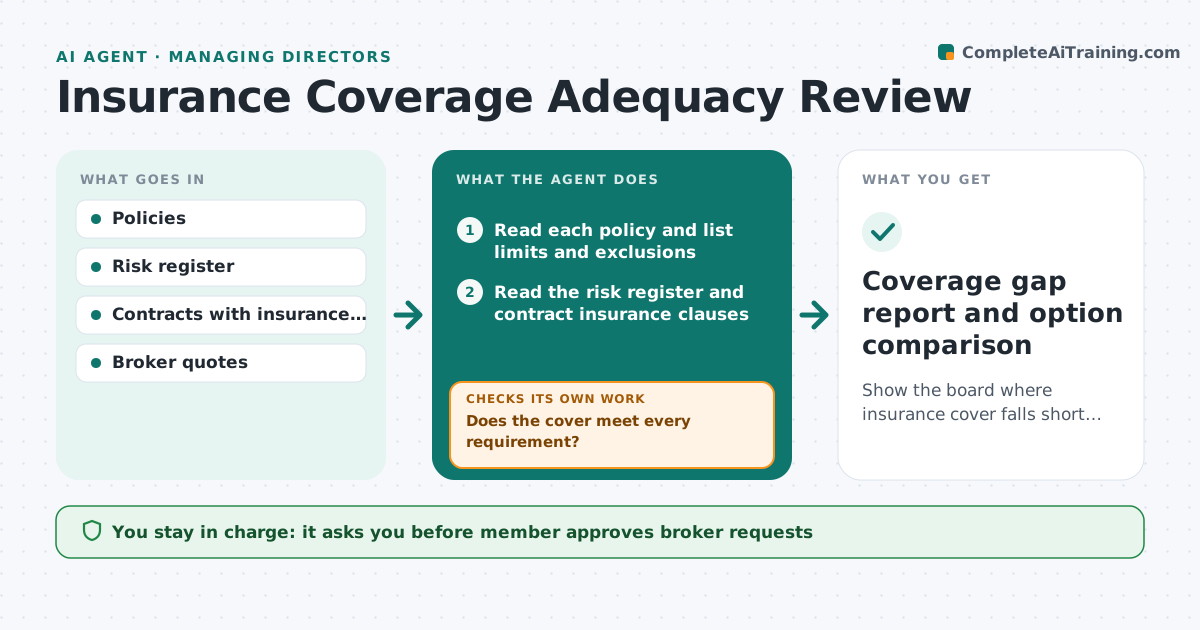
Show the board where insurance cover falls short of risks and contracts, with priced options.
What it does
Directors and officers insurance is bought once a year and often not compared with what the company now does and signs. The agent reads the policies, lists limits and exclusions, and compares them with the risk register and the contract requirements. It flags gaps such as a limit lower than a contract demands or an exclusion for a risk the company now has. It asks the broker for quotes on options and compares them. It re-checks the comparison when quotes arrive. The member approves what goes to the full board. Edge case: a new customer contract requires $10 million cyber cover, but the policy has $5 million.
How it works
Follow the arrows from top to bottom. The orange dashed arrow is the loop: when a check fails, the agent goes back and tries again.
Read the steps as a list
- Renewal review or new contract
- Read each policy and list limits and exclusions
- Read the risk register and contract insurance clauses
- Compare cover with risks and contract needs
- Does the cover meet every requirement?If not: List each gap with the source of the requirement. Back to step 3.
- Draft questions and option requests for the broker
- Member approves the request to the brokerThe agent waits here for your OK.
- Collect and compare quotes on cost and cover
- Does an option close the gaps at an acceptable cost?If not: Ask the broker for other options. Back to step 7.
- Member approves what goes to the full boardThe agent waits here for your OK.
- Coverage gap report and option comparison
How it decides
A gap exists when a limit is below a contract or risk need, or an exclusion removes cover for a listed risk. Options are compared on cost and cover.
- A limit below a contract requirement is a high gap
- An exclusion covering a registered risk is a gap
- Compare at least 2 options per gap
- Premium rise over 20 percent is flagged
Make it yours
Every agent is a starting point. You choose these settings for your own situation.
- Gap severity rules
- Premium rise to flag (default 20 percent)
- Number of options per gap
- Contracts included
What keeps you in control
It always asks you first
- Member approves broker requests
- Member approves what goes to the board
Hard limits
- Never buys or changes insurance
- Never contacts the broker without the member's approval
It stops when
- Done: board has the comparison
- Stop: no option is available, so the member is told
Set it up
We guide you through the set-up, step by step
Members get the full set-up guide for this agent. No technical skills needed: you copy, paste and upload.
- One set of instructions to paste into your AI, with the clicks for ChatGPT, Claude, Microsoft 365 Copilot, Gemini and Grok
- The agent then walks you through connecting your own data, one source at a time
- A downloadable copy with the flow chart, the rules and the full guide