
Learning path
Learning AI as an Insurance Broker
This learning path shows insurance brokers how to use AI for client notes, quote comparisons, renewals, and claims. It includes setup help, role-specific prompts, short video courses, and the certificates that come with them.

Your path
Everything in the Insurance Broker AI kit, in the order that makes sense. Members tick off each step and see their progress.
Set up your AI
We guide you through each click.
Let skills do your everyday tasks
Connect your apps and pick your AI apps
Hand whole tasks to AI agents
Build your own tools
Keep growing
Everything for insurance brokers
All the courses, certifications, AI tools, MCP servers and apps for insurance brokers, most relevant first. Open any list to see more.
Take the prompt courses
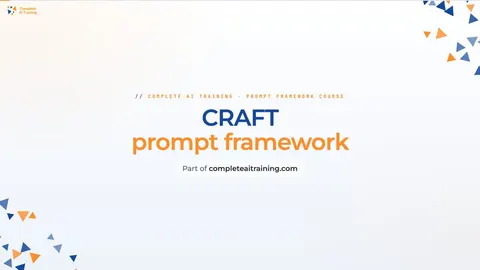
A short framework course to learn how to ask, then 8 lessons with ready-to-use prompts for insurance brokers.
Start with this framework: how to talk to AI
CRAFT helps you write a clear renewal email to a client by setting context, role, action, format, and tone.
Then your prompt course for insurance brokersWatch the video courses or add them to your Favorites for later
133 video courses our AI picked for insurance brokers, most useful first. Save the ones you want to watch later with the heart.
Favorites are saved to your account: sign in or get your AI kit first.
Show all 133 video courses
Get certified, or add certifications to your Favorites
Every course ends in an exam and a certificate you can add to LinkedIn. Save the certifications you are aiming for with the heart.
Favorites are saved to your account: sign in or get your AI kit first.
More certifications for insurance brokersShow all 24 certifications
Try the AI tools for insurance brokers
24 AI tools our AI matched to the work of insurance brokers, best fit first. Each review shows what it does, its alternatives and the jobs it suits.
Favorites are saved to your account: sign in or get your AI kit first.
Show all 24 AI tools
Connect your AI to the apps insurance brokers use
MCP servers let ChatGPT, Claude or Copilot look things up and get work done in other apps, like your email, calendar or bookkeeping software. These 12 fit the work of insurance brokers best, well-known apps first.

Box MCP server
by boxLet your AI search your Box files, answer questions about them, and pull out details for you.
Productivity Official
OfficeAgent MCP server
by ilia-sokolovLet your AI edit Word, PowerPoint and Excel files, with changes you can review before saving.
Productivity Official
Gmail MCP server
by A1-x-TechLet your AI read, search, draft and send your Gmail, and keep labels and trash tidy, from the chat.

GigaMail MCP server
by adecubedLet your AI read, search and draft your email, with you approving every send or delete.

SignWell MCP server
by BidsketchSend documents for e-signature, track who signed, and download the signed PDFs, all from your AI chat.
Productivity Official
Outlook Attachment Reader MCP server
by ZacccckLet your AI open and read the files attached to your Outlook emails, and send local files as drafts.
Show all 12 MCP servers

MCP Emails server
by AlbretsenLet your AI read, search, send and organize email in your own mailbox.
EmailNo install
Mail MCP server
by tecnologicachileLets your AI read, search, send, reply to and forward email across several accounts for you.

Fluxmail MCP server
by churichardLet your AI read, search, draft, send and organize email across your mailboxes.
Email Official
Outlook Assistant MCP server
by littlebearappsLets your AI read, search, send, and organise your Outlook email, calendar, and contacts from the chat.

Outlook MCP server
by dockndevaiLets your AI read, search, draft and send Outlook email and browse your OneDrive files for you.

floodwise MCP server
by qinisolabsLook up the official long-term flood-risk band for any England postcode, straight from your AI chat.
Build your own AI apps for insurance brokers
Apps you build yourself with your own AI, no coding needed and no monthly fee. Our AI picked the 12 that fit the work of insurance brokers.
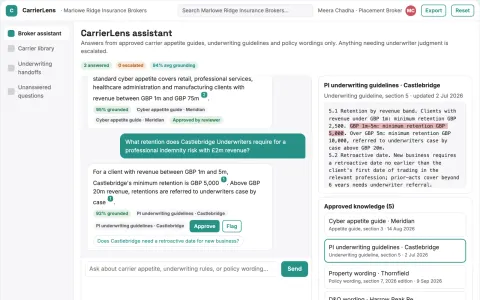
Broker knowledge assistant
Product-version awareness and original-source references for professional judgment.
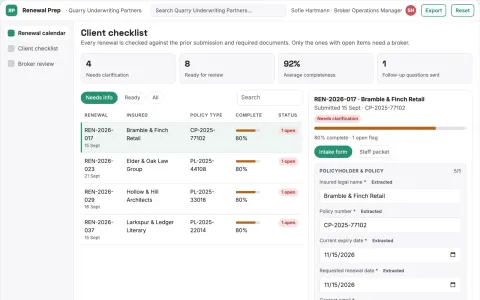
Broker renewal preparation
A client-friendly collection process tailored to one commercial insurance niche.
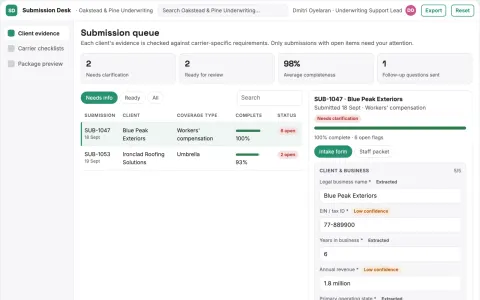
Commercial submission organizer
One client record adapted transparently to different submission checklists.
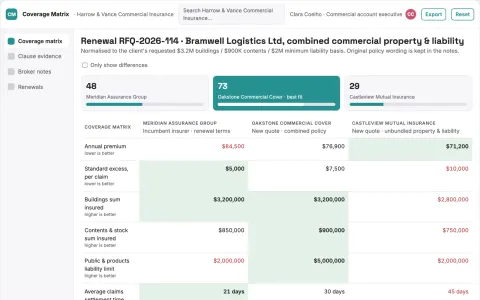
Policy comparison workspace
Every comparison field retains its original wording and location.
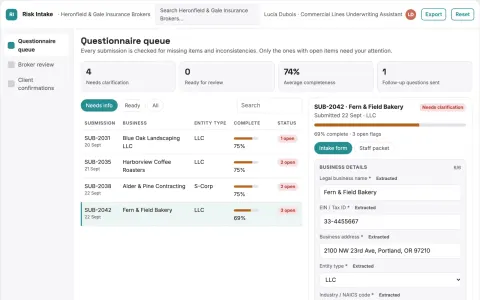
Client risk questionnaire assistant
Helps clients answer accurately without inventing or inferring exposures.
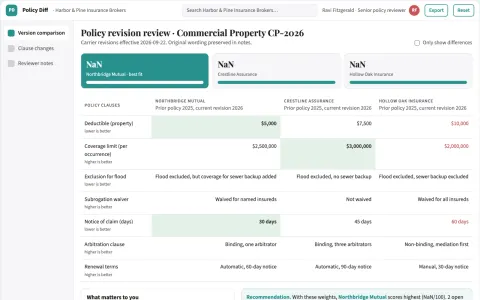
Policy change tracking tool
Clause-level evidence with wording changes separated from formatting noise.
Show all 12 apps
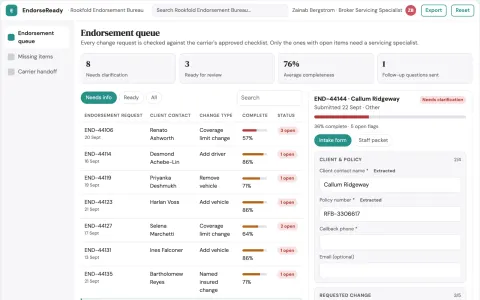
Policy endorsement request completeness
Complete administrative requests before submission.
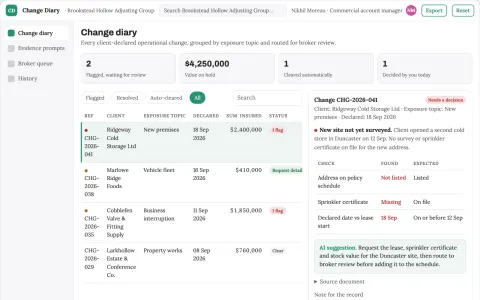
Insurance exposure change diary
A year-round record of client-declared changes.
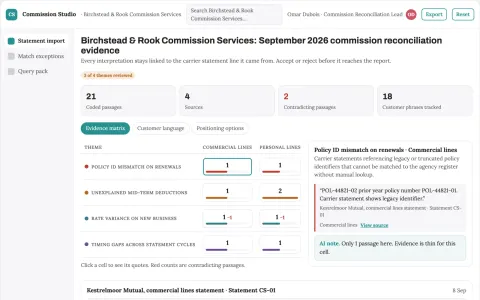
Broker commission reconciliation
Commission differences traced to statement evidence.
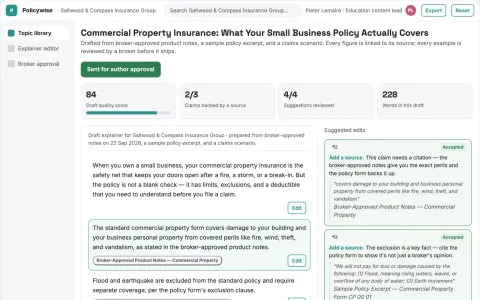
Insurance customer education studio
Specialist broker-reviewed education for a defined client segment.
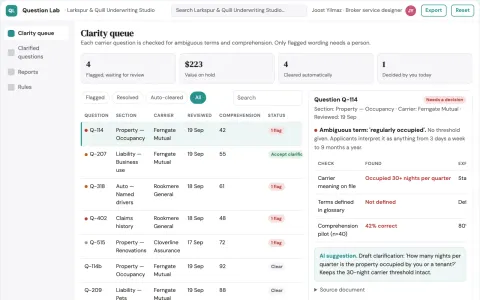
Insurance application question clarity lab
Clarify questions without changing underwriting meaning.
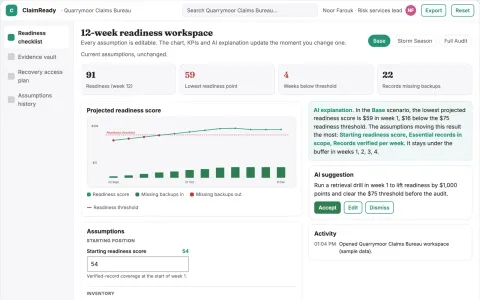
Insurance catastrophe document readiness
Prepare document access before a claim event.






























































































































About this learning path
6 topicsAI skills for insurance brokers, step by step
Insurance broking runs on details. You read messy notes, compare wordings, answer worried clients, and keep renewals from slipping. AI can help you do that work with more calm and less after-hours typing.
This path is built for brokers who are not technical. You start with simple setup questions, connect your AI tool, then practice prompts that match your daily work. Short video courses and their certificates fit around your desk time, not the other way around.
Why AI matters now
Clients expect faster answers and clearer explanations. Insurers send more information than ever, and renewals arrive while you are already busy. AI helps you sort that information and turn it into advice you can stand behind.
You do not need to become a tech expert. You need a reliable way to read risk notes, compare quotes, and write messages that sound like you. That is what this path gives you.
What this path includes
The path begins with setup questions that help you choose and connect an AI tool safely. Then it walks through skills for the job inside your AI, so the tool understands insurance terms, client care, and your workflow.
You also get this prompt course, which covers risk notes, quotes, emails, renewals, proposals, underwriting, claims, and study. Alongside it, you can pick short video courses for insurance brokers, and you can collect the certificates that come with those courses.
How it saves you time
A broker's day is full of small writing tasks. You explain a premium change, compare two policy wordings, or prepare a renewal summary. A good prompt can give you a first draft in seconds, then you shape it with your judgement.
The time you win back goes into the parts clients value most. You can call instead of typing, visit a client, or leave the office before dark. The work still gets your name and your care.
How it protects your career
AI will not replace the broker who knows the client, the market, and the fine print. It will change how fast that broker can work. Learning these skills now keeps you useful and confident as your firm adopts new tools.
You also learn where to be careful. Client details, claim facts, and personal information need safe handling. This path shows you how to use AI as a helper, not a place to store private data.
How to start
Set aside one short block this week. Answer the setup questions, connect your AI tool, and try one prompt from the course on a real but low-risk task. A renewal summary or a draft client email is a good first step.
Then add one lesson at a time. Keep the prompts that work for your clients. In a few weeks, you will have a small set of reliable helpers for the work you already do.
Frequently asked questions
Do I need technical skills to use this path?
No. The path starts with plain setup questions and simple examples. If you can write an email and use a web browser, you can follow along.Will AI replace insurance brokers?
AI is better at drafting and sorting than at trust, judgement, and client relationships. Brokers who use it well will have more time for advice and less time on repetitive writing.Is it safe to use client information with AI?
You should follow your firm's rules and never paste personal or sensitive client details into a public AI tool. The course shows safer ways to describe a risk without exposing private information.How long does the learning path take?
You can move at your own pace. Most brokers finish the core prompts in a few short sittings and return to the video courses when a topic comes up at work.