
Learning path
Learning AI as a Board Member
This path helps board members use AI to read materials faster, ask sharper questions, and keep good governance on track. It covers setup, connected tools, prompts, video courses, and course certifications.

Your path
Everything in the Board Member AI kit, in the order that makes sense. Members tick off each step and see their progress.
Set up your AI
We guide you through each click.
Let skills do your everyday tasks
Connect your apps and pick your AI apps
Hand whole tasks to AI agents
Build your own tools
Keep growing
Everything for board members
All the courses, certifications, AI tools, MCP servers and apps for board members, most relevant first. Open any list to see more.
Take the prompt courses
A short framework course to learn how to ask, then 8 lessons with ready-to-use prompts for board members.
Start with this framework: how to talk to AI
TAG fits board work because starting with the goal sharpens options, such as deciding whether to approve a merger or seek alternatives.
Then your prompt course for board members- 1Preparing For Board Meetings3 prompts
- 2Understanding Financial Reports4 prompts
- 3Setting Strategic Priorities3 prompts
- 4Approving Policies And Governance3 prompts
- 5Assessing Organizational Risks3 prompts
- 6Evaluating CEO Performance3 prompts
- 7Ensuring Regulatory Compliance3 prompts
- 8Planning Succession Strategies3 prompts
Watch the video courses or add them to your Favorites for later
71 video courses our AI picked for board members, most useful first. Save the ones you want to watch later with the heart.
Favorites are saved to your account: sign in or get your AI kit first.
Show all 71 video courses
Get certified, or add certifications to your Favorites
Every course ends in an exam and a certificate you can add to LinkedIn. Save the certifications you are aiming for with the heart.
Favorites are saved to your account: sign in or get your AI kit first.
More certifications for board membersShow all 24 certifications
Try the AI tools for board members
15 AI tools our AI matched to the work of board members, best fit first. Each review shows what it does, its alternatives and the jobs it suits.
Favorites are saved to your account: sign in or get your AI kit first.
Show all 15 AI tools
Connect your AI to the apps board members use
MCP servers let ChatGPT, Claude or Copilot look things up and get work done in other apps, like your email, calendar or bookkeeping software. These 12 fit the work of board members best, well-known apps first.
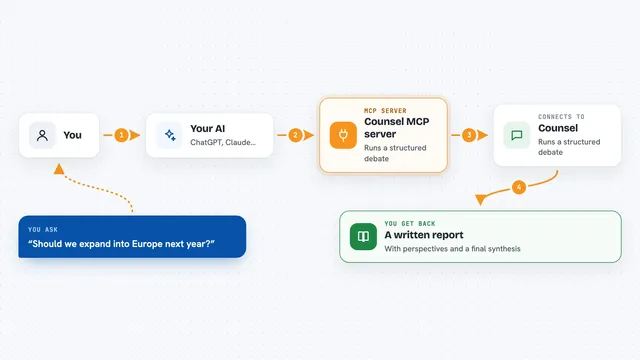
Counsel MCP server
by mercurialsoloLets your AI run a structured debate on a tough question and hand you a written report with several viewpoints.

Presentations.AI MCP server
by slidecraft-inLet your AI build and edit slide decks for you, then export them as PPTX, PDF, images or a share link.
Productivity Official
SEC EDGAR MCP server
by AEGISGOVDAOLook up US public companies and their official SEC filings and financial numbers from your AI chat.
Finance and cryptoResearchNo install
Registrum MCP server
by vdmeuLook up UK company details, directors, owners and filed financials straight from your AI chat.
Finance and cryptoResearchNo install
Content Summarizer MCP server
by 0xshellmingLet your AI turn long text, web pages, PDFs and EPUB books into short, clear summaries.

Octagon Deep Research MCP server
by OctagonAILets your AI run deep research on any topic and hand you back a full written report.
Research OfficialShow all 12 MCP servers

ROIC.ai Financial Data MCP server
by roicaiLet your AI pull real company numbers: income statements, ratios, stock prices, and earnings calls.
Finance and cryptoAnalytics Official
Gemot MCP server
by justinstimatzeLets your AI run a structured group vote, then shows where opinions agree, clash, and how to bridge them.
ChatNo install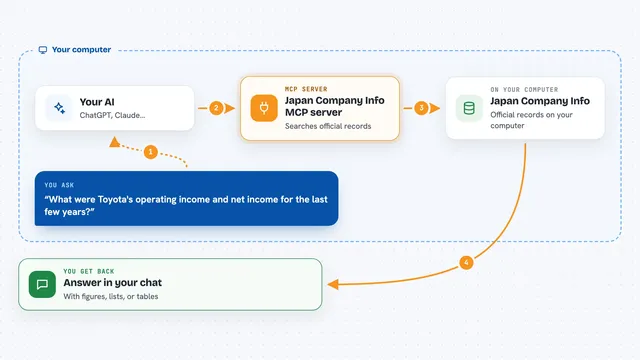
Japan Company Info MCP server
by dqj1998Look up Japanese company financials, registration numbers, shareholders and certifications from your AI chat.

AxionQuant MCP server
by axionquantLets your AI look up live stock, crypto, forex, and company data and answer finance questions for you.

Deep Research MCP server
by reading-plus-aiTurn a rough question into a structured, well-cited research report inside your AI chat.

MCP Dashboards
by KyuRishYour AI can turn plain numbers into interactive charts and dashboards right inside the chat.
Build your own AI apps for board members
Apps you build yourself with your own AI, no coding needed and no monthly fee. Our AI picked the 9 that fit the work of board members.
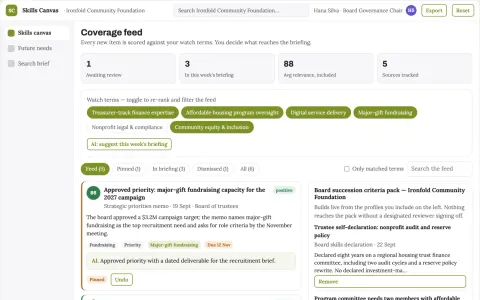
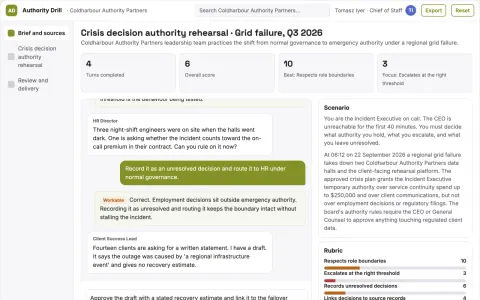
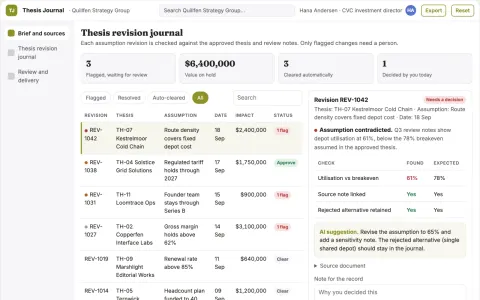
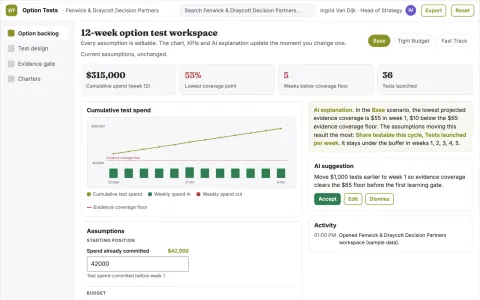
Board skills succession canvas
Recruit against explicit future board responsibilities.
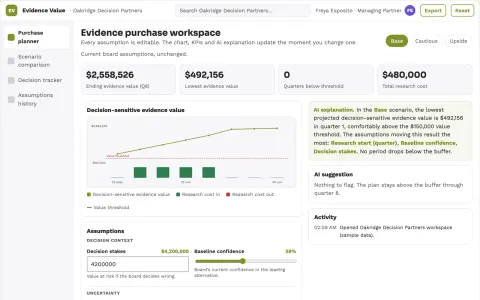
Board decision information purchase planner
Buy information that could actually change a decision.
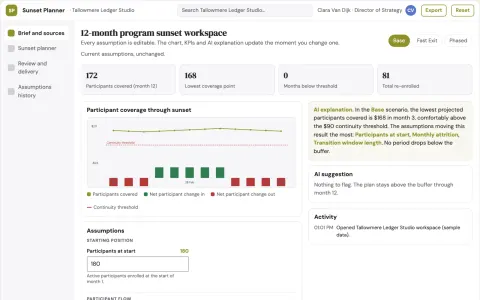
Nonprofit program sunset planner
Account for participant continuity when stopping programs.
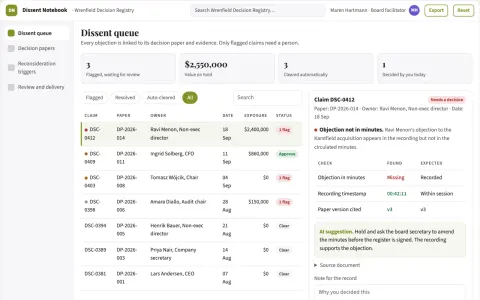
Strategic dissent evidence notebook
Preserve reasoned objections for later review.
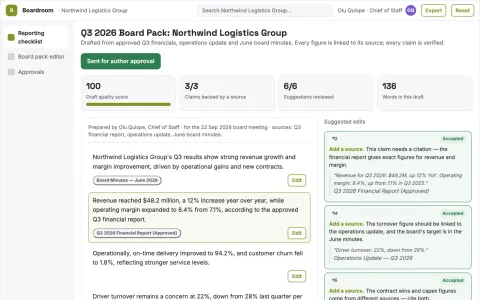
Board briefing service
Traceable board narratives built from an agreed reporting structure.
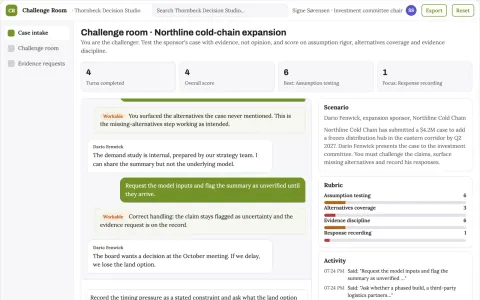
Capital allocation narrative challenger
A structured opposing case grounded in the submitted evidence.




































































About this learning path
6 topicsAI for Board Members: Govern with Clearer Questions
Board work runs on reading, judgment, and trust. You review long packets, listen to leaders, and make decisions that affect people and money. AI can help you prepare, compare options, and notice what needs a closer look.
None of this replaces your duty of care. It gives you a quiet assistant for the hours before a meeting and the questions you want to ask in the room.
Why AI Matters Now
Board members face more information and less time. Reports arrive late, rules shift, and meetings move quickly. AI can summarize materials, explain financial language, and help you test assumptions before you speak.
It also helps you ask better questions. That is useful when you are overseeing complex work without being an expert in every detail.
What The Path Includes
You start with setup questions and connecting your AI to the tools you already use. Then you learn skills for the job inside your AI, such as reviewing board papers and checking policy drafts.
The path includes this prompt course and video courses chosen for board work. Each video course shows its certification, so you can see what you earn.
How It Saves Time
AI can turn a long packet into a short brief with the main decisions, open questions, and numbers that changed. You can prepare focused questions in minutes instead of late at night.
It also helps you draft notes after a meeting, compare options, and keep track of follow ups. The time you save goes back to listening, thinking, and talking with people.
How It Protects Your Career
Boards are trusted to be careful and independent. Using AI well shows you are prepared, curious, and aware of risk.
You still make the call. AI helps you see patterns, check compliance points, and document your reasoning. That supports good governance and your reputation.
How To Start
Begin with one meeting. Ask your AI to summarize the board packet and list three questions you want answered.
Then try one more task, like explaining a financial report or reviewing a policy draft. Keep your own judgment in charge and build from there.
Frequently asked questions
Do I need to be technical to use this path?
No. The lessons use plain language and everyday examples from board work. You practice with prompts you can copy and adjust.Will AI make decisions for me?
No. AI can gather, explain, and suggest. You remain responsible for the decision and for asking the human questions that matter.Can I use the AI tools I already have?
Yes. The path shows how to connect tools like ChatGPT, Claude, or Gemini. You can start with the one your organization allows.How do the video courses and certifications work?
Video courses are picked for board members and cover practical topics. Each one lists the certification you receive when you finish, so you can track your learning.