AI agent for interior designers
Interior Design Client Brief Intake Agent
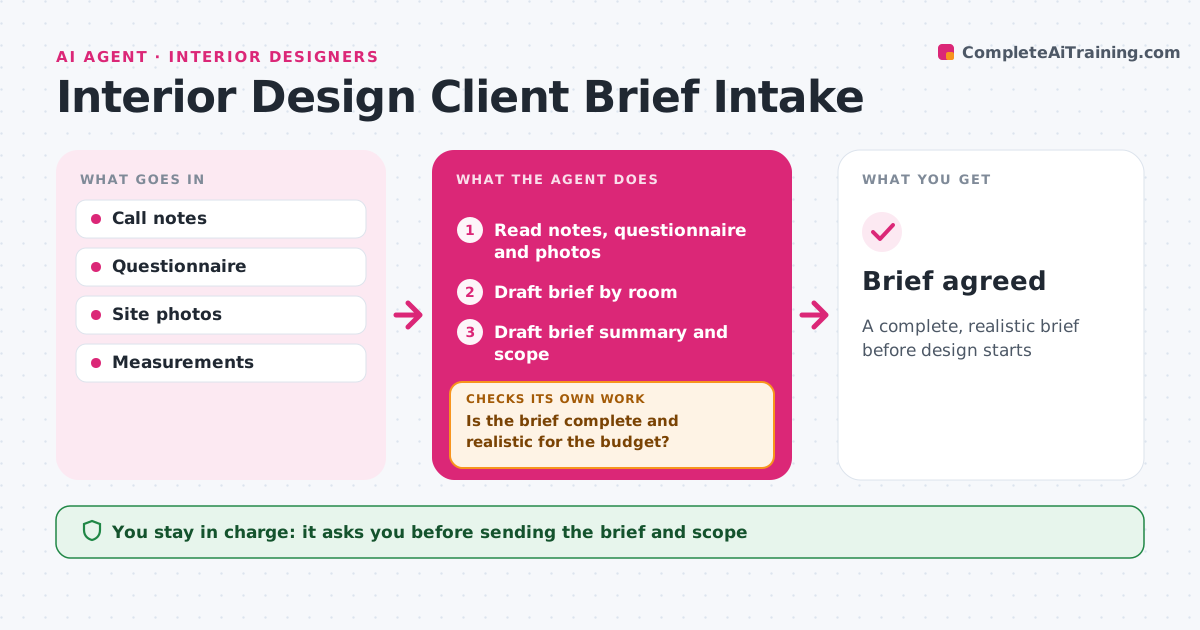
A complete, realistic brief before design starts
What it does
After a discovery call, interior designers have notes, a questionnaire and dozens of photos, but no clear brief. This agent turns them into a brief by room: what each room is used for, who lives there, style likes and dislikes, furniture to keep, budget per room, timeline and constraints like rental or building rules. It then checks the brief for gaps and conflicts, such as a budget too low for the room list, or style references that clash. When it finds a problem, it drafts specific questions for the client. When answers come back, it updates the brief and checks it again. Once realistic and complete, it drafts a brief summary and scope for the designer to send. The designer approves. Edge case: when two decision makers have different tastes, both are flagged to join the next meeting.
How it works
Follow the arrows from top to bottom. The orange dashed arrow is the loop: when a check fails, the agent goes back and tries again.
Read the steps as a list
- Discovery call done
- Read notes, questionnaire and photos
- Draft brief by room
- Is the brief complete and realistic for the budget?If not: draft questions for the client and update when answered. Back to step 3.
- Do style references and decision makers agree?If not: flag clashes and invite both decision makers. Back to step 3.
- Draft brief summary and scope
- Designer approves sendingThe agent waits here for your OK.
- Brief agreed
How it decides
It checks budget against typical costs for the scope and flags gaps and conflicts.
- Budget checked against typical room costs
- Two decision makers must both agree
- Rental rules limit permanent changes
Make it yours
Every agent is a starting point. You choose these settings for your own situation.
- Questionnaire
- Cost reference
- Brief template
- Question tone
What keeps you in control
It always asks you first
- Sending the brief and scope
Hard limits
- Never commits to fees
- Never shares client photos
It stops when
- Done: brief agreed
- Stop: client doesn't proceed
Set it up
We guide you through the set-up, step by step
Members get the full set-up guide for this agent. No technical skills needed: you copy, paste and upload.
- One set of instructions to paste into your AI, with the clicks for ChatGPT, Claude, Microsoft 365 Copilot, Gemini and Grok
- The agent then walks you through connecting your own data, one source at a time
- A downloadable copy with the flow chart, the rules and the full guide