AI agent for librarians
Interlibrary Loan Lender Fallback Agent
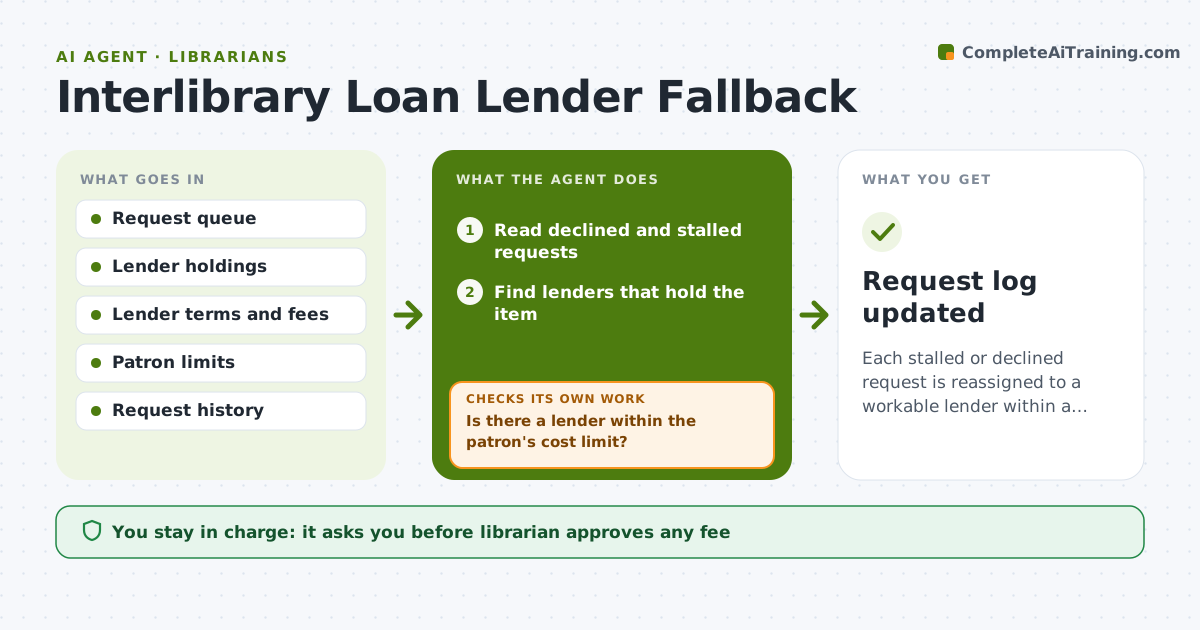
Each stalled or declined request is reassigned to a workable lender within a day, or the librarian knows why not.
What it does
An interlibrary loan request is declined or sits unanswered, and the librarian finds out days later when the patron asks. The agent reads declined and stalled requests, finds the next lender that holds the item, and checks the lending terms: cost, loan period, and whether copies are allowed. It resubmits the request to the next lender and rechecks status after a set time. If the new lender also fails, it loops to the next option and keeps a log of attempts. The librarian approves any fee. Edge case: a book held only by a library that charges a fee above the patron's limit, where the agent proposes a scan of a chapter instead.
How it works
Follow the arrows from top to bottom. The orange dashed arrow is the loop: when a check fails, the agent goes back and tries again.
Read the steps as a list
- Daily queue check
- Read declined and stalled requests
- Find lenders that hold the item
- Compare fees, loan periods and copy options
- Is there a lender within the patron's cost limit?If not: Look for a chapter scan or an alternative edition. Back to step 4.
- Librarian approves any feeThe agent waits here for your OK.
- Resubmit the request to the chosen lender
- Check the request status after 3 days
- Has the new lender accepted the request?If not: Mark that lender as failed and return to the next option. Back to step 4.
- Notify the patron of the new status
- Request log updated
How it decides
It picks the lender with the item, the shortest wait and the lowest cost within the patron's limit, and gives up on a lender after one failure or 5 days of silence.
- Treat 5 days without a reply as stalled
- Do not retry the same lender twice
- Fees above $15 need approval
- Try a scan of a chapter if a full loan is not possible
Make it yours
Every agent is a starting point. You choose these settings for your own situation.
- Fee needing approval (default $15)
- Days of silence before a request is stalled (default 5)
- Preferred lenders
- Patron notification wording
What keeps you in control
It always asks you first
- Librarian approves any fee
- Librarian approves the message to the patron when a fee or change applies
Hard limits
- Never pay or approve a fee itself
- Do not share patron details with lenders beyond the request
It stops when
- Done: request accepted or the patron has been told it cannot be met
- Stop: no lender can supply the item
Set it up
We guide you through the set-up, step by step
Members get the full set-up guide for this agent. No technical skills needed: you copy, paste and upload.
- One set of instructions to paste into your AI, with the clicks for ChatGPT, Claude, Microsoft 365 Copilot, Gemini and Grok
- The agent then walks you through connecting your own data, one source at a time
- A downloadable copy with the flow chart, the rules and the full guide