AI agent for internal communications managers
Intranet Content Freshness Agent
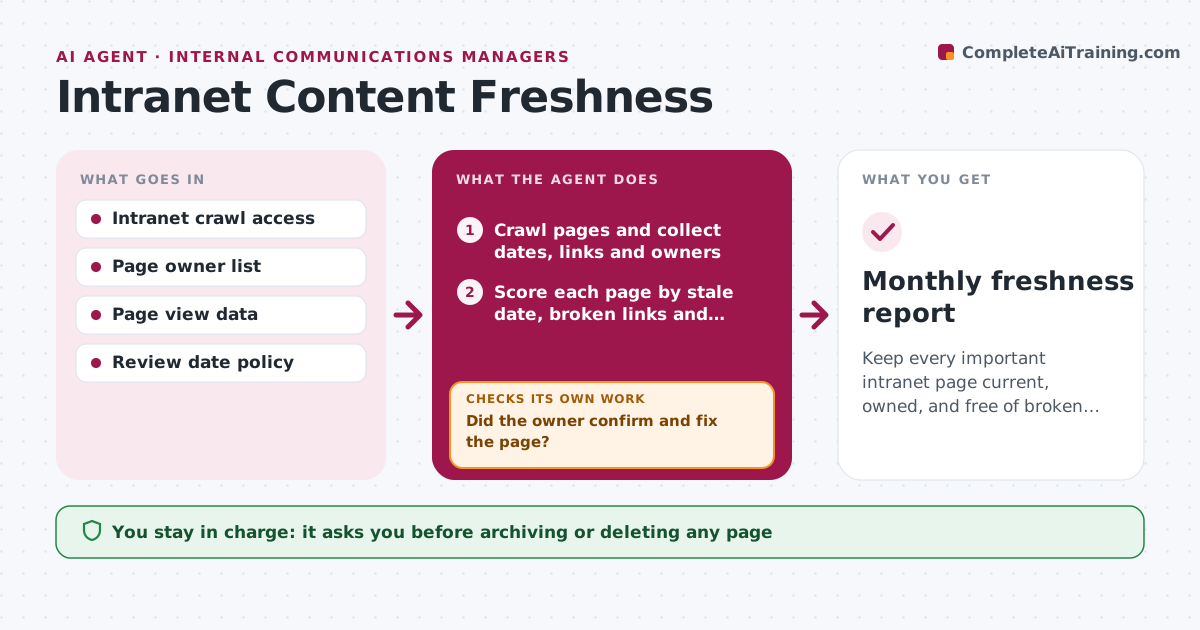
Keep every important intranet page current, owned, and free of broken links.
What it does
Intranet pages go stale quietly. This agent runs each month, crawls the pages, and finds old review dates, broken links, and pages with no clear owner. It checks the page analytics so that heavily used pages come first. It sends each owner a review request listing the exact problems, and tracks replies. Owners who do not reply get a second request, then their manager is told. After owners say they fixed a page, the agent crawls it again to confirm the problem is gone. Pages with no owner and no visits become candidates for archiving, which you approve. Edge case: a benefits page with a dead link to the old provider is pushed to the top of the list.
How it works
Follow the arrows from top to bottom. The orange dashed arrow is the loop: when a check fails, the agent goes back and tries again.
Read the steps as a list
- Monthly crawl starts
- Crawl pages and collect dates, links and owners
- Score each page by stale date, broken links and traffic
- Group the problems by page owner
- Send each owner a review request with the exact issues
- Wait for the reply deadline and log answers
- Did the owner confirm and fix the page?If not: Send a second request, then notify the owner's manager. Back to step 4.
- Crawl fixed pages again
- Are the broken links and stale dates gone?If not: Send the page back to the owner with the remaining issues. Back to step 3.
- Communications manager approves archiving or deletion of unowned pagesThe agent waits here for your OK.
- Monthly freshness report
How it decides
It ranks pages by views multiplied by problems found. Owners are chased in order. Archive suggestions only apply to pages with no owner and low traffic.
- Pages over 12 months without review are stale (default)
- Heavily visited pages go first
- Pages with no owner and under 10 visits a quarter are archive candidates
- Second request after 5 working days
Make it yours
Every agent is a starting point. You choose these settings for your own situation.
- Stale age limit (default 12 months)
- Traffic cutoff for archiving
- Reminder wait time (default 5 working days)
- Which sections to crawl
- Escalation contact
What keeps you in control
It always asks you first
- Archiving or deleting any page
- Messages to managers about missed reviews
Hard limits
- Never deletes or edits pages
- Never contacts staff outside the owner list
- Shows the owner the specific issue
It stops when
- Done: all flagged pages fixed or retired
- Stop: unresolved after manager escalation; listed in report
Set it up
We guide you through the set-up, step by step
Members get the full set-up guide for this agent. No technical skills needed: you copy, paste and upload.
- One set of instructions to paste into your AI, with the clicks for ChatGPT, Claude, Microsoft 365 Copilot, Gemini and Grok
- The agent then walks you through connecting your own data, one source at a time
- A downloadable copy with the flow chart, the rules and the full guide