AI agent for inventory managers
Inventory Reorder Point Review Agent
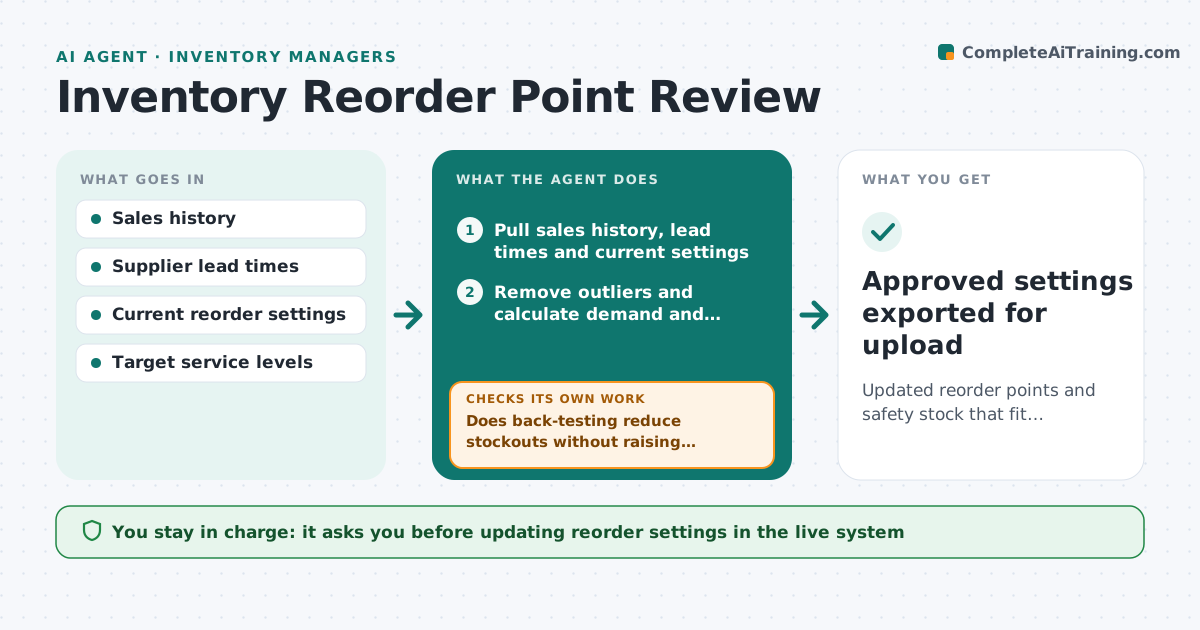
Updated reorder points and safety stock that fit current demand and lead times
What it does
Reorder points and safety stock should change as demand and lead times change, but they often stay as set years ago. Each month this agent recalculates demand and lead time for every item, removing one-time bulk orders from the average. It works out a suggested reorder point and safety stock and compares them with current settings. It tests each suggestion against the last three months to see whether it would have avoided stockouts without big overstock. If not, it adjusts the service level and retests. It drafts a change list with the stock value effect. The inventory manager approves which changes go into the system.
How it works
Follow the arrows from top to bottom. The orange dashed arrow is the loop: when a check fails, the agent goes back and tries again.
Read the steps as a list
- Monthly review begins
- Pull sales history, lead times and current settings
- Remove outliers and calculate demand and variability
- Calculate suggested reorder point and safety stock
- Does back-testing reduce stockouts without raising stock above the cap?If not: adjust the service level and recalculate. Back to step 4.
- List changes ranked by stock value impact
- Manager approves changes to system settingsThe agent waits here for your OK.
- Approved settings exported for upload
How it decides
It calculates settings from demand variability and lead time and keeps a change only if back-testing shows fewer stockouts without excess stock.
- Single orders above 3x average are treated as outliers
- Changes under 5% are skipped
- A-items use a higher service level than C-items
Make it yours
Every agent is a starting point. You choose these settings for your own situation.
- Service level per item class
- Stock value cap
- Outlier rule
- Review frequency
What keeps you in control
It always asks you first
- Updating reorder settings in the live system
Hard limits
- Never changes live settings directly
- Does not place purchase orders
It stops when
- Done: change list approved
- Stop: lead time data missing for key suppliers
Set it up
We guide you through the set-up, step by step
Members get the full set-up guide for this agent. No technical skills needed: you copy, paste and upload.
- One set of instructions to paste into your AI, with the clicks for ChatGPT, Claude, Microsoft 365 Copilot, Gemini and Grok
- The agent then walks you through connecting your own data, one source at a time
- A downloadable copy with the flow chart, the rules and the full guide