AI agent for online sellers
Inventory Restock Planning Agent
Reorder the right quantity of each product on time within the cash budget
What it does
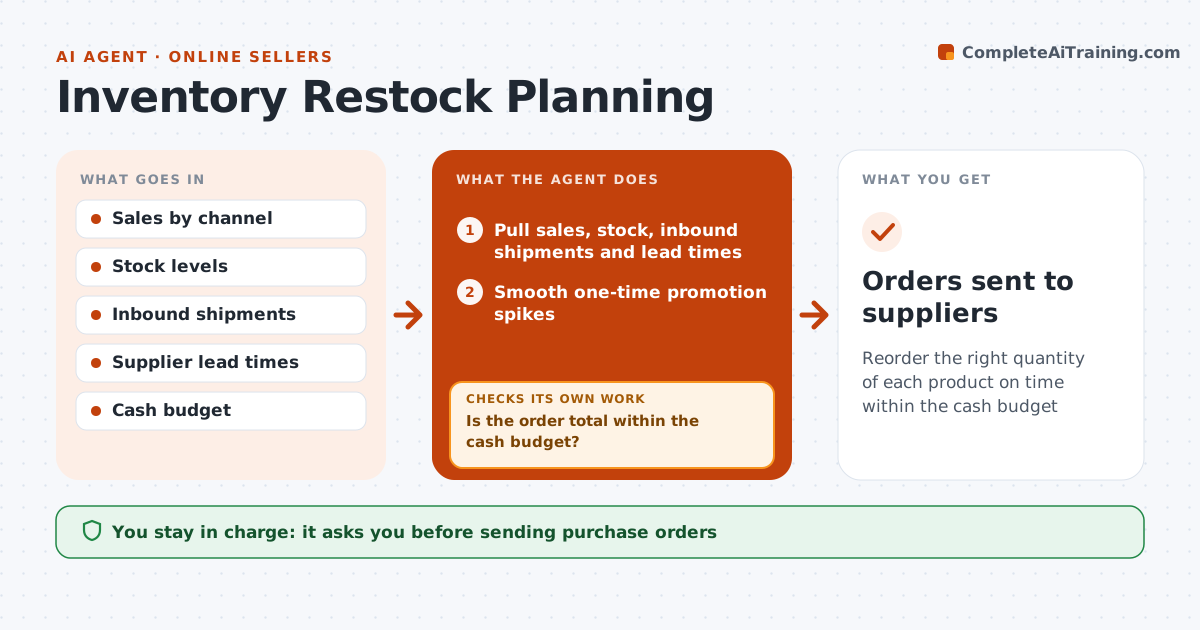
Online sellers have to reorder before stock runs out, but supplier lead times and sales swings make it hard. Each week this agent pulls sales by product from every channel, current stock, inbound shipments and supplier lead times. It first smooths one-time promotion spikes so they do not inflate orders. It then calculates days of stock left and a reorder point of lead time plus a 7-day buffer. It drafts purchase orders for items below their reorder point, sized to cover the next cycle at the smoothed rate. It checks the order total against the week's cash budget; if over, it ranks items by profit and sales speed and trims slow sellers first. The seller approves every purchase order. Edge case: a sudden spike from a one-time promotion is smoothed so it does not trigger an oversized order.
How it works
Follow the arrows from top to bottom. The orange dashed arrow is the loop: when a check fails, the agent goes back and tries again.
Read the steps as a list
- Weekly restock review
- Pull sales, stock, inbound shipments and lead times
- Smooth one-time promotion spikes
- Calculate days of stock and reorder points
- Draft purchase orders for items below reorder point
- Is the order total within the cash budget?If not: rank items by profit and speed and trim lower-ranked quantities. Back to step 5.
- Seller approves purchase ordersThe agent waits here for your OK.
- Orders sent to suppliers
How it decides
Reorder when days of stock is less than lead time plus buffer. Quantities cover the next ordering cycle at the smoothed sales rate.
- Smooth promotion spikes before calculating
- Buffer of 7 days on top of lead time
- Trim slow sellers first when over budget
Make it yours
Every agent is a starting point. You choose these settings for your own situation.
- Safety buffer days (default 7)
- Weekly cash budget
- Supplier lead times
- Products excluded from auto planning
What keeps you in control
It always asks you first
- Sending purchase orders
Hard limits
- Never sends orders without approval
- Never changes listing prices
It stops when
- Done: orders approved
- Stop: sales data missing for a channel
Set it up
We guide you through the set-up, step by step
Members get the full set-up guide for this agent. No technical skills needed: you copy, paste and upload.
- One set of instructions to paste into your AI, with the clicks for ChatGPT, Claude, Microsoft 365 Copilot, Gemini and Grok
- The agent then walks you through connecting your own data, one source at a time
- A downloadable copy with the flow chart, the rules and the full guide