AI agent for online sellers
Marketing Feed Attribute Repair Agent
Product feeds accepted by every channel with true data.
What it does
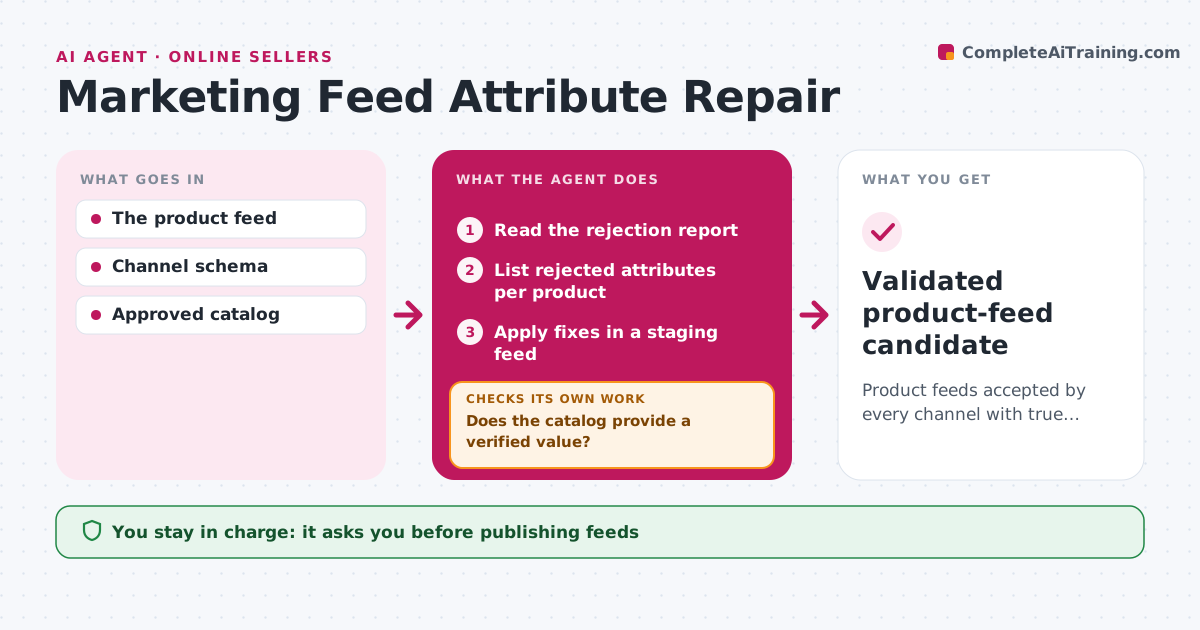
Shopping channels reject product feeds when attributes are missing or invalid, and products disappear from listings. When a feed is rejected, or before it is submitted, this agent reads the rejection report and lists the failing attributes per product. It fixes each value from the authoritative product catalog only. If the catalog has no verified value, the item stays an exception for the product team; the agent never guesses colors, sizes or materials. It applies fixes in a staging feed, revalidates the records against the channel rules and checks that product counts match. Retail operations approves publishing. Edge case: a channel requires 'material' but the catalog has no verified value, so the item is listed as an exception.
How it works
Follow the arrows from top to bottom. The orange dashed arrow is the loop: when a check fails, the agent goes back and tries again.
Read the steps as a list
- Feed rejected or due for submission
- Read the rejection report
- List rejected attributes per product
- Does the catalog provide a verified value?If not: record an exception for the product team. Back to step 3.
- Apply fixes in a staging feed
- Do records pass validation and do counts match?If not: correct the failing records and revalidate. Back to step 5.
- Retail ops approves publishingThe agent waits here for your OK.
- Validated product-feed candidate
How it decides
It fixes from catalog evidence only.
- Fix only from verified catalog values.
- Missing values stay exceptions, never guesses.
- Product counts must match before submission.
Make it yours
Every agent is a starting point. You choose these settings for your own situation.
- Channels and their attribute rules
- Authoritative catalog source
- Who receives the exceptions list
- Submission schedule (default daily)
What keeps you in control
It always asks you first
- Publishing feeds
- Product claims
Hard limits
- No guessed values.
It stops when
- Done: valid.
Set it up
We guide you through the set-up, step by step
Members get the full set-up guide for this agent. No technical skills needed: you copy, paste and upload.
- One set of instructions to paste into your AI, with the clicks for ChatGPT, Claude, Microsoft 365 Copilot, Gemini and Grok
- The agent then walks you through connecting your own data, one source at a time
- A downloadable copy with the flow chart, the rules and the full guide