AI agent for pharmacists
Investigational Product Accountability Agent
Product counts and logs reconcile to visits, with every discrepancy and excursion explained
What it does
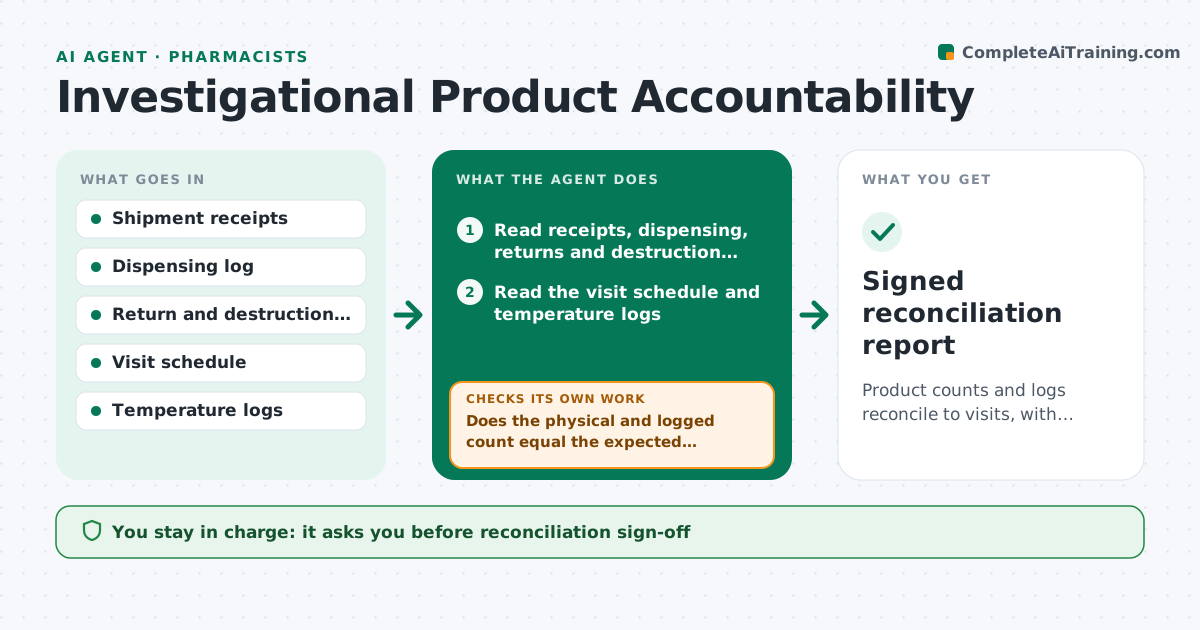
Investigational product counts rarely match the dispensing log on the first try. This agent compares shipment receipts, dispensing entries, returns and destruction records against the subject visit schedule. It works out what each participant should have received at each visit and what should remain in stock. Any gap, such as a kit dispensed to a participant with no visit, is listed. It also reads temperature logs and flags excursions with the affected lot. For each discrepancy it drafts a correction request to the person who made the entry. After corrections arrive it recounts. The pharmacist approves the final reconciliation. Edge case: a returned kit is logged twice, so the agent shows the stock as one unit higher than reality and asks for a correction.
How it works
Follow the arrows from top to bottom. The orange dashed arrow is the loop: when a check fails, the agent goes back and tries again.
Read the steps as a list
- Shipment received or monthly reconciliation due
- Read receipts, dispensing, returns and destruction records
- Read the visit schedule and temperature logs
- Calculate expected stock and expected dispensing per participant
- Does the physical and logged count equal the expected count?If not: list each discrepancy with its record source. Back to step 4.
- Check temperature logs for excursions and map them to lots
- Draft correction requests to the people who made the entries
- Do updated records now reconcile?If not: keep the item open, recount and flag it to the pharmacist. Back to step 4.
- Draft the reconciliation report
- Pharmacist approves the reconciliationThe agent waits here for your OK.
- Signed reconciliation report
How it decides
Expected stock equals receipts minus dispensed, destroyed and returned items. A mismatch of even one unit is flagged for explanation.
- Flag any difference of one unit or more
- Quarantine a lot after a temperature excursion until reviewed
- Flag a kit dispensed without a matching visit
- Treat a duplicate return entry as a data error to correct
Make it yours
Every agent is a starting point. You choose these settings for your own situation.
- Count tolerance (default 0 units)
- Temperature range for the product
- Reconciliation frequency
- People who receive correction requests
What keeps you in control
It always asks you first
- Reconciliation sign-off
- Any destruction of product
Hard limits
- Never changes counts or logs
- Never releases quarantined product
It stops when
- Done: counts tie and excursions resolved
- Stop: shipment records are missing
Set it up
We guide you through the set-up, step by step
Members get the full set-up guide for this agent. No technical skills needed: you copy, paste and upload.
- One set of instructions to paste into your AI, with the clicks for ChatGPT, Claude, Microsoft 365 Copilot, Gemini and Grok
- The agent then walks you through connecting your own data, one source at a time
- A downloadable copy with the flow chart, the rules and the full guide