AI agent for investor relations managers
Investor Meeting and Roadshow Planning Agent
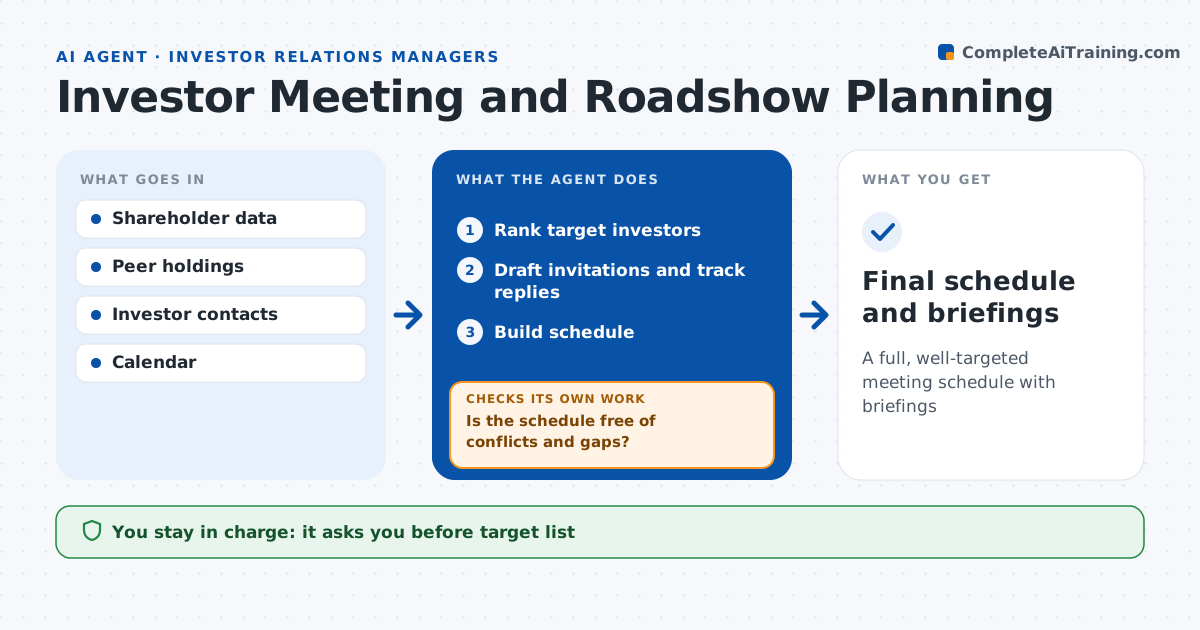
A full, well-targeted meeting schedule with briefings
What it does
Roadshows are hard to plan: the right investors, open slots, travel time and briefings all have to fit together. This agent plans investor meetings. It ranks target investors using holdings data, style fit and whether they own peers but not the company. The IR manager approves the target list. It drafts invitations, tracks replies and builds a schedule with travel time. It checks the schedule for conflicts and gaps. Two requests for one slot get a proposed group meeting, and gaps over two hours are filled from the waitlist. It rebuilds the schedule as replies come in and checks again. It prepares a briefing on each investor's holdings and past questions. The IR manager approves invitations and the final schedule. Edge case: two investors request the same slot, so the agent proposes a group meeting.
How it works
Follow the arrows from top to bottom. The orange dashed arrow is the loop: when a check fails, the agent goes back and tries again.
Read the steps as a list
- Roadshow planned
- Rank target investors
- IR manager approves target listThe agent waits here for your OK.
- Draft invitations and track replies
- Build schedule
- Is the schedule free of conflicts and gaps?If not: rebuild with new replies or propose group meetings. Back to step 4.
- Prepare investor briefings
- Final schedule and briefings
How it decides
It ranks investors by fit and holdings change, and builds the schedule to fit travel and executive time.
- Holds peers but not the company: high priority
- Two requests for one slot: propose group
- Gap over 2 hours: fill from waitlist
Make it yours
Every agent is a starting point. You choose these settings for your own situation.
- Ranking factors
- Meeting length
- Travel buffers
- Briefing format
What keeps you in control
It always asks you first
- Target list
- Invitations
- Final schedule
Hard limits
- Never sends invitations without approval
- Never shares briefings externally
It stops when
- Done: schedule final
- Stop: dates change
Set it up
We guide you through the set-up, step by step
Members get the full set-up guide for this agent. No technical skills needed: you copy, paste and upload.
- One set of instructions to paste into your AI, with the clicks for ChatGPT, Claude, Microsoft 365 Copilot, Gemini and Grok
- The agent then walks you through connecting your own data, one source at a time
- A downloadable copy with the flow chart, the rules and the full guide