AI agent for farmers
Irrigation Scheduling Agent
Keep soil moisture in the target range using the least water
What it does
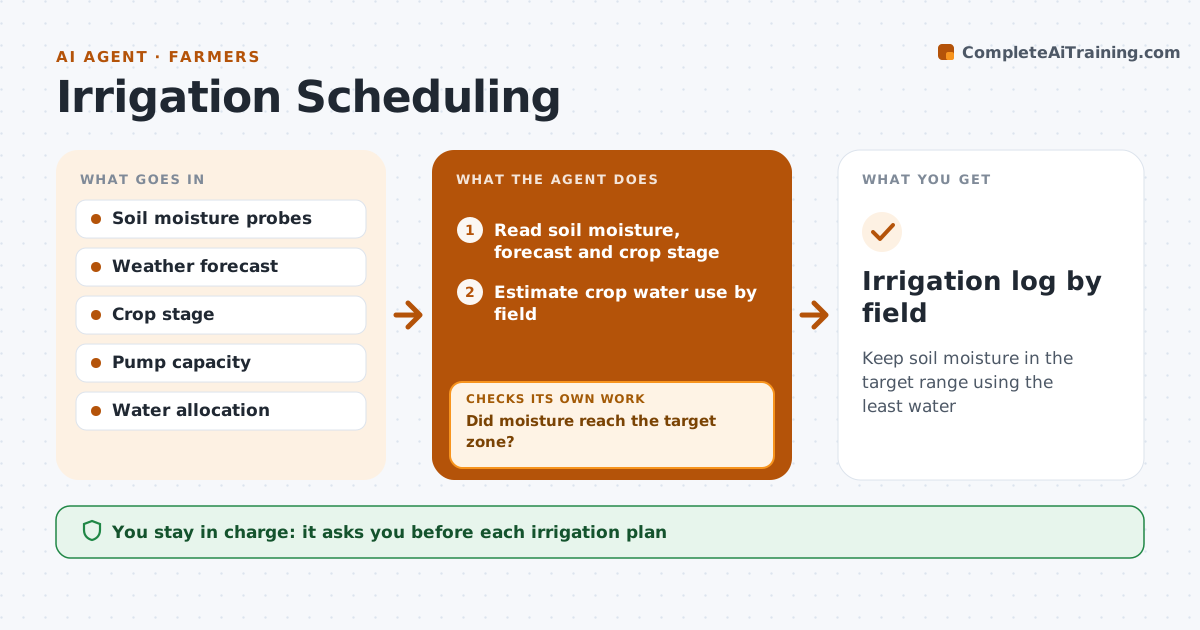
Deciding when and how much to irrigate depends on soil moisture, crop stage, weather and water allocation, and guessing wastes water or stresses the crop. Each morning this agent reads soil moisture probes, the weather forecast and crop stage for each field, and estimates crop water use. It waters a field when moisture is forecast to fall below the target for that crop stage within two days and no rain is expected. Rain forecast within 24 hours delays watering unless soil is already below the stress level. It drafts a plan that fits pump capacity and never exceeds the water allocation. The farmer approves each plan. After each irrigation, it reads the probes again. If moisture did not reach the target zone, it adjusts run time or flags a possible blocked line. Edge case: a probe giving flat readings for two days is flagged as faulty.
How it works
Follow the arrows from top to bottom. The orange dashed arrow is the loop: when a check fails, the agent goes back and tries again.
Read the steps as a list
- Daily morning run
- Read soil moisture, forecast and crop stage
- Estimate crop water use by field
- Draft irrigation plan within pump and allocation limits
- Farmer approves the planThe agent waits here for your OK.
- Read soil moisture after irrigation
- Did moisture reach the target zone?If not: adjust run time or flag a possible blocked line. Back to step 4.
- Irrigation log by field
How it decides
It waters when moisture is forecast to fall below the target in two days and rain is not expected, within pump and allocation limits.
- Rain within 24 hours delays watering
- Crop stage sets the target
- Allocation limits are never exceeded
Make it yours
Every agent is a starting point. You choose these settings for your own situation.
- Target moisture by crop and stage
- Rain delay rule
- Pump capacity
- Fields in scope
What keeps you in control
It always asks you first
- Each irrigation plan
Hard limits
- Never switches pumps on itself
- Never exceeds the water allocation
It stops when
- Done: field in target range
- Stop: probe offline, ask the farmer to check the field
Set it up
We guide you through the set-up, step by step
Members get the full set-up guide for this agent. No technical skills needed: you copy, paste and upload.
- One set of instructions to paste into your AI, with the clicks for ChatGPT, Claude, Microsoft 365 Copilot, Gemini and Grok
- The agent then walks you through connecting your own data, one source at a time
- A downloadable copy with the flow chart, the rules and the full guide