AI agent for compensation analysts
Job Evaluation and Grading Agent
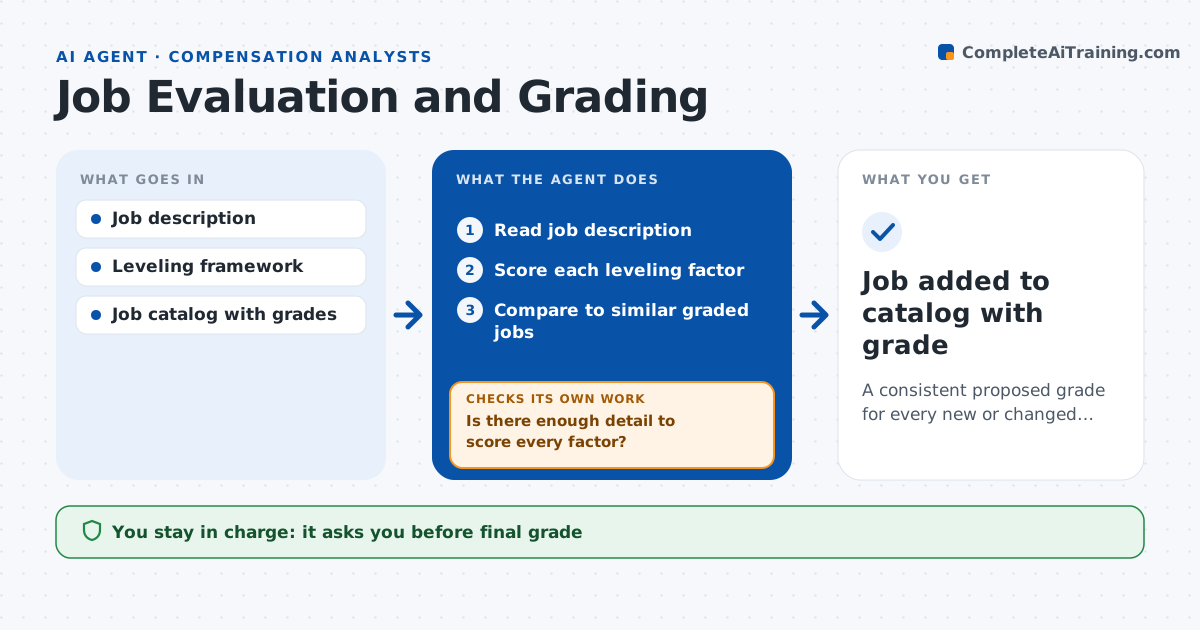
A consistent proposed grade for every new or changed job
What it does
Job grades set by title or by who asks loudest lead to unfair pay and constant regrade requests. When a manager asks to create or regrade a job, this agent prepares the evaluation. It reads the job description, scores each leveling factor such as scope, complexity, decision rights and knowledge, and compares the result with similar graded jobs. If the description is too vague to score a factor, it sends the manager specific questions and rescores when answers arrive. If its score differs from similar jobs by more than one grade, it reviews again. It drafts the proposed grade with reasoning and the pay range impact. The analyst makes the final grading decision. Edge case: the title says senior but the duties match the mid level, so the agent grades by duties and notes the title gap.
How it works
Follow the arrows from top to bottom. The orange dashed arrow is the loop: when a check fails, the agent goes back and tries again.
Read the steps as a list
- Job grading request submitted
- Read job description
- Score each leveling factor
- Is there enough detail to score every factor?If not: send the manager specific questions and wait for answers. Back to step 3.
- Compare to similar graded jobs
- Draft proposed grade and range impact
- Analyst decides final gradeThe agent waits here for your OK.
- Job added to catalog with grade
How it decides
It scores the job on framework factors and checks the result against similar graded jobs.
- Score differs from similar jobs by more than one grade: review
- Title above duties: grade by duties
- Regrade up two or more grades: needs HR leader sign-off
Make it yours
Every agent is a starting point. You choose these settings for your own situation.
- Leveling framework factors
- Number of comparison jobs
- Sign-off rules for big regrades
- Request form fields
What keeps you in control
It always asks you first
- Final grade
- Communicating grade to the manager
Hard limits
- Never tells employees their grade
- Never changes the framework
It stops when
- Done: grade decided
- Stop: manager does not answer within 10 days
Set it up
We guide you through the set-up, step by step
Members get the full set-up guide for this agent. No technical skills needed: you copy, paste and upload.
- One set of instructions to paste into your AI, with the clicks for ChatGPT, Claude, Microsoft 365 Copilot, Gemini and Grok
- The agent then walks you through connecting your own data, one source at a time
- A downloadable copy with the flow chart, the rules and the full guide