AI agent for job seekers
Job Posting Screening Agent
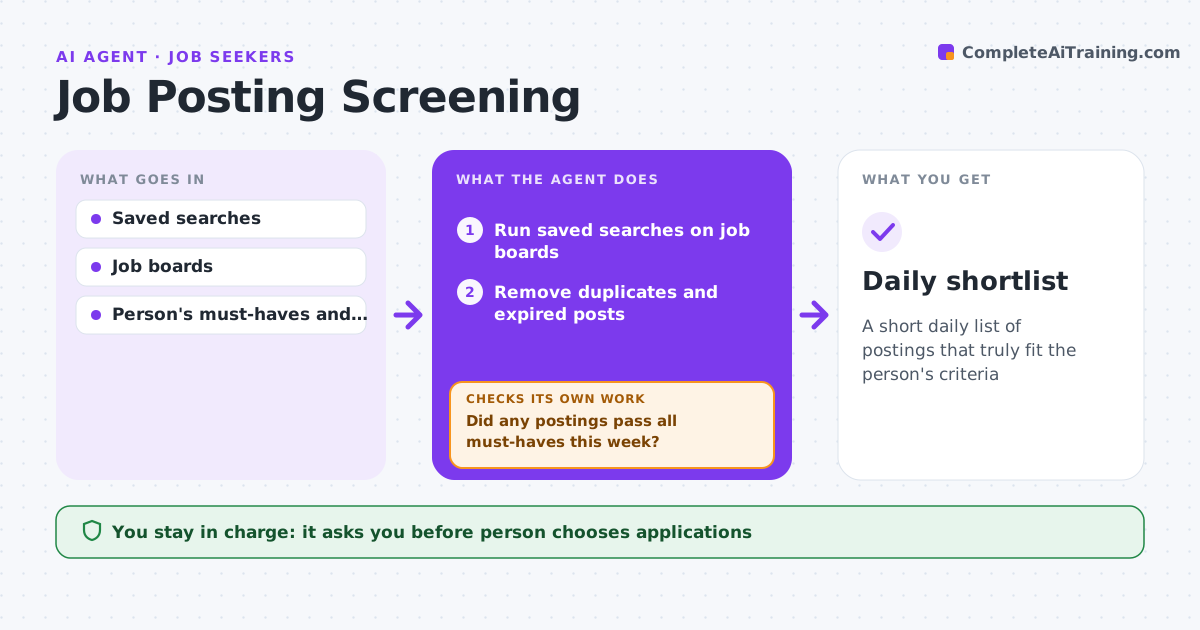
A short daily list of postings that truly fit the person's criteria
What it does
Job boards show hundreds of postings, many of them duplicates or poor fits, and scrolling them eats the morning. This agent runs the person's saved searches each morning, removes duplicates and expired posts, and reads each full posting. It scores postings against the person's must-haves, such as pay range, location, remote work, skills and level; all must-haves are required. Reading the full text catches details titles hide, like heavy travel or a lower level. Postings that pass go on a shortlist with reasons. If nothing passes in a week, it suggests broader search terms and reruns after the person agrees. The person decides what to apply to. Edge case: postings with no pay range are not rejected but marked so the person can ask.
How it works
Follow the arrows from top to bottom. The orange dashed arrow is the loop: when a check fails, the agent goes back and tries again.
Read the steps as a list
- Morning run
- Run saved searches on job boards
- Remove duplicates and expired posts
- Read full postings and score against must-haves
- Did any postings pass all must-haves this week?If not: suggest broader search terms and rerun after the person agrees. Back to step 2.
- Write shortlist with reasons
- Person chooses which to apply toThe agent waits here for your OK.
- Daily shortlist
How it decides
Postings must meet all must-haves and are ranked by fit on preferences.
- All must-haves required
- Missing pay is marked, not rejected
- Same job on several boards counts once
Make it yours
Every agent is a starting point. You choose these settings for your own situation.
- Must-haves and preferences
- Boards to search
- Shortlist size
- Run time
What keeps you in control
It always asks you first
- Person chooses applications
Hard limits
- Never applies to jobs
- Uses only boards the person chose
It stops when
- Done: daily list delivered
- Stop: search paused
Set it up
We guide you through the set-up, step by step
Members get the full set-up guide for this agent. No technical skills needed: you copy, paste and upload.
- One set of instructions to paste into your AI, with the clicks for ChatGPT, Claude, Microsoft 365 Copilot, Gemini and Grok
- The agent then walks you through connecting your own data, one source at a time
- A downloadable copy with the flow chart, the rules and the full guide