AI agent for career coachs
LinkedIn Profile Audit Agent
Bring the profile to a measured match with the target roles, using only true claims.
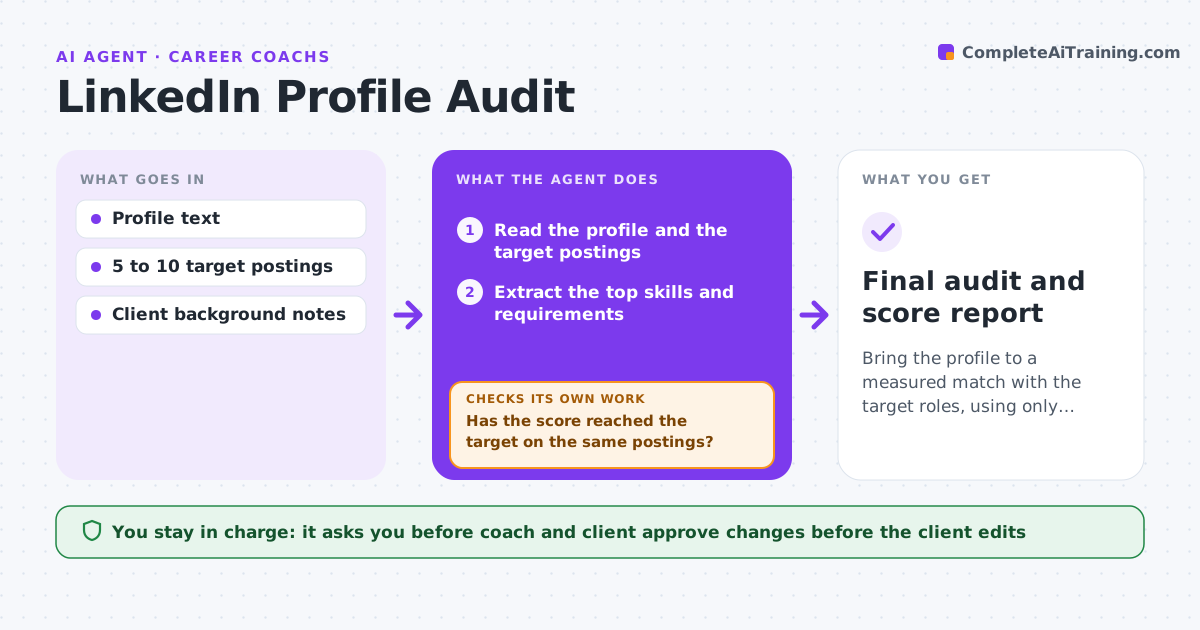
What it does
A client's LinkedIn profile often describes the last job, not the role they want. Before a search starts, this agent reads the profile and a set of target job postings chosen with the coach and client. It extracts the common keywords, skills and requirements from the postings, compares them with the headline, summary, experience and skills sections, and scores each section. It drafts specific changes, such as a rewritten headline or a reordered skills list. The coach and client approve the changes. After the client edits the profile, the agent scores it again against the same target postings and shows the gains. Edge case: a keyword appears in postings but the client has no real experience with it, so the agent flags it as a gap and does not add it.
How it works
Follow the arrows from top to bottom. The orange dashed arrow is the loop: when a check fails, the agent goes back and tries again.
Read the steps as a list
- Client begins a search
- Read the profile and the target postings
- Extract the top skills and requirements
- Score each profile section against them
- Draft changes with reasons
- Coach and client approve the changesThe agent waits here for your OK.
- Client edits the profile
- Reread the profile
- Has the score reached the target on the same postings?If not: list the remaining gaps and redraft changes. Back to step 3.
- Final audit and score report
How it decides
It adds a keyword only if the client's background supports it. The score is based on coverage of the postings' top requirements.
- Count a requirement covered only when the profile shows evidence
- Do not add unsupported skills
- Score each section on a 100 point scale
- Target at least 80 before the search starts
Make it yours
Every agent is a starting point. You choose these settings for your own situation.
- Target score (default 80)
- Number of postings
- Sections audited
- Tone of the headline
What keeps you in control
It always asks you first
- Coach and client approve changes before the client edits
Hard limits
- Never add a claim the client cannot support
- Never edit the profile directly
It stops when
- Done: score at target
- Stop: client has no match for the target role, tell the coach
Set it up
We guide you through the set-up, step by step
Members get the full set-up guide for this agent. No technical skills needed: you copy, paste and upload.
- One set of instructions to paste into your AI, with the clicks for ChatGPT, Claude, Microsoft 365 Copilot, Gemini and Grok
- The agent then walks you through connecting your own data, one source at a time
- A downloadable copy with the flow chart, the rules and the full guide