AI agent for recruitment coordinators
Job Posting Sync and Expiry Agent
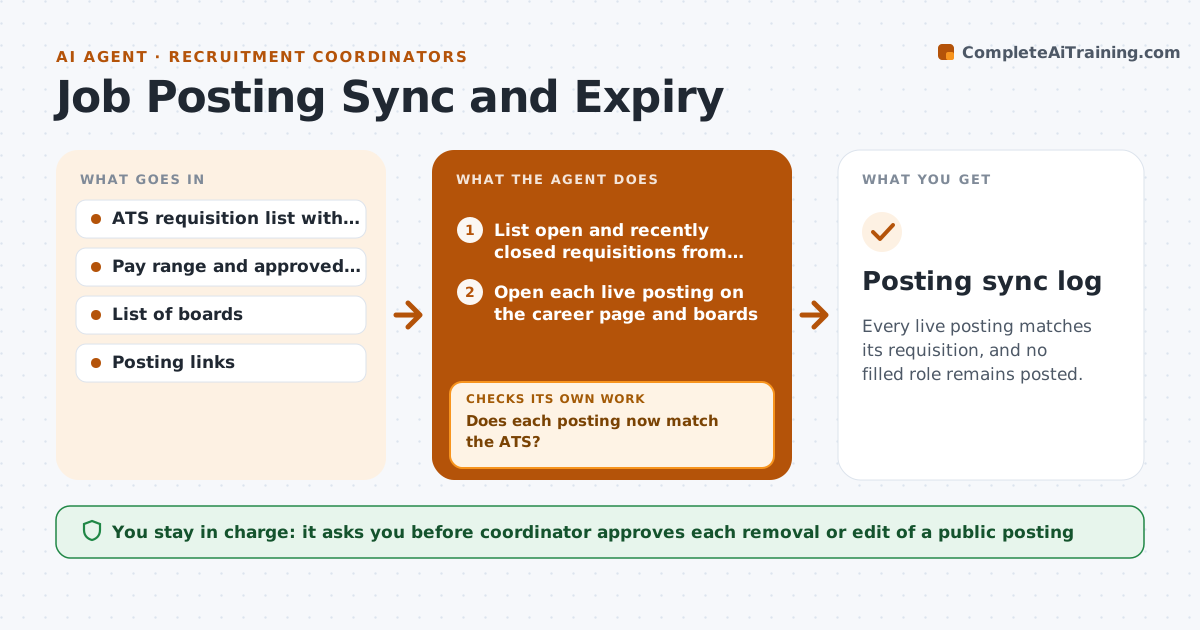
Every live posting matches its requisition, and no filled role remains posted.
What it does
You post each job to the career page and several boards, and over weeks the copies drift apart. A role gets filled but stays live on one board, and candidates apply to nothing. This agent runs daily. It lists every open requisition, then visits every live posting and compares status, pay range, title and duties with the ATS record. It flags closed roles still posted and text or pay mismatches, drafts the fix for each posting, and waits for your approval before anything public changes. After you make the changes, it rechecks each posting to confirm the fix landed. Edge case: a board that caches old text for a day will fail the recheck, so the agent retries the next morning before reporting the problem.
How it works
Follow the arrows from top to bottom. The orange dashed arrow is the loop: when a check fails, the agent goes back and tries again.
Read the steps as a list
- Daily morning run
- List open and recently closed requisitions from the ATS
- Open each live posting on the career page and boards
- Compare status, pay, title and duties with the ATS record
- Rank mismatches, closed roles first
- Draft the removal or corrected text for each
- Coordinator approves removals and edits to public postsThe agent waits here for your OK.
- Coordinator applies the changes, agent revisits each posting
- Does each posting now match the ATS?If not: Retry next morning for caching, then list the posting as needing manual action. Back to step 4.
- Posting sync log
How it decides
A posting is wrong if the role is closed or if pay, title, location or duties differ from the approved text. Closed roles come first.
- Closed role still live is urgent and listed first
- A pay range difference of any size is a mismatch
- Text differences in duties are flagged only if they change requirements
- Recheck failed fixes after 24 hours before escalating
Make it yours
Every agent is a starting point. You choose these settings for your own situation.
- Boards and links to check
- Run time and days of the week
- Fields that count as a mismatch
- Who gets the daily log
What keeps you in control
It always asks you first
- Coordinator approves each removal or edit of a public posting
Hard limits
- Never publish, edit or delete a posting itself
- Never change pay ranges, only report differences
It stops when
- Done: all postings match the ATS
- Stop: a board login fails or blocks access
Set it up
We guide you through the set-up, step by step
Members get the full set-up guide for this agent. No technical skills needed: you copy, paste and upload.
- One set of instructions to paste into your AI, with the clicks for ChatGPT, Claude, Microsoft 365 Copilot, Gemini and Grok
- The agent then walks you through connecting your own data, one source at a time
- A downloadable copy with the flow chart, the rules and the full guide