AI agent for job seekers
Job Search Funnel Review Agent
One clear, data-backed change to the search plan for next week
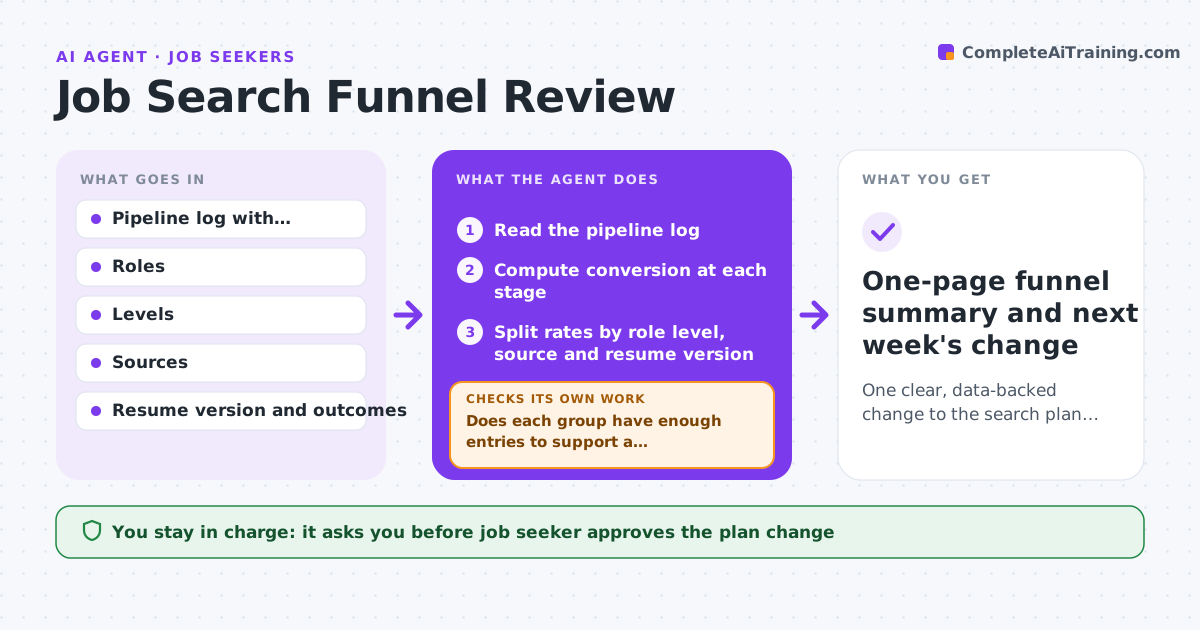
What it does
A job search can feel stuck, but you cannot fix what you cannot see. This agent reads your pipeline log and works out how many applications turned into replies, screens, interviews and offers. It compares those rates by role level, source and resume version. It then tests simple explanations, such as aiming too senior or relying on one job board, against the data and checks whether each one holds up. If the data is too thin, it says so and does not guess. It ends by recommending one change for next week. Edge case: most replies came through referrals, so the agent compares referral and board results separately before drawing a conclusion.
How it works
Follow the arrows from top to bottom. The orange dashed arrow is the loop: when a check fails, the agent goes back and tries again.
Read the steps as a list
- Weekly review time
- Read the pipeline log
- Compute conversion at each stage
- Split rates by role level, source and resume version
- List possible explanations from the splits
- Does each group have enough entries to support a conclusion?If not: merge groups or widen the date range, then recompute. Back to step 3.
- Test each explanation against the numbers
- Does one explanation account for the weakest stage?If not: discard it and test the next explanation, or mark the result unclear. Back to step 5.
- Recommend one change for next week
- Job seeker approves the new planThe agent waits here for your OK.
- One-page funnel summary and next week's change
How it decides
A cause is accepted only if the data shows a clear gap between groups and each group has at least ten entries. Otherwise the result is marked unclear.
- Compute each stage rate from the entries that reached the previous stage
- Require ten or more entries per group before comparing
- Recommend only one change at a time
- Say unclear rather than invent a cause
Make it yours
Every agent is a starting point. You choose these settings for your own situation.
- Minimum entries per comparison (default: 10)
- Splits to run (default: level, source, resume version)
- Review day (default: Sunday)
- Funnel stages to track
What keeps you in control
It always asks you first
- Job seeker approves the plan change
Hard limits
- Never invents numbers for missing stages
- Never changes the log
It stops when
- Done: one change is chosen and approved
- Stop: fewer than 20 logged applications, so the agent asks for more data
Set it up
We guide you through the set-up, step by step
Members get the full set-up guide for this agent. No technical skills needed: you copy, paste and upload.
- One set of instructions to paste into your AI, with the clicks for ChatGPT, Claude, Microsoft 365 Copilot, Gemini and Grok
- The agent then walks you through connecting your own data, one source at a time
- A downloadable copy with the flow chart, the rules and the full guide