AI agent for pharmaceutical sales representatives
Key Opinion Leader Mapping Agent
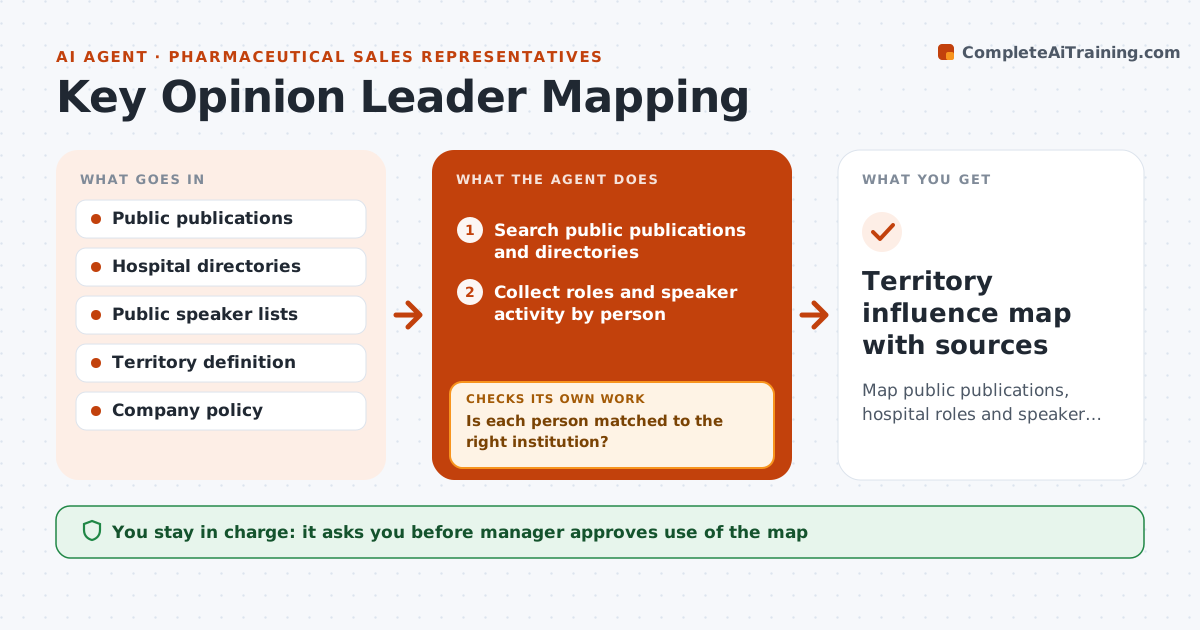
Map public publications, hospital roles and speaker activity for a territory, score influence and fill gaps
What it does
Influencers in a territory are known informally, and the picture changes. The agent maps public publications, hospital roles and public speaker lists for a territory. It scores influence from measurable signals, such as number of recent publications, committee roles and conference speaking. It builds a map by site and specialty and flags gaps, such as a hospital with no mapped contacts. It rechecks the gaps with another search and updates the map. It marks every source. The manager approves how the map is used. Edge case: two doctors with the same name are in the same city, and the agent separates them by institution.
How it works
Follow the arrows from top to bottom. The orange dashed arrow is the loop: when a check fails, the agent goes back and tries again.
Read the steps as a list
- Territory review
- Search public publications and directories
- Collect roles and speaker activity by person
- Is each person matched to the right institution?If not: Separate people with the same name using affiliation and specialty. Back to step 2.
- Score influence from public signals
- Build the map by site and specialty
- Does every key site have at least one mapped contact?If not: Search again for the gap and add sources. Back to step 2.
- Manager approves how the map is usedThe agent waits here for your OK.
- Territory influence map with sources
How it decides
Influence is scored from public information only and rechecked when gaps show; the manager approves how the map is used.
- Use only public sources
- Score recent activity over older activity
- Separate people with the same name by affiliation
- Search again for any site with no contact
Make it yours
Every agent is a starting point. You choose these settings for your own situation.
- Signals used
- Territory definition
- Refresh timing
- Who sees the map
What keeps you in control
It always asks you first
- Manager approves use of the map
- Manager approves sharing the map
Hard limits
- Never use private data
- Never rank people outside the stated purpose
It stops when
- Done: map approved and gaps closed
- Stop: policy forbids the mapping
Set it up
We guide you through the set-up, step by step
Members get the full set-up guide for this agent. No technical skills needed: you copy, paste and upload.
- One set of instructions to paste into your AI, with the clicks for ChatGPT, Claude, Microsoft 365 Copilot, Gemini and Grok
- The agent then walks you through connecting your own data, one source at a time
- A downloadable copy with the flow chart, the rules and the full guide