AI agent for motion graphics designers
Kinetic Type Readability Check Agent
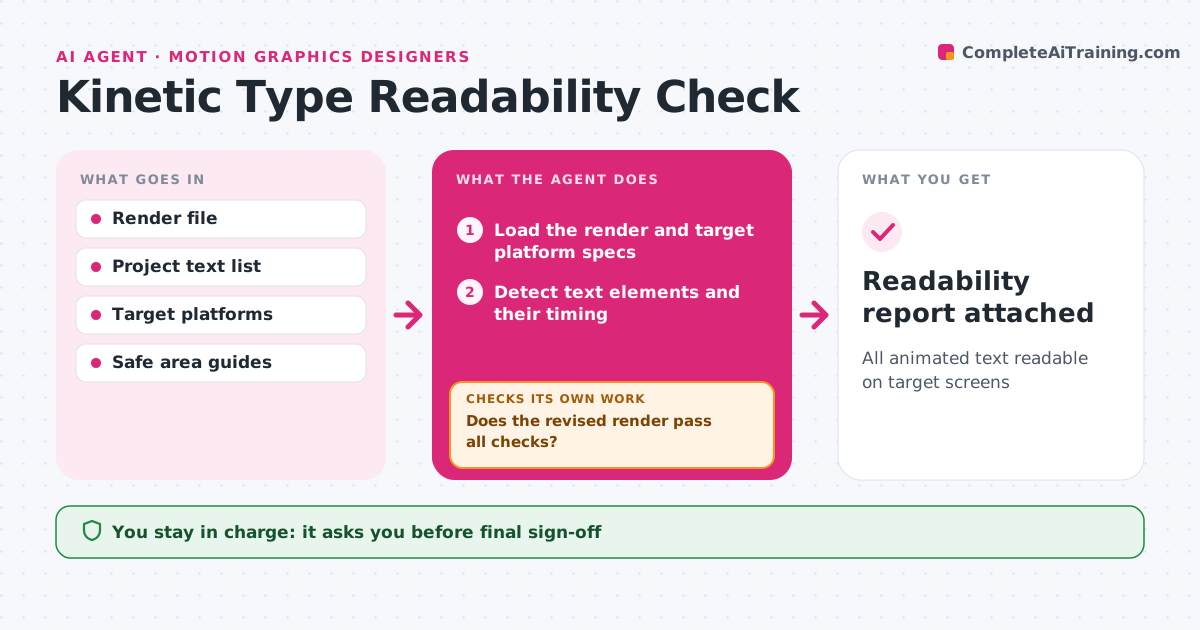
All animated text readable on target screens
What it does
Animated text that flashes by too fast or disappears against a bright background wastes the message. For each draft render, this agent finds every text element and measures how long it is fully readable, its size at the target screen sizes, and its contrast with the background frame by frame. It compares reading time with word count, since viewers need time per word. It also checks the safe areas for each platform. Text that fails is listed with a timecode and a suggested fix, such as holding two more frames or adding a shadow. After the designer revises, it renders a check pass and runs the checks again. The designer approves the result. Edge case: text over moving video is checked across the whole hold, not just the first frame.
How it works
Follow the arrows from top to bottom. The orange dashed arrow is the loop: when a check fails, the agent goes back and tries again.
Read the steps as a list
- Draft render exported
- Load the render and target platform specs
- Detect text elements and their timing
- Measure hold time, size, contrast and safe areas
- List failures with timecodes and fixes
- Does the revised render pass all checks?If not: list the remaining failures and wait for a new render. Back to step 4.
- Does text over moving video stay readable for the whole hold?If not: suggest a shadow or backing and recheck. Back to step 4.
- Designer approvesThe agent waits here for your OK.
- Readability report attached
How it decides
It needs enough hold time per word, minimum size on the smallest screen and contrast across the hold.
- At least 0.3 seconds per word plus 0.5 seconds
- Contrast checked through the whole hold
- Text must sit inside platform safe areas
Make it yours
Every agent is a starting point. You choose these settings for your own situation.
- Time per word
- Minimum size per platform
- Contrast threshold
- Platforms
What keeps you in control
It always asks you first
- Final sign-off
Hard limits
- Never edits the project
- Never delivers files
It stops when
- Done: all text passes
- Stop: render unreadable
Set it up
We guide you through the set-up, step by step
Members get the full set-up guide for this agent. No technical skills needed: you copy, paste and upload.
- One set of instructions to paste into your AI, with the clicks for ChatGPT, Claude, Microsoft 365 Copilot, Gemini and Grok
- The agent then walks you through connecting your own data, one source at a time
- A downloadable copy with the flow chart, the rules and the full guide