AI agent for catering managers
Kitchen Temperature Log Monitoring Agent
Complete temperature records and fast action on every out-of-range reading
What it does
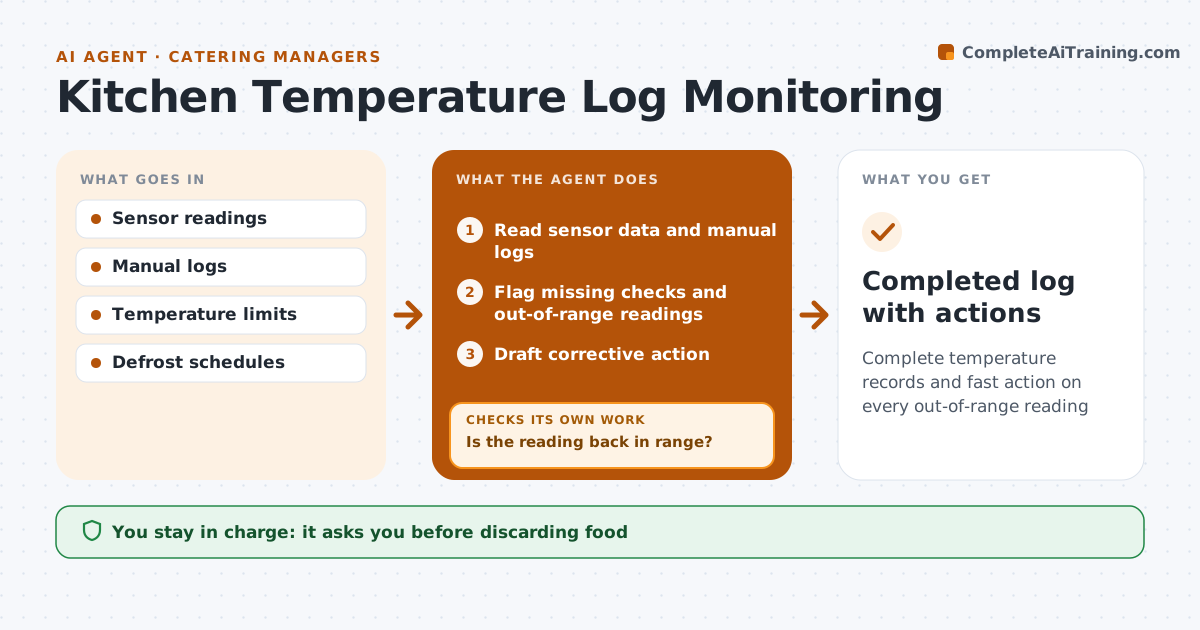
Fridges, freezers, hot holding and deliveries must be checked and recorded, and in a busy kitchen a failing unit can go unnoticed for hours. On each scheduled check, this agent reads sensor data and manual log entries. It flags any missing manual check within the shift, and any reading outside limits for more than 30 minutes, ignoring known defrost windows. For each problem it drafts a corrective action, such as moving stock to the walk-in or calling for repair. Thirty minutes after the action, it reads the unit again. If the reading is still out of range, it escalates to the chef with the exact time the food has been at risk and drafts a repair call. The chef always decides whether food is discarded. Edge case: a short spike during a defrost cycle is marked as expected, not as a failure.
How it works
Follow the arrows from top to bottom. The orange dashed arrow is the loop: when a check fails, the agent goes back and tries again.
Read the steps as a list
- Scheduled check
- Read sensor data and manual logs
- Flag missing checks and out-of-range readings
- Draft corrective action
- Read the unit again 30 minutes after the action
- Is the reading back in range?If not: escalate to the chef with time at risk and draft a repair call. Back to step 4.
- Chef decides on discarding foodThe agent waits here for your OK.
- Completed log with actions
How it decides
A reading outside limits for more than 30 minutes, outside a defrost window, needs a corrective action.
- 30 minutes out of range triggers action
- Defrost windows are excluded
- Missing manual checks are flagged within the shift
Make it yours
Every agent is a starting point. You choose these settings for your own situation.
- Temperature limits per unit
- Check interval (default 2 hours)
- Defrost schedules
- Escalation contacts
What keeps you in control
It always asks you first
- Discarding food
- Calling a paid repair
Hard limits
- Never discards food
- Never edits past log entries
It stops when
- Done: unit back in range and logged
- Stop: equipment failure, move stock and await repair
Set it up
We guide you through the set-up, step by step
Members get the full set-up guide for this agent. No technical skills needed: you copy, paste and upload.
- One set of instructions to paste into your AI, with the clicks for ChatGPT, Claude, Microsoft 365 Copilot, Gemini and Grok
- The agent then walks you through connecting your own data, one source at a time
- A downloadable copy with the flow chart, the rules and the full guide