AI agent for head of operations
KPI Anomaly Drill-Down Agent
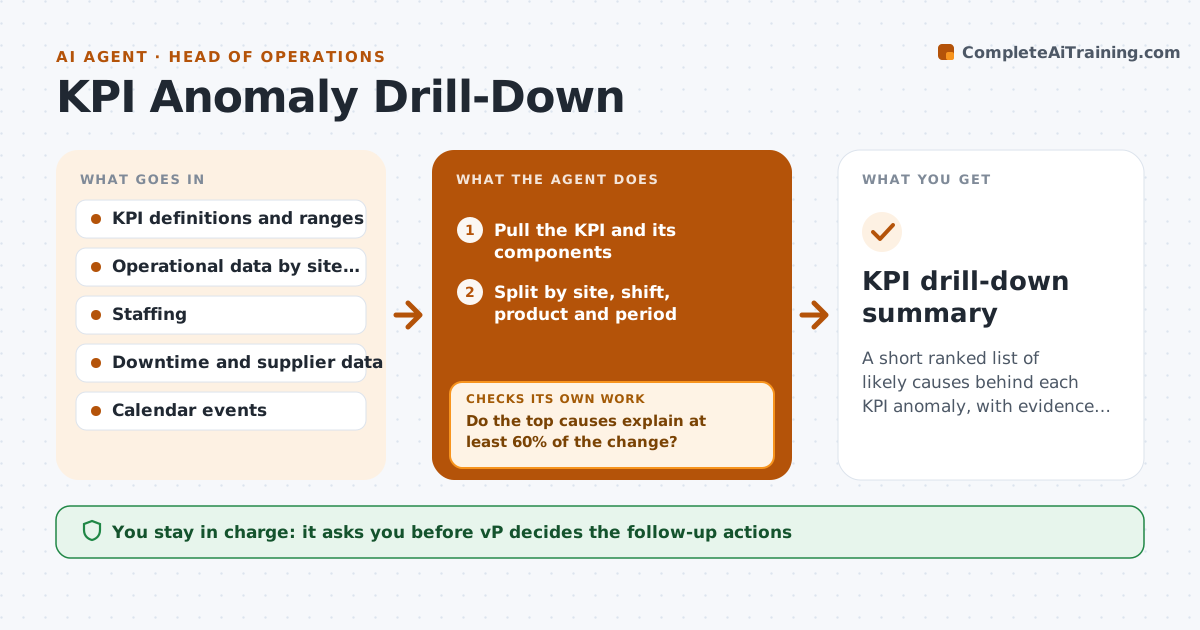
A short ranked list of likely causes behind each KPI anomaly, with evidence, delivered the same day.
What it does
On Monday, on-time delivery drops 6 points and the next days go to email threads about why. This agent starts the same morning. When a KPI moves outside its range, it splits the metric by site, shift, product and period. It tests likely causes against data from other systems, such as staffing, machine downtime, supplier receipts and weather, and ranks them by how much of the change each one explains. If no cause explains enough, it widens the data to more systems or a longer period and tries again. It sends you a short cause list with evidence. You pick the follow-up. Edge case: a drop that is entirely one new customer's orders is flagged as a mix shift, not an operations failure.
How it works
Follow the arrows from top to bottom. The orange dashed arrow is the loop: when a check fails, the agent goes back and tries again.
Read the steps as a list
- KPI leaves its range
- Pull the KPI and its components
- Split by site, shift, product and period
- Find the segments that explain most of the change
- Test candidate causes against staffing, downtime and supplier data
- Do the top causes explain at least 60% of the change?If not: Widen to more systems and a longer period, then split again. Back to step 2.
- Rank causes with evidence and confidence
- Is the finding stable if the latest week is removed?If not: Mark as uncertain and test an alternative cause. Back to step 4.
- Draft a one page cause summary
- VP picks the follow-up and who is askedThe agent waits here for your OK.
- KPI drill-down summary
How it decides
It ranks causes by the share of the movement they explain, and tries more data when the top cause explains under 60%.
- Act when a KPI leaves its range for 2 readings or moves over 10% in a week
- Call a cause strong when it explains 60% or more
- Flag mix changes separately from performance changes
- Mark causes under 30% as weak
Make it yours
Every agent is a starting point. You choose these settings for your own situation.
- KPI ranges and triggers
- Data sources to check
- Explanation threshold (default 60%)
- Who gets the summary
What keeps you in control
It always asks you first
- VP decides the follow-up actions
- VP approves any message to site leaders
Hard limits
- Never blame individuals
- Never change KPI definitions or data
It stops when
- Done: cause list delivered and follow-up chosen
- Stop: the data needed is not accessible
Set it up
We guide you through the set-up, step by step
Members get the full set-up guide for this agent. No technical skills needed: you copy, paste and upload.
- One set of instructions to paste into your AI, with the clicks for ChatGPT, Claude, Microsoft 365 Copilot, Gemini and Grok
- The agent then walks you through connecting your own data, one source at a time
- A downloadable copy with the flow chart, the rules and the full guide