AI agent for laboratory managers
Lab Equipment Calibration and Maintenance Agent
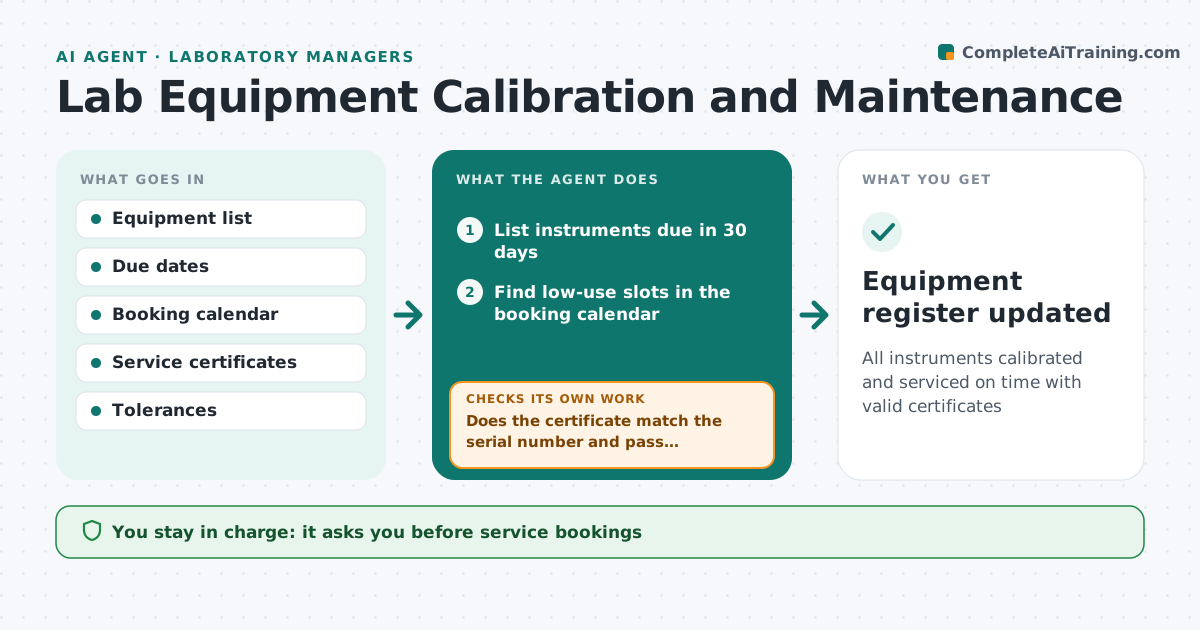
All instruments calibrated and serviced on time with valid certificates
What it does
Every lab instrument has calibration and service dates, and using one past its date can invalidate weeks of results. Each week this agent lists instruments due within 30 days, finds low-use slots in the booking calendar, and proposes service visits at least 7 days before the due date. The lab manager approves bookings. After service, the agent reads the certificate and checks that it covers the right serial number and that results are within tolerance. If not, it asks the vendor for a corrected certificate and keeps the instrument flagged. Overdue instruments are marked do not use. When calibration fails, it lists all experiments run since the last good check for review. The lab manager approves any use of an overdue instrument. Edge case: a balance fails calibration, so the agent builds an impact list of affected runs.
How it works
Follow the arrows from top to bottom. The orange dashed arrow is the loop: when a check fails, the agent goes back and tries again.
Read the steps as a list
- Weekly equipment check
- List instruments due in 30 days
- Find low-use slots in the booking calendar
- Lab manager approves service bookingsThe agent waits here for your OK.
- Read certificates after service
- Does the certificate match the serial number and pass tolerance?If not: request a corrected certificate and keep the instrument flagged. Back to step 5.
- List experiments since last good check if failed
- Equipment register updated
How it decides
It schedules service before due dates in low-use slots and accepts only certificates that match the instrument and tolerance.
- Overdue instruments are flagged as do not use
- Failed calibration triggers an impact list
- Service booked at least 7 days before due
Make it yours
Every agent is a starting point. You choose these settings for your own situation.
- Warning lead time
- Instruments in scope
- Tolerance rules
- Booking tool
What keeps you in control
It always asks you first
- Service bookings
- Using an overdue instrument
Hard limits
- Never changes experiment records
- Does not sign certificates
It stops when
- Done: all instruments current
- Stop: vendor unavailable, escalate
Set it up
We guide you through the set-up, step by step
Members get the full set-up guide for this agent. No technical skills needed: you copy, paste and upload.
- One set of instructions to paste into your AI, with the clicks for ChatGPT, Claude, Microsoft 365 Copilot, Gemini and Grok
- The agent then walks you through connecting your own data, one source at a time
- A downloadable copy with the flow chart, the rules and the full guide