AI agent for environmental engineers
Landfill Gas and Leachate Monitoring Agent
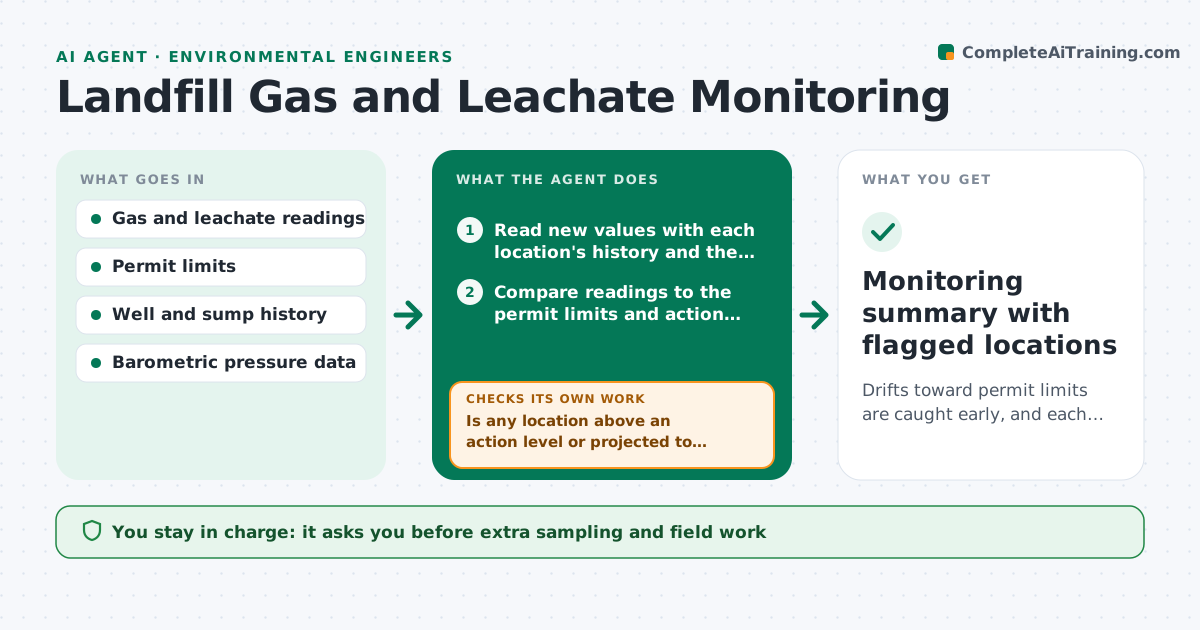
Drifts toward permit limits are caught early, and each one is followed by sampling and a documented outcome.
What it does
Gas wells and leachate levels are read monthly, but the trend toward a limit shows only when someone plots them. This agent reads each new gas and leachate reading and compares it to the permit limits and to the history of that well or sump. It flags drifts before limits are reached, such as methane rising 3 months in a row or leachate level climbing toward the allowed head. It proposes extra sampling or a field check and rechecks after each round. It drafts notes for the next report. You approve actions and any notice to the agency. Edge case: readings taken right after a large pressure drop are flagged for barometric effect before being treated as a trend.
How it works
Follow the arrows from top to bottom. The orange dashed arrow is the loop: when a check fails, the agent goes back and tries again.
Read the steps as a list
- New readings entered
- Read new values with each location's history and the pressure data
- Compare readings to the permit limits and action levels
- Fit the trend and project the date of any limit crossing
- Is any location above an action level or projected to cross a limit within the lead time?If not: mark it as normal and log it. Back to step 3.
- Check for barometric or instrument causes
- Propose extra sampling or a field check
- Engineer approves the actions and any agency noticeThe agent waits here for your OK.
- Read the follow-up readings
- Did the readings return inside the expected range?If not: escalate with the new data and propose corrective action options. Back to step 6.
- Monitoring summary with flagged locations
How it decides
It flags a reading when it exceeds an action level or when the trend predicts a limit crossing within the lead time you set.
- Methane above 80 percent of the limit: add sampling
- Three consecutive increases: flag as a trend even under the limit
- Reading right after a rapid pressure drop: recheck within 48 hours
- Limit exceeded: draft an agency notice for approval
Make it yours
Every agent is a starting point. You choose these settings for your own situation.
- Action levels as a share of the limit (default 80 percent)
- Lead time for projections in days
- Trend rules
- Locations covered
- Report format
What keeps you in control
It always asks you first
- Extra sampling and field work
- Any notice to the agency
Hard limits
- Never send notices to agencies
- Never change monitoring frequency without approval
It stops when
- Done: all locations reviewed and flagged items resolved
- Stop: instrument fault, data unusable
Set it up
We guide you through the set-up, step by step
Members get the full set-up guide for this agent. No technical skills needed: you copy, paste and upload.
- One set of instructions to paste into your AI, with the clicks for ChatGPT, Claude, Microsoft 365 Copilot, Gemini and Grok
- The agent then walks you through connecting your own data, one source at a time
- A downloadable copy with the flow chart, the rules and the full guide