AI agent for landscape architects
Landscape Cost Estimate Agent
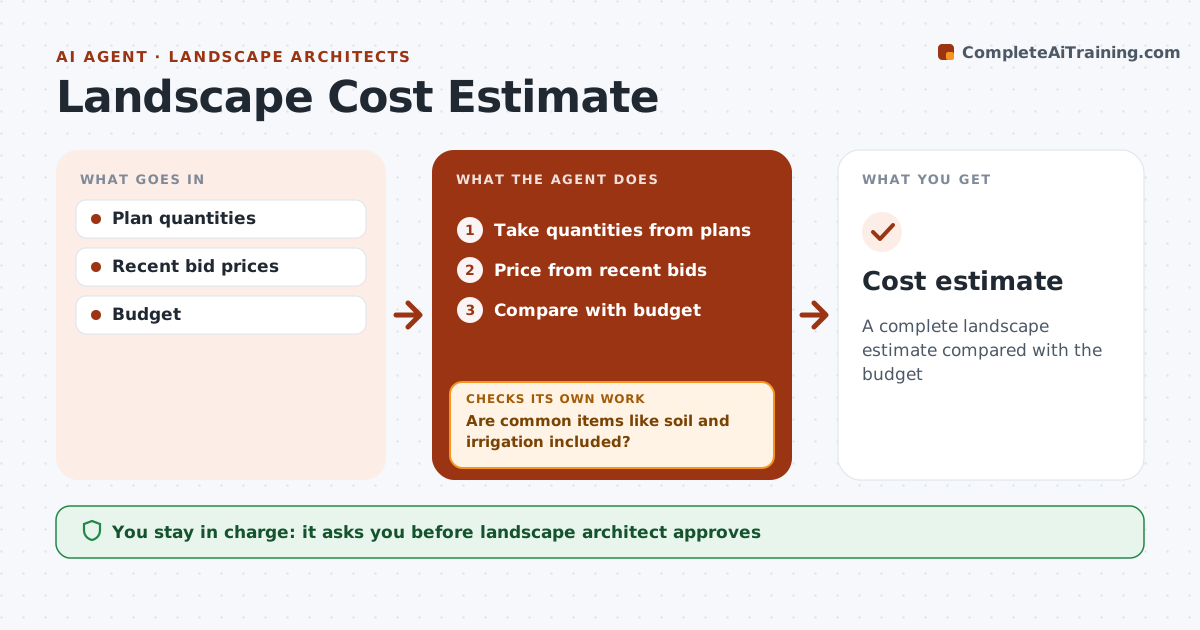
A complete landscape estimate compared with the budget
What it does
Clients need cost estimates at each design phase, and a surprise at bid time can force redesign. This agent takes quantities from the plans, such as paving area, planting counts, soil volume and irrigation zones, and prices them from bids and supplier prices no older than 18 months. It builds the estimate, then checks for commonly missed items like soil, irrigation and site prep, adding any that are missing and checking again. It compares the total with the client's budget. If the estimate is over budget, it ranks the items that drive the gap so the designer knows where to look first, without changing the design itself. The landscape architect approves the estimate before it goes to the client. Edge case: phased projects are estimated with escalation for later phases, so a phase built two years out is not priced at today's costs.
How it works
Follow the arrows from top to bottom. The orange dashed arrow is the loop: when a check fails, the agent goes back and tries again.
Read the steps as a list
- Design phase complete
- Take quantities from plans
- Price from recent bids
- Are common items like soil and irrigation included?If not: add missing items. Back to step 2.
- Compare with budget
- Landscape architect approvesThe agent waits here for your OK.
- Cost estimate
How it decides
Prices from recent bids. Missing common items flagged. Over-budget items ranked.
- Recent bids within 18 months
- Escalation for later phases
- Budget gaps ranked
Make it yours
Every agent is a starting point. You choose these settings for your own situation.
- Price sources
- Common items list
- Escalation rate
- Format
What keeps you in control
It always asks you first
- Landscape architect approves
Hard limits
- Never shares with contractors
- Never commits budget
It stops when
- Done: estimate issued
- Stop: quantities unavailable
Set it up
We guide you through the set-up, step by step
Members get the full set-up guide for this agent. No technical skills needed: you copy, paste and upload.
- One set of instructions to paste into your AI, with the clicks for ChatGPT, Claude, Microsoft 365 Copilot, Gemini and Grok
- The agent then walks you through connecting your own data, one source at a time
- A downloadable copy with the flow chart, the rules and the full guide