AI agent for landscape architects
Landscape Installation Punch List Agent
Every installation issue corrected before acceptance
What it does
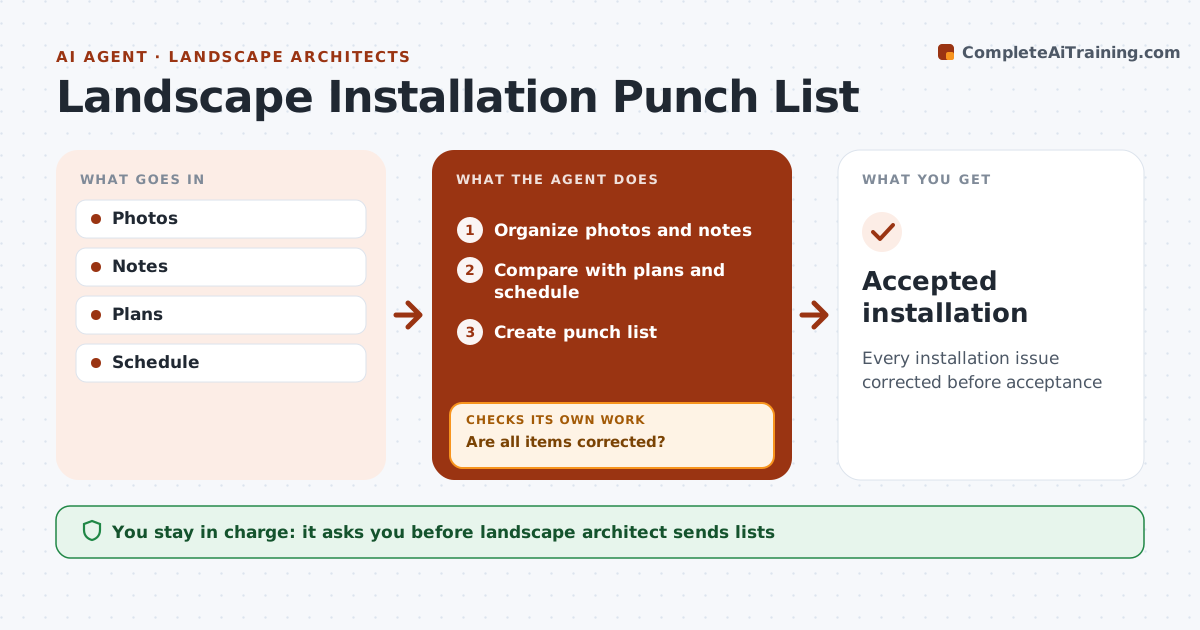
During installation, landscape architects visit the site to check work against the plans, and punch items easily slip between visits. This agent organizes photos and notes from each visit, compares installed plants and materials with the plan and plant schedule, and builds a punch list. Plant substitutions made without approval are flagged. It tracks each item visit by visit and closes it only when new photos show it is corrected; otherwise it stays open for the next visit. At the end of the warranty period, it schedules a final review of plant health, and dead plants found then are listed for replacement under warranty. The landscape architect approves and sends every list to the contractor. Edge case: a contractor swaps the specified tree species without approval, so the agent flags it rather than accepting it as close enough.
How it works
Follow the arrows from top to bottom. The orange dashed arrow is the loop: when a check fails, the agent goes back and tries again.
Read the steps as a list
- Site visit
- Organize photos and notes
- Compare with plans and schedule
- Create punch list
- Landscape architect sends list to contractorThe agent waits here for your OK.
- Are all items corrected?If not: keep open for next visit. Back to step 2.
- Accepted installation
How it decides
Items stay open until evidence shows correction.
- Unapproved substitutions flagged
- Dead plants replaced in warranty
- Open until evidence
Make it yours
Every agent is a starting point. You choose these settings for your own situation.
- Visit frequency
- Item categories
- Warranty period
- Report format
What keeps you in control
It always asks you first
- Landscape architect sends lists
Hard limits
- Never directs crew
- Never accepts work itself
It stops when
- Done: accepted
- Stop: contract terminated
Set it up
We guide you through the set-up, step by step
Members get the full set-up guide for this agent. No technical skills needed: you copy, paste and upload.
- One set of instructions to paste into your AI, with the clicks for ChatGPT, Claude, Microsoft 365 Copilot, Gemini and Grok
- The agent then walks you through connecting your own data, one source at a time
- A downloadable copy with the flow chart, the rules and the full guide