
Learning path
Learning AI as an Architect
Learn how AI can help with early concepts, site notes, code checks, and client updates. This path also includes setup steps, video courses chosen for architects, and certificates to show what you have completed.

Your path
Everything in the Architect AI kit, in the order that makes sense. Members tick off each step and see their progress.
Set up your AI
We guide you through each click.
Let skills do your everyday tasks
Connect your apps and pick your AI apps
Hand whole tasks to AI agents
Build your own tools
Keep growing
Everything for architects
All the courses, certifications, AI tools, MCP servers and apps for architects, most relevant first. Open any list to see more.
Take the prompt courses
A short framework course to learn how to ask, then 9 lessons with ready-to-use prompts for architects.
Start with this framework: how to talk to AI
RISEN helps you structure multi-step work like a construction specification, turning client briefs into clear roles, steps, and expected outputs.
Then your prompt course for architectsWatch the video courses or add them to your Favorites for later
83 video courses our AI picked for architects, most useful first. Save the ones you want to watch later with the heart.
Favorites are saved to your account: sign in or get your AI kit first.
Show all 83 video courses
Get certified, or add certifications to your Favorites
Every course ends in an exam and a certificate you can add to LinkedIn. Save the certifications you are aiming for with the heart.
Favorites are saved to your account: sign in or get your AI kit first.
More certifications for architectsShow all 24 certifications
Try the AI tools for architects
7 AI tools our AI matched to the work of architects, best fit first. Each review shows what it does, its alternatives and the jobs it suits.
Favorites are saved to your account: sign in or get your AI kit first.
Connect your AI to the apps architects use
MCP servers let ChatGPT, Claude or Copilot look things up and get work done in other apps, like your email, calendar or bookkeeping software. These 12 fit the work of architects best, well-known apps first.

Revit Model MCP server
by sharafutdinovdiLets your AI read a live Revit model and, if you allow it, make small changes like placing or moving elements.

den AEC Knowledge server
by odd-InnocentAsk your AI about Korean building codes, standards and construction practice, with sources.
Research Official
Box MCP server
by boxLet your AI search your Box files, answer questions about them, and pull out details for you.
Productivity Official
Everything Search MCP server
by mamertofabianLets your AI search the files and folders on your own computer by name, size, or date.

Google Drive MCP server
by A1-x-TechLet your AI search, organize, upload, download, export and share your Google Drive files for you.

OpenTakeoff MCP server
by Kentucky-aiMeasure rooms, walls and finishes on construction plan PDFs and get quantities back in chat.
Show all 12 MCP servers

debim MCP server
by PRIDA-TAKONLet your AI build 3D building models from simple text files, calculate material amounts and costs, and make a viewable model.
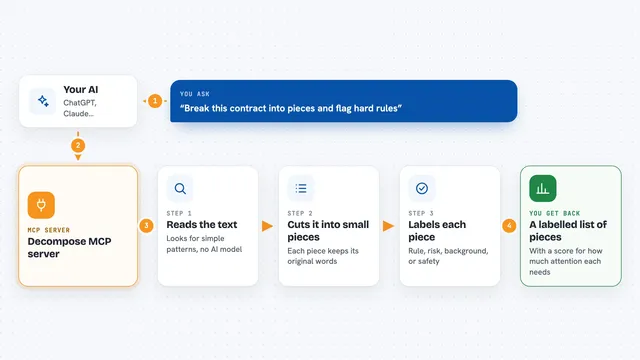
Decompose MCP server
by echology-ioYour AI can break any text into labelled pieces and show which parts are rules, risks, or just background.

lambdacad MCP server
by PsalmustrackLet your AI draw and model inside BricsCAD on Linux, from simple 2D plans to 3D solids.
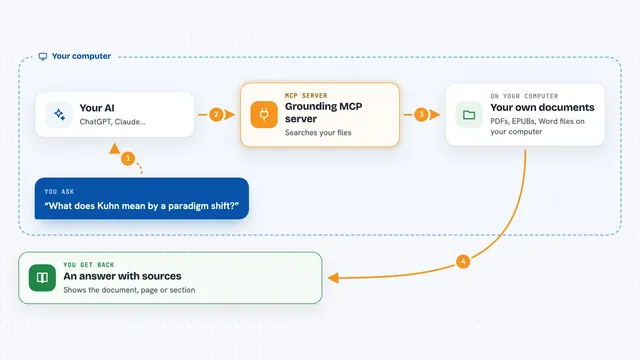
Grounding MCP server
by andyliszewskiSearch your own PDFs, EPUBs and Word files locally and get answers with page and section citations.

Ossian document search and memory server
by dockndevaiLet your AI answer questions from your team's own documents with real sources, and keep notes across chats.

Local RAG MCP server
by shinprSearch your own PDF, Word, text and Markdown files from your AI chat, all on your own computer.
Build your own AI apps for architects
Apps you build yourself with your own AI, no coding needed and no monthly fee. Our AI picked the 3 that fit the work of architects.
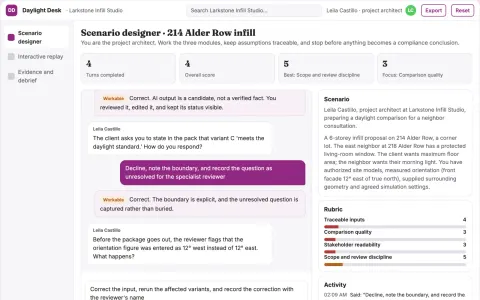
Neighbor daylight scenario workspace
Reduce repetitive early design revisions by making tradeoffs visible.
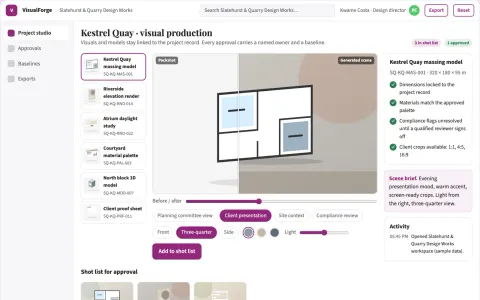
Design visual production and review platform
Replace several rented visual tools with one owned workspace that turns project inputs into reviewed, client-ready visuals and models.
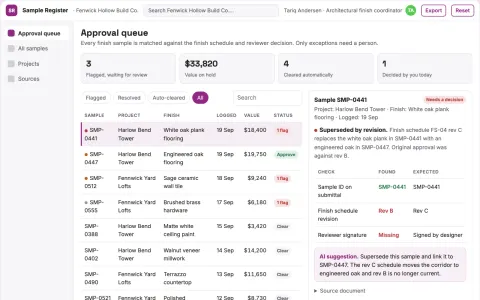
Construction sample approval register
Trace finishes to exact approved samples.




















































































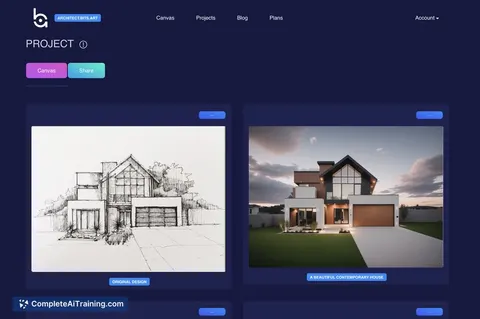
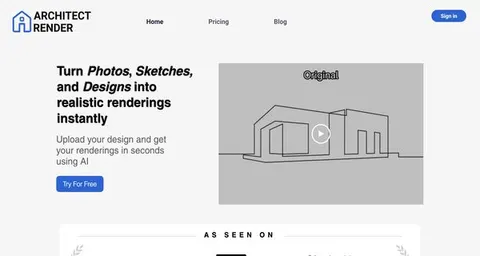

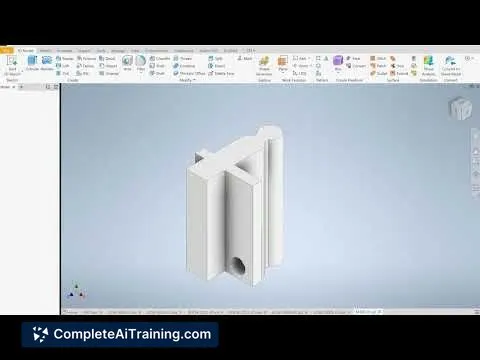
About this learning path
6 topicsAI for Architects: A Practical Learning Path
Architects juggle design ideas, rules, consultants, and client needs. This path helps you bring AI into that daily work without losing your own judgment.
You start with setup questions, connect your AI tool, and learn the skills that fit architecture. Then you take the prompt course and short video courses picked for the job, with certificates that show your progress.
Why AI matters for architects
Projects move fast, and small tasks pile up: notes, checks, revisions, and coordination. AI can help you draft first versions, compare options, and turn messy information into clear summaries you can review.
What the path includes
The path opens with setup questions and a simple way to connect your AI. It then combines this prompt course with video courses chosen for architects, and each video course lists the certificate you can earn.
How AI saves time
You can use AI for early massing notes, site summaries, code questions, material comparisons, and meeting records. The time you win back goes into design thinking, client conversations, and site decisions.
How it protects your career
AI does not replace your license, taste, or responsibility. It helps you stay current, document your thinking, and focus on the parts of architecture that need a trained human eye.
How to start well
Begin with one small task, such as turning a client brief into a room list or preparing a site visit checklist. Keep your own review in the loop, and add one new prompt lesson each week.
Frequently asked questions
Do I need technical skills to start?
No. The path uses plain language and step by step setup. If you can write an email and open a chat tool, you can begin.How does AI fit into architecture work?
It helps with first drafts, summaries, checklists, and comparisons. You still make the design calls, verify code, and sign the final work.Will AI replace my design judgment?
No. AI is a support tool for organizing information and sparking options. Your training, experience, and responsibility stay at the center.How long does the learning path take?
You can move at your own pace. Many architects finish the prompt course in a few sittings and use the video courses over several weeks.