AI agent for landscape architects
Landscape Ordinance Compliance Agent
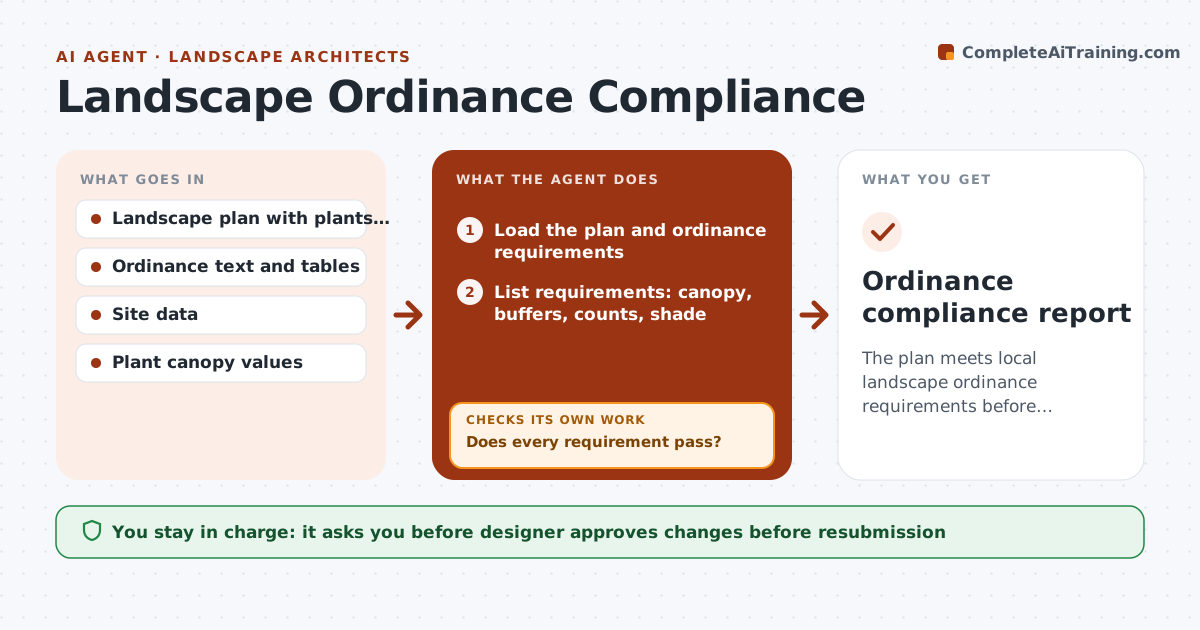
The plan meets local landscape ordinance requirements before resubmission.
What it does
Plans come back from the city because the parking lot shade is 28% instead of 30%, and a buffer is 2 feet too narrow. This agent reads the ordinance and your plan together. It computes canopy cover, buffer widths, plant counts and shade percentage, and flags failures with the plan location. For each failure, it proposes a fix, such as adding a tree or widening a planting strip, and reruns the calculations. You approve changes before resubmission. Edge case: a tree that counts at maturity for canopy but not for the temporary approval is calculated under the ordinance's stated rule, and the rule is shown.
How it works
Follow the arrows from top to bottom. The orange dashed arrow is the loop: when a check fails, the agent goes back and tries again.
Read the steps as a list
- Submission planned
- Load the plan and ordinance requirements
- List requirements: canopy, buffers, counts, shade
- Measure areas and count plants from the plan
- Calculate each requirement
- Does every requirement pass?If not: List failures with locations and propose fixes. Back to step 3.
- Draft the fix list
- Designer approves changes before resubmissionThe agent waits here for your OK.
- Rerun calculations on the revised plan
- Do all requirements pass with no new failures?If not: Revise the fixes and rerun. Back to step 6.
- Ordinance compliance report
How it decides
It calculates each requirement using the ordinance's formulas and plant values, and shows pass or fail with the margin.
- Use the plant canopy values stated in the ordinance
- Show a margin for each requirement
- Flag margins under 3% as at risk
- Check the latest ordinance version
Make it yours
Every agent is a starting point. You choose these settings for your own situation.
- Ordinance and version
- Margin alert (default 3%)
- Plant canopy table
- Report format
What keeps you in control
It always asks you first
- Designer approves changes before resubmission
Hard limits
- Never certify compliance
- Never edit the plan itself
It stops when
- Done: all requirements pass
- Stop: ordinance version unclear
Set it up
We guide you through the set-up, step by step
Members get the full set-up guide for this agent. No technical skills needed: you copy, paste and upload.
- One set of instructions to paste into your AI, with the clicks for ChatGPT, Claude, Microsoft 365 Copilot, Gemini and Grok
- The agent then walks you through connecting your own data, one source at a time
- A downloadable copy with the flow chart, the rules and the full guide