AI agent for supply chain managers
Lane and Carrier Route Review Agent
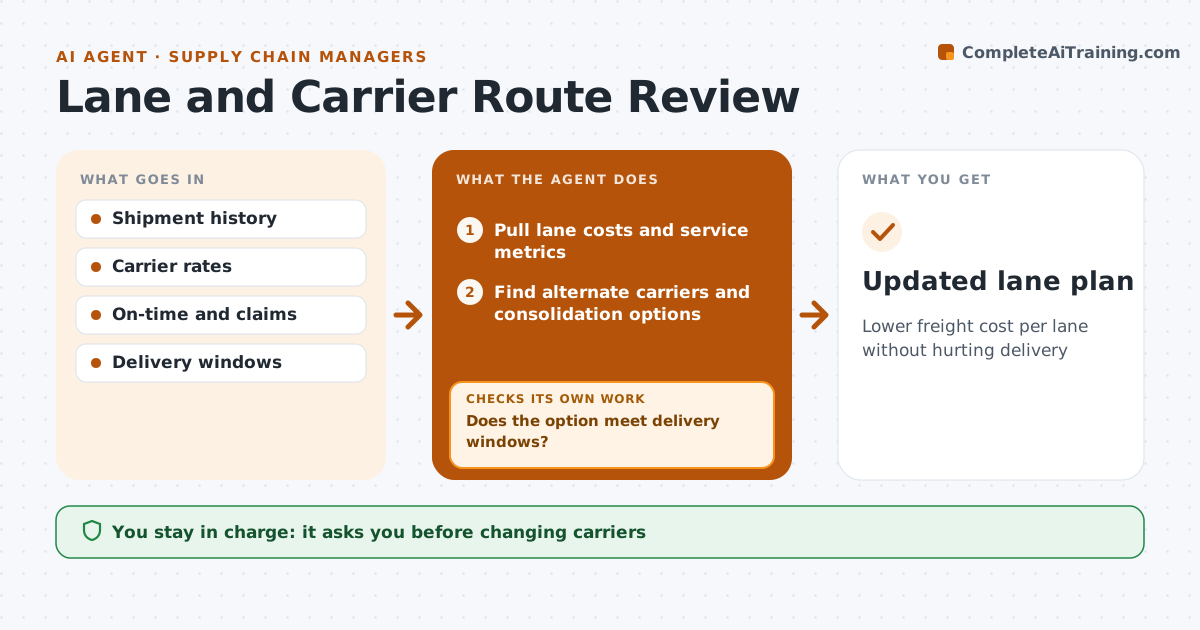
Lower freight cost per lane without hurting delivery
What it does
Freight lanes change as customers and volumes change, but carrier assignments are rarely reviewed. This agent reviews each lane's cost per unit, on-time rate and claim rate by carrier. It compares with other carriers and modes on the same lane, and tests options such as combining shipments, moving to rail or adding a pool point. Each option is checked against customer delivery windows. If an option breaks a window, it drops it or splits out the customers who need it. A carrier with lower cost but poor on-time is not chosen for time-critical lanes. It drafts a lane plan with savings and service effects. The logistics manager approves carrier changes and any change customers will notice.
How it works
Follow the arrows from top to bottom. The orange dashed arrow is the loop: when a check fails, the agent goes back and tries again.
Read the steps as a list
- Quarterly review
- Pull lane costs and service metrics
- Find alternate carriers and consolidation options
- Calculate cost and transit time
- Does the option meet delivery windows?If not: drop it and try the next option. Back to step 3.
- Draft lane plan
- Manager approves changesThe agent waits here for your OK.
- Updated lane plan
How it decides
It ranks options by saving and keeps only those that meet delivery windows and service floors.
- Service floor per lane
- Rank by saving
- Time-critical lanes stay with high on-time carriers
Make it yours
Every agent is a starting point. You choose these settings for your own situation.
- Lanes included
- Service floor
- Modes allowed
- Saving threshold
What keeps you in control
It always asks you first
- Changing carriers
Hard limits
- Never tenders loads
It stops when
- Done: plan approved
- Stop: no better option
Set it up
We guide you through the set-up, step by step
Members get the full set-up guide for this agent. No technical skills needed: you copy, paste and upload.
- One set of instructions to paste into your AI, with the clicks for ChatGPT, Claude, Microsoft 365 Copilot, Gemini and Grok
- The agent then walks you through connecting your own data, one source at a time
- A downloadable copy with the flow chart, the rules and the full guide