AI agent for sales managers
Lead Source Quality Review Agent
The lead budget goes to sources that produce revenue
What it does
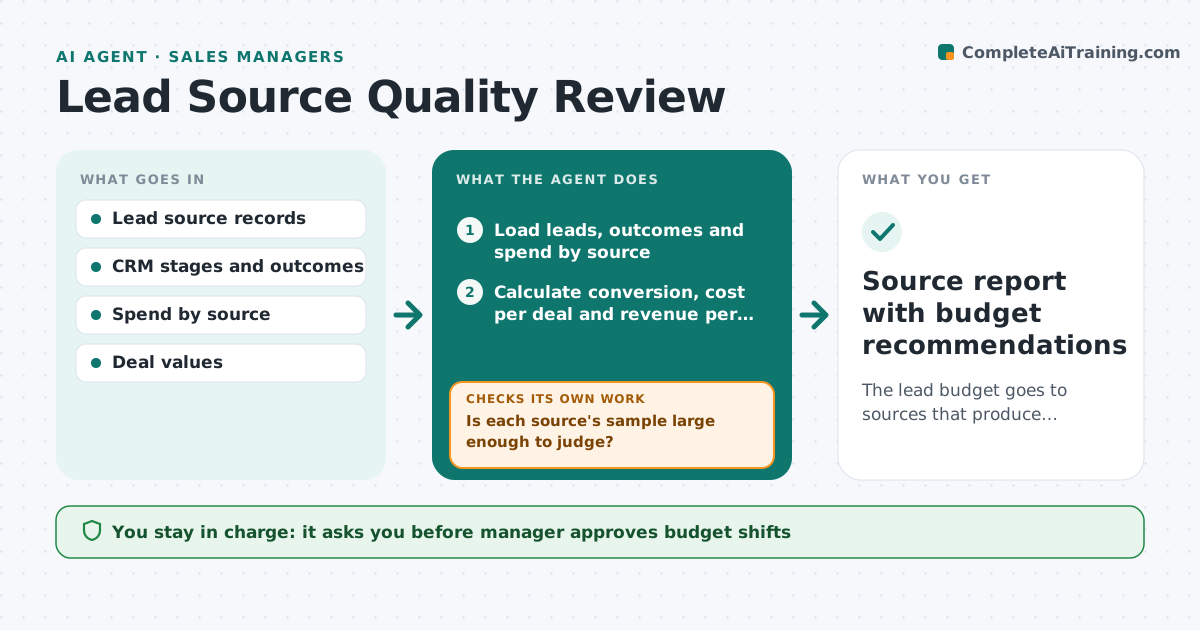
Lead budgets often follow habit: the same trade shows and ad channels every year. This agent follows each lead from its source through to closed deals and revenue, then finds sources with poor conversion and high cost. It tests fixes such as new qualification rules, a narrower audience or better follow-up, and checks whether results improve in the next period. It moves nothing on its own. It shows the manager the sources to cut, hold or grow, with the evidence. After a fix is applied, it measures again to see if the source improved. Edge case: a source has few leads but very high deal value, so the agent compares by revenue per dollar, not by lead count.
How it works
Follow the arrows from top to bottom. The orange dashed arrow is the loop: when a check fails, the agent goes back and tries again.
Read the steps as a list
- Monthly source review
- Load leads, outcomes and spend by source
- Calculate conversion, cost per deal and revenue per dollar
- Is each source's sample large enough to judge?If not: extend the window or mark the source as unclear. Back to step 2.
- Mark sources to grow, hold, fix or cut
- Propose a fix for weak sources such as a qualification rule
- Manager approves fixes and budget shiftsThe agent waits here for your OK.
- Apply approved fixes and track the next period
- Did the source improve after the fix?If not: try another fix or recommend cutting it. Back to step 5.
- Source report with budget recommendations
How it decides
Sources are ranked by cost per closed deal and revenue per dollar. Poor sources get a test fix before being cut.
- Compare sources by revenue per dollar
- Require at least 30 leads before judging
- Test one fix before recommending a cut
- Treat sources with long cycles over a longer window
Make it yours
Every agent is a starting point. You choose these settings for your own situation.
- Metrics for ranking
- Minimum leads (default 30)
- Review window
- Fixes allowed
What keeps you in control
It always asks you first
- Manager approves budget shifts
- Manager approves new qualification rules
Hard limits
- Never move budget itself
- Do not hide weak data
- Show the formulas
It stops when
- Done: budget plan agreed
- Stop: data is missing and the manager must fix tracking
Set it up
We guide you through the set-up, step by step
Members get the full set-up guide for this agent. No technical skills needed: you copy, paste and upload.
- One set of instructions to paste into your AI, with the clicks for ChatGPT, Claude, Microsoft 365 Copilot, Gemini and Grok
- The agent then walks you through connecting your own data, one source at a time
- A downloadable copy with the flow chart, the rules and the full guide