AI agent for head of human resources
Learning Budget Utilization Agent
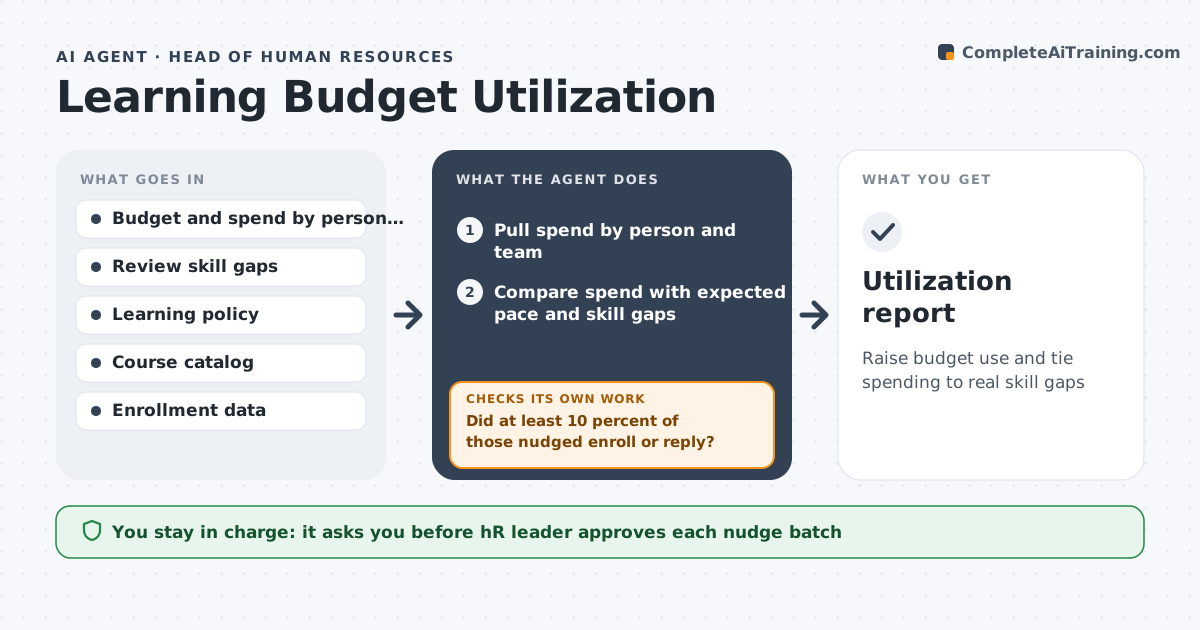
Raise budget use and tie spending to real skill gaps
What it does
At year end 40 percent of the learning budget is unspent while managers say there is no money. This agent tracks spend per employee and per team and compares it with the skill gaps found in reviews. Each month it nudges employees with unused budgets and suggests courses tied to their gaps. It checks each requested course against policy, such as approved vendors and a cost cap. It looks at which nudges led to enrollments and adjusts the next month's wording and timing. Near year end it proposes where to reallocate unused funds. The HR leader approves exceptions and the reallocation. Edge case: if an employee is on leave, the agent holds nudges and keeps their budget reserved.
How it works
Follow the arrows from top to bottom. The orange dashed arrow is the loop: when a check fails, the agent goes back and tries again.
Read the steps as a list
- Monthly cycle begins
- Pull spend by person and team
- Compare spend with expected pace and skill gaps
- Draft nudges with matching course suggestions
- HR leader approves the nudge batchThe agent waits here for your OK.
- Send nudges and log enrollments
- Did at least 10 percent of those nudged enroll or reply?If not: Change the wording, timing or course choices and retry next cycle. Back to step 3.
- Check each request against policy
- Does every request meet cost and vendor rules?If not: Offer a compliant alternative or route the exception to HR. Back to step 8.
- HR leader approves exceptions and year-end reallocationThe agent waits here for your OK.
- Utilization report
How it decides
It targets people below their expected spend and matches courses to review skill gaps. It adjusts nudges that get less than a 10 percent response.
- Nudge people spending under 50 percent of the pace-adjusted budget
- Match courses only to skill gaps in reviews
- Treat requests above the cost cap as exceptions
- Hold nudges for employees on leave
Make it yours
Every agent is a starting point. You choose these settings for your own situation.
- Nudge threshold (default under 50 percent of pace)
- Response target (default 10 percent)
- Cost cap per course (default $2,500)
- Cycle frequency (default monthly)
What keeps you in control
It always asks you first
- HR leader approves each nudge batch
- HR leader approves exceptions and reallocation
Hard limits
- Never approve spending
- Never share review details outside HR
- Respect leave and privacy
It stops when
- Done: Year-end review completed and funds reallocated
- Stop: Budget policy changes, so hand to the HR leader
Set it up
We guide you through the set-up, step by step
Members get the full set-up guide for this agent. No technical skills needed: you copy, paste and upload.
- One set of instructions to paste into your AI, with the clicks for ChatGPT, Claude, Microsoft 365 Copilot, Gemini and Grok
- The agent then walks you through connecting your own data, one source at a time
- A downloadable copy with the flow chart, the rules and the full guide