AI agent for hr business partners
Leave and Accommodation Timeline Agent
No missed legal deadline and a clear list of what is outstanding for every open case
What it does
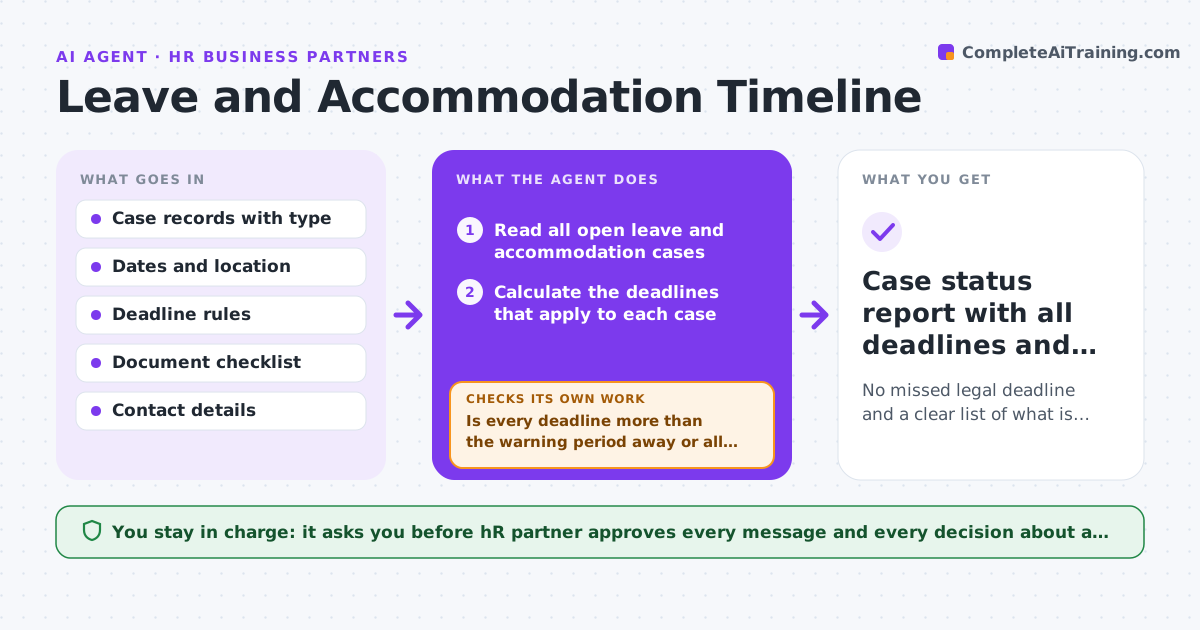
Leave and accommodation cases have legal notice and response deadlines that differ by case type and location, and they are easy to miss when many cases are open. This agent reads each open case and works out which deadlines apply. It lists the documents or replies still missing, such as a medical certificate or an employee response. It drafts reminders to managers and employees and rechecks the case on the next run to see whether the item arrived. If a deadline is near and nothing has arrived, it escalates to the HR partner. It does not decide on any case. Edge case: an employee moves state mid-case, so the agent flags that the rules may have changed.
How it works
Follow the arrows from top to bottom. The orange dashed arrow is the loop: when a check fails, the agent goes back and tries again.
Read the steps as a list
- Daily case review
- Read all open leave and accommodation cases
- Calculate the deadlines that apply to each case
- List missing documents, replies and approvals
- Is every deadline more than the warning period away or all items complete?If not: mark the case urgent and draft a reminder and an escalation. Back to step 3.
- Draft reminders to managers and employees
- HR partner approves each messageThe agent waits here for your OK.
- On the next run, check whether the items arrived
- Did the missing items arrive?If not: send a follow-up or escalate to the HR partner. Back to step 8.
- Case status report with all deadlines and gaps
How it decides
Deadlines come from the rule table for case type and location. A case is urgent when a deadline is within a set number of days and an item is missing.
- Use the rule table for the case type and location
- Mark a case urgent when a deadline is within five working days
- Re-check the rules when the employee's location changes
- Never mark a case closed without the HR partner
Make it yours
Every agent is a starting point. You choose these settings for your own situation.
- Warning period before a deadline (default: 5 working days)
- Deadline rule table by location
- Run time (default: 7 am)
- Message tone and templates
What keeps you in control
It always asks you first
- HR partner approves every message and every decision about a person
Hard limits
- Never decides eligibility or approves leave
- Never shares medical details beyond HR
It stops when
- Done: all items are in and the case is closed by HR
- Stop: the case type has no rule in the table
Set it up
We guide you through the set-up, step by step
Members get the full set-up guide for this agent. No technical skills needed: you copy, paste and upload.
- One set of instructions to paste into your AI, with the clicks for ChatGPT, Claude, Microsoft 365 Copilot, Gemini and Grok
- The agent then walks you through connecting your own data, one source at a time
- A downloadable copy with the flow chart, the rules and the full guide