AI agent for hr business partners
Org Change Impact Agent
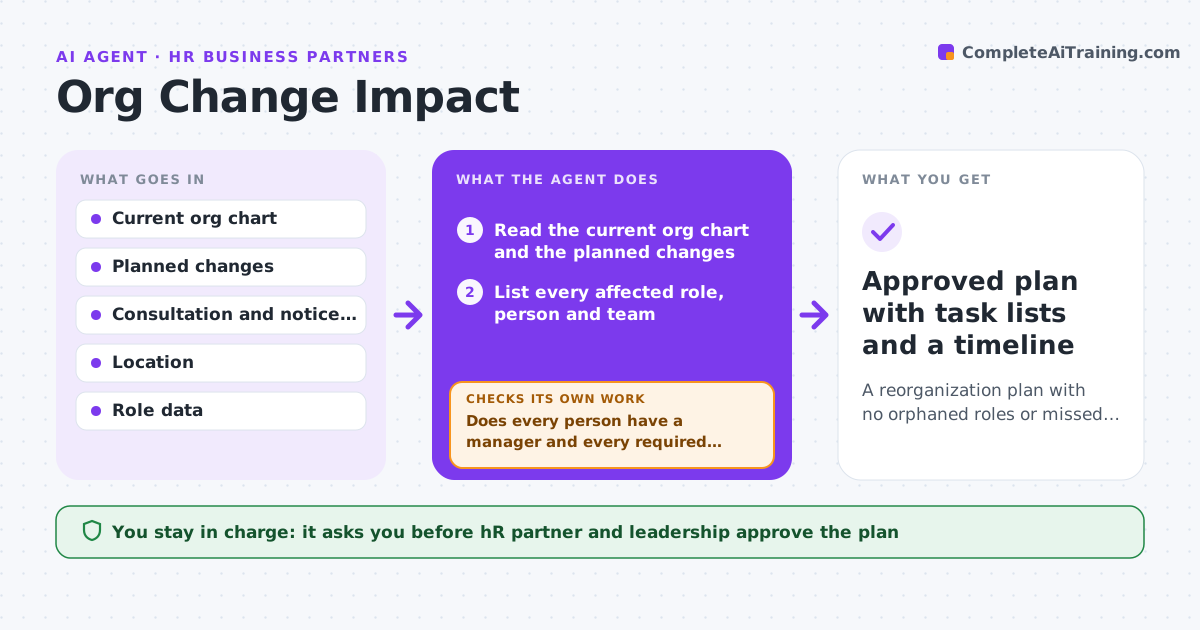
A reorganization plan with no orphaned roles or missed legal steps, and a task list for each team
What it does
Reorganizations break reporting lines, access and consultation steps that nobody tracks together. This agent builds a list of affected roles from the planned change. It checks the plan against notice, consultation and policy requirements and finds gaps, such as roles left with no manager or a team that must be consulted but is not on the schedule. It rechecks after each revision of the plan. It then drafts a task list for HR, IT and finance covering system changes, access changes and payroll. The HR partner and leadership approve the plan. Edge case: a manager role is removed while four people report to it, so the agent flags them as unassigned.
How it works
Follow the arrows from top to bottom. The orange dashed arrow is the loop: when a check fails, the agent goes back and tries again.
Read the steps as a list
- Reorganization plan is drafted
- Read the current org chart and the planned changes
- List every affected role, person and team
- Check each change against consultation and notice rules
- Does every person have a manager and every required step a date?If not: list the gaps and ask the HR partner to fill them. Back to step 3.
- Draft task lists for HR, IT and finance
- HR partner and leadership approve the planThe agent waits here for your OK.
- After any revision, rerun the checks
- Does the revised plan still pass all checks?If not: list the new gaps before the plan is released. Back to step 3.
- Approved plan with task lists and a timeline
How it decides
A plan passes when every affected person has a manager, every consultation step has a date, and every notice period is met.
- Flag any role with no manager after the change
- Check notice periods by location
- Flag a consultation step with no date
- Treat any revised plan as new and recheck it
Make it yours
Every agent is a starting point. You choose these settings for your own situation.
- Notice and consultation rules by location
- Systems included in task lists
- Review points (default: each revision)
- Task list format
What keeps you in control
It always asks you first
- HR partner and leadership approve the plan
- HR partner approves any employee communication
Hard limits
- Never changes records in HR systems
- Never contacts affected employees
It stops when
- Done: all checks pass and the plan is approved
- Stop: the org chart is out of date
Set it up
We guide you through the set-up, step by step
Members get the full set-up guide for this agent. No technical skills needed: you copy, paste and upload.
- One set of instructions to paste into your AI, with the clicks for ChatGPT, Claude, Microsoft 365 Copilot, Gemini and Grok
- The agent then walks you through connecting your own data, one source at a time
- A downloadable copy with the flow chart, the rules and the full guide