AI agent for ux writers
Legal and Compliance Copy Review Agent
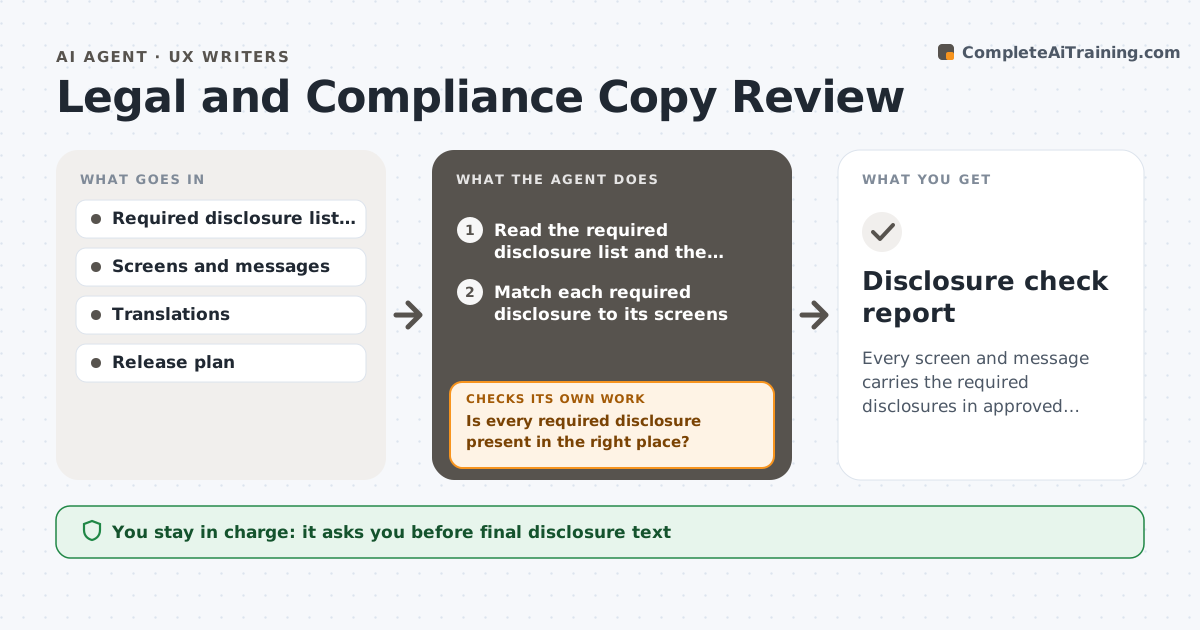
Every screen and message carries the required disclosures in approved wording
What it does
In regulated products, a required disclosure that is missing or reworded can lead to a violation. This agent checks screens and messages against the list of required disclosures. It flags missing or altered text, proposes compliant wording based on the approved text, and routes each issue to legal. After changes it rechecks all affected screens, including other languages and email templates that reuse the text. Legal approves the text. Edge case: a design shortens a required notice to fit a small screen, so the agent flags the change and proposes the approved short form if one exists.
How it works
Follow the arrows from top to bottom. The orange dashed arrow is the loop: when a check fails, the agent goes back and tries again.
Read the steps as a list
- Screen or message changes
- Read the required disclosure list and the screens
- Match each required disclosure to its screens
- Is every required disclosure present in the right place?If not: list each missing disclosure and its screen. Back to step 3.
- Compare the text to the approved wording
- Does each disclosure match approved wording or an approved short form?If not: propose the approved wording and flag any altered text. Back to step 3.
- Check translations and email templates that reuse the text
- Draft the issue list for legal
- Legal approves the textThe agent waits here for your OK.
- Recheck screens after changes
- Disclosure check report
How it decides
A disclosure passes when it is present, in the right place and matches approved wording exactly or is an approved short form.
- Require exact approved wording unless a short form is approved
- Flag a disclosure that moves off the required screen
- Check every language
- Block release while a required disclosure is missing
Make it yours
Every agent is a starting point. You choose these settings for your own situation.
- Disclosure list and versions
- Screens and languages
- Release checkpoint
- Legal contact
What keeps you in control
It always asks you first
- Final disclosure text
- Any new short form
Hard limits
- Never writes wording that legal has not approved
- Never publishes text
It stops when
- Done: all disclosures pass and legal approves
- Stop: disclosure requirements are unclear
Set it up
We guide you through the set-up, step by step
Members get the full set-up guide for this agent. No technical skills needed: you copy, paste and upload.
- One set of instructions to paste into your AI, with the clicks for ChatGPT, Claude, Microsoft 365 Copilot, Gemini and Grok
- The agent then walks you through connecting your own data, one source at a time
- A downloadable copy with the flow chart, the rules and the full guide