AI agent for lawyers
Legislative Draft Consistency Check Agent
A draft bill with no broken references, undefined terms or unflagged statute conflicts
What it does
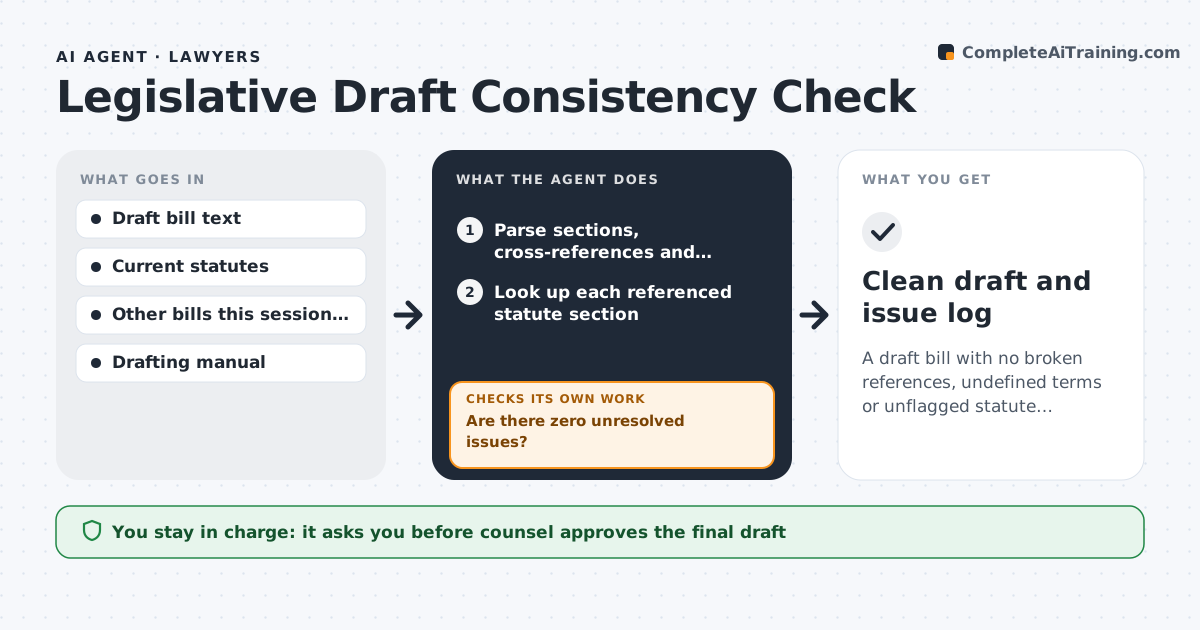
Bill drafts change many times, and each edit can break a section reference or use a term that is never defined. Catching these by hand is slow and easy to miss. This agent reads each new draft version, parses its sections, cross-references and defined terms, and looks up every statute section it amends. It checks effective dates and appropriation references, and searches pending bills that amend the same sections this session. If any issue is open, it sends staff a list with suggested fixes, then re-checks the next saved version until nothing is left. References to repealed or missing sections count as errors. It never decides policy, and drafting choices stay with legislative counsel. Edge case: when an amended section was already changed by another bill this session, it flags the conflict so counsel can pick which version to amend.
How it works
Follow the arrows from top to bottom. The orange dashed arrow is the loop: when a check fails, the agent goes back and tries again.
Read the steps as a list
- New draft version saved
- Parse sections, cross-references and defined terms
- Look up each referenced statute section
- Check terms, dates and appropriation references
- Search pending bills that amend the same sections
- Are there zero unresolved issues?If not: send the issue list to staff and re-check the next saved version. Back to step 2.
- Legislative counsel signs off on the draftThe agent waits here for your OK.
- Clean draft and issue log
How it decides
Every reference must point to an existing section, every defined term must be used consistently, and any overlap with another pending bill is reported.
- References to repealed or missing sections are errors
- Terms used but not defined are flagged
- Overlap with another pending bill is always reported
Make it yours
Every agent is a starting point. You choose these settings for your own situation.
- Jurisdiction statute source
- Drafting manual rules to enforce
- Which pending bills to search (all or by committee)
- Issue severity levels to report
What keeps you in control
It always asks you first
- Counsel approves the final draft
- Policy choices stay with the member
Hard limits
- Never files or introduces a bill
- Does not change policy content, only flags issues
It stops when
- Done: no open issues
- Stop: draft is a concept memo, not bill text
Set it up
We guide you through the set-up, step by step
Members get the full set-up guide for this agent. No technical skills needed: you copy, paste and upload.
- One set of instructions to paste into your AI, with the clicks for ChatGPT, Claude, Microsoft 365 Copilot, Gemini and Grok
- The agent then walks you through connecting your own data, one source at a time
- A downloadable copy with the flow chart, the rules and the full guide