AI agent for tutors
Lesson Recording and Practice Feedback Agent
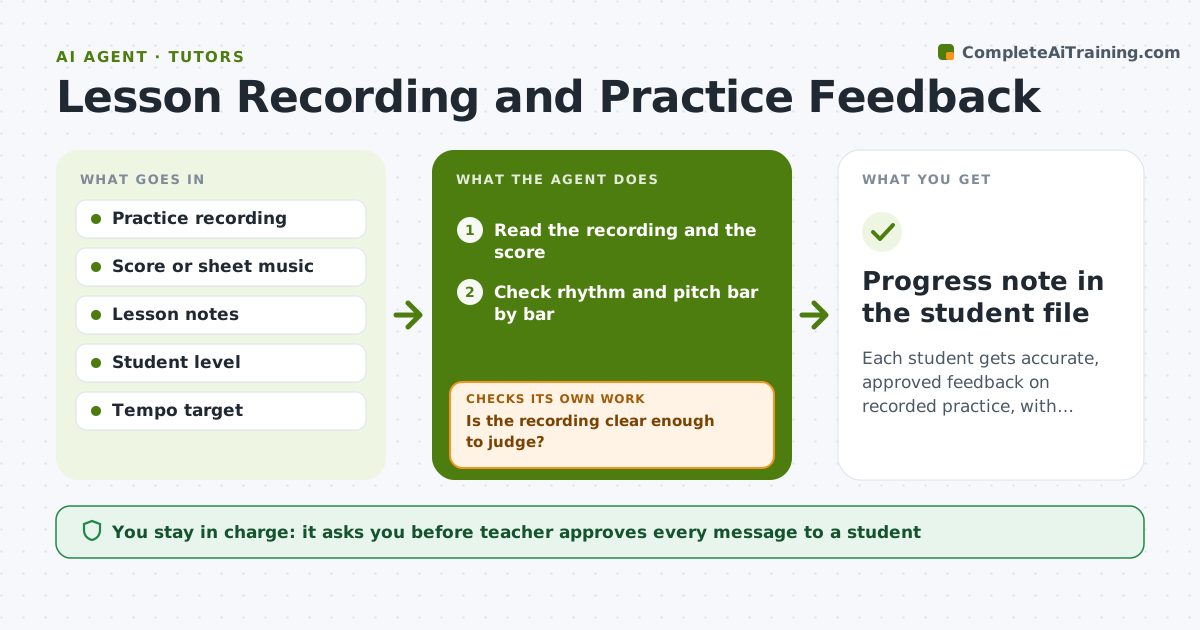
Each student gets accurate, approved feedback on recorded practice, with errors checked again on the next recording.
What it does
Students practice for a week and come back repeating the same wrong note or rhythm. The agent reads the recordings students upload between lessons, checks rhythm and pitch against the score, and finds the bars with errors. It builds a short correction for each: which bar, what went wrong and an exercise to fix it. After the next recording it rechecks the same bars and adjusts, giving new exercises if the error remains or moving on if it is fixed. The teacher approves what is sent. Edge case: a recording with a noisy room or an out of tune piano, where the agent asks for a new recording rather than guess.
How it works
Follow the arrows from top to bottom. The orange dashed arrow is the loop: when a check fails, the agent goes back and tries again.
Read the steps as a list
- Student uploads a recording
- Read the recording and the score
- Check rhythm and pitch bar by bar
- Is the recording clear enough to judge?If not: Ask the student for a new recording. Back to step 3.
- List repeated or large errors
- Build corrections with exercises and tempo targets
- Teacher approves what is sentThe agent waits here for your OK.
- Send the feedback to the student
- Read the next recording
- Are the same bars fixed?If not: Adjust the exercises and report to the teacher. Back to step 3.
- Progress note in the student file
How it decides
It compares the played notes and timing with the score at the set tolerance and proposes a fix only for errors that repeat or are large.
- Flag a bar when the same error appears twice or the timing is off by 20%
- Skip errors in bars not assigned this week
- Ask for a new recording when noise is high
- Praise fixed bars before listing new errors
Make it yours
Every agent is a starting point. You choose these settings for your own situation.
- Timing tolerance for flags
- Which pieces are assigned this week
- How much detail to send to each student level
- Exercise style
What keeps you in control
It always asks you first
- Teacher approves every message to a student
Hard limits
- Never send feedback without teacher approval
- Do not share recordings outside the studio
It stops when
- Done: errors fixed or the teacher has a plan for them
- Stop: the recording does not match the assigned piece
Set it up
We guide you through the set-up, step by step
Members get the full set-up guide for this agent. No technical skills needed: you copy, paste and upload.
- One set of instructions to paste into your AI, with the clicks for ChatGPT, Claude, Microsoft 365 Copilot, Gemini and Grok
- The agent then walks you through connecting your own data, one source at a time
- A downloadable copy with the flow chart, the rules and the full guide