AI agent for online sellers
Listing Health Fix Agent
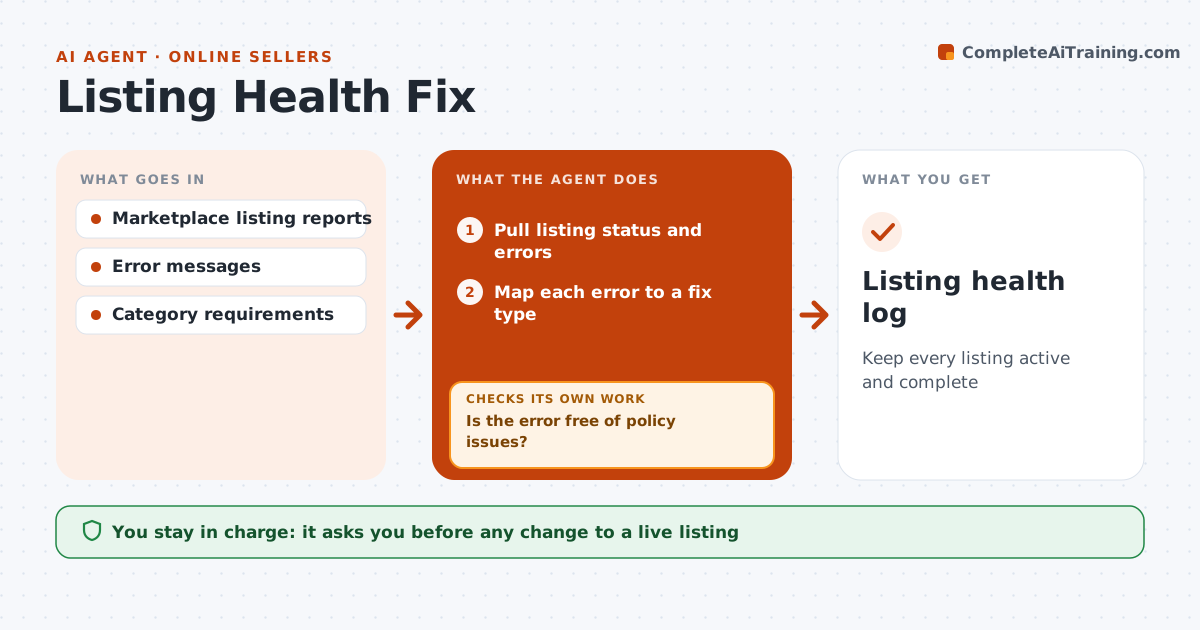
Keep every listing active and complete
What it does
Marketplaces quietly suppress or demote listings with missing fields, image problems or policy flags, and sales drop before the seller notices. Every day this agent pulls each listing's status and error messages and checks search-relevant fields against marketplace requirements. It maps each error to a fix type and drafts the fix, such as adding missing attributes, trimming a title to the category limit or replacing an image with text on it. Policy flags, such as restricted claims, are never auto-fixed; they go to the seller with the policy section. The seller approves changes to live listings. After a fix is applied, it checks the listing is active again. If not, it reads the new error and tries the next fix, escalating after two failed fixes with the exact error text. Edge case: a policy flag is always sent to the seller.
How it works
Follow the arrows from top to bottom. The orange dashed arrow is the loop: when a check fails, the agent goes back and tries again.
Read the steps as a list
- Daily listing check
- Pull listing status and errors
- Map each error to a fix type
- Is the error free of policy issues?If not: send the listing to the seller with the policy section. Back to step 3.
- Draft corrected titles, attributes or images
- Seller approves changes to live listingsThe agent waits here for your OK.
- Is the listing active after the fix?If not: read the new error and try the next fix, or escalate after two attempts. Back to step 5.
- Listing health log
How it decides
Each error is mapped to a fix type. Policy-related flags always need the seller.
- Policy flags go to the seller
- Titles trimmed to the category limit
- Escalate after two failed fixes
Make it yours
Every agent is a starting point. You choose these settings for your own situation.
- Check frequency
- Marketplaces covered
- Which fixes need approval
- Escalation contact
What keeps you in control
It always asks you first
- Any change to a live listing
Hard limits
- Never edits policy-flagged listings
- Never changes prices
It stops when
- Done: all listings active
- Stop: account-level suspension
Set it up
We guide you through the set-up, step by step
Members get the full set-up guide for this agent. No technical skills needed: you copy, paste and upload.
- One set of instructions to paste into your AI, with the clicks for ChatGPT, Claude, Microsoft 365 Copilot, Gemini and Grok
- The agent then walks you through connecting your own data, one source at a time
- A downloadable copy with the flow chart, the rules and the full guide